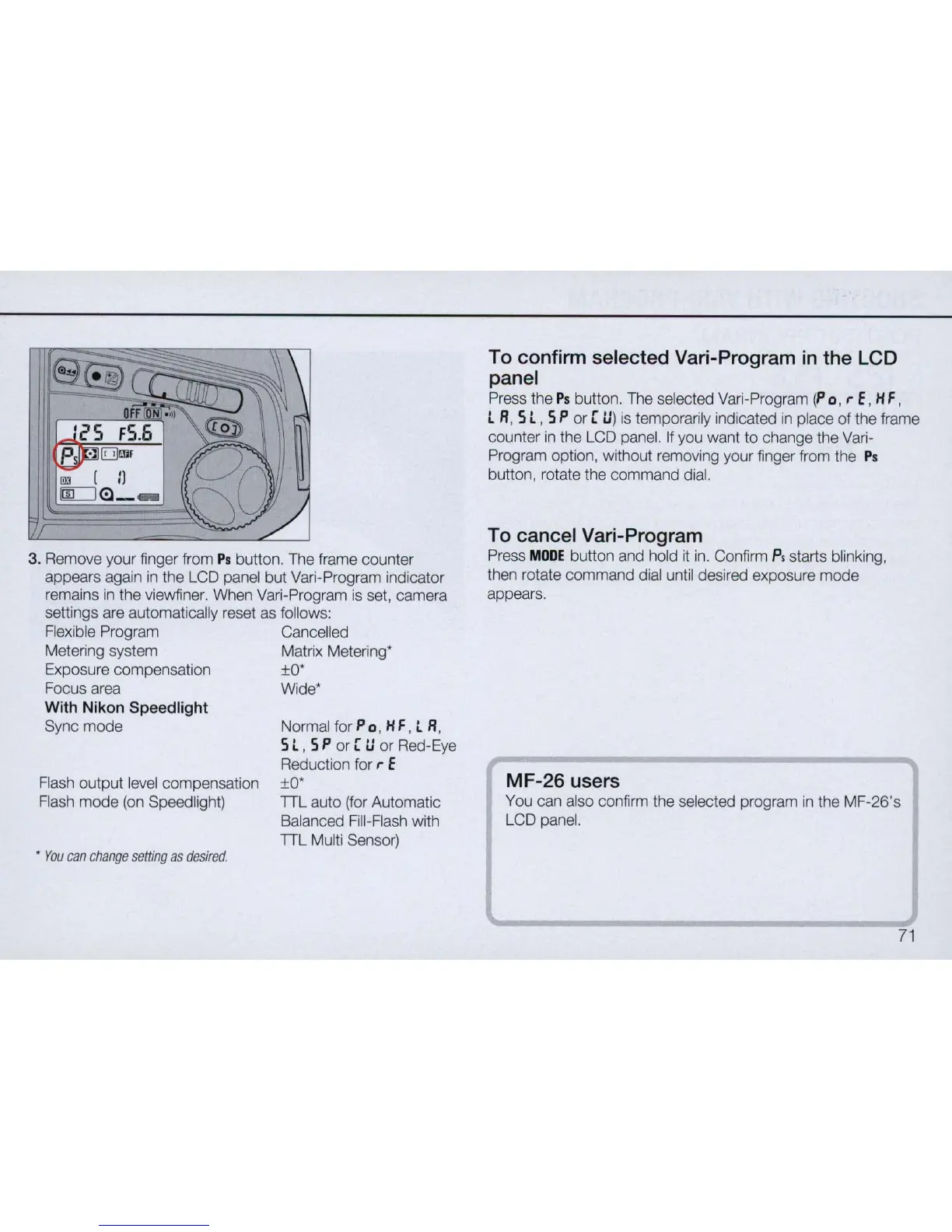
3. Remove your finger from
Ps
button. The frame counter
appears again
in
the LCD panel but Vari-Program indicator
remains
in
the viewfiner. When
Vari
-Program
is
set, camera
settings are automatically reset
as
follows:
Flexible Program Cance
ll
ed
Metering system Matrix Metering*
Exposure compensation
±O
*
Focus area Wide*
With
Nikon
Speed
light
Sync mode Normal for P 0 , H F, t R,
Flash output level compensation
Flash mode
(on
Speed light)
•
You
c
an
change
setting
as
desired
.
5 t , 5 P or [
tI
or Red-Eye
Reduction for
,.
f
±O
*
TTL auto (for Automatic
Balanced Fill-Flash with
TTL Multi Sensor)
To confirm selected Vari-Program
in
the LCD
panel
Press the
Ps
button. The selected Vari-Program (P 0 ,
,.
f , H F ,
L R, 5 L , 5 P or [
tI
)
is
temporarily indicated
in
place
of
the frame
counter
in
the LCD panel. If you want to change the Vari-
Program option, without removing your finger from the
Ps
button, rotate the command dial.
To cancel Vari-Program
Press
MODE
button and hold
it
in
. Confirm p, starts blinking,
then rotate command dial until desired exposure mode
appears.
MF-26
users
You can also confirm the selected program
in
the MF-26's
LCD panel.
71



 To Next Page