EasyManua.ls Logo

Nikon N90 AF - Long Time Exposure

Nikon N90 AF
148 pages
Print Icon
To Next Page IconTo Next Page
To Previous Page IconTo Previous Page
Loading...
LONG
TIME
EXPOSURE-USING
b
LJ
t b
SETTING
At
but
b setting, shutter
remains
open
as
long
as
shutter
release
button
remains
depressed.
To
avoid camera shake, which may cause picture blur, use a
tripod. Use
of
remote control accessories such
as
Nikon
Remote Cord MC-20, Modulite Remote Control Set ML-3, etc.
is
also recommended to avoid camera shake.
98
If ' " ),-
.-
I;
(,
I.'
,_
"
:,.(,
II
I
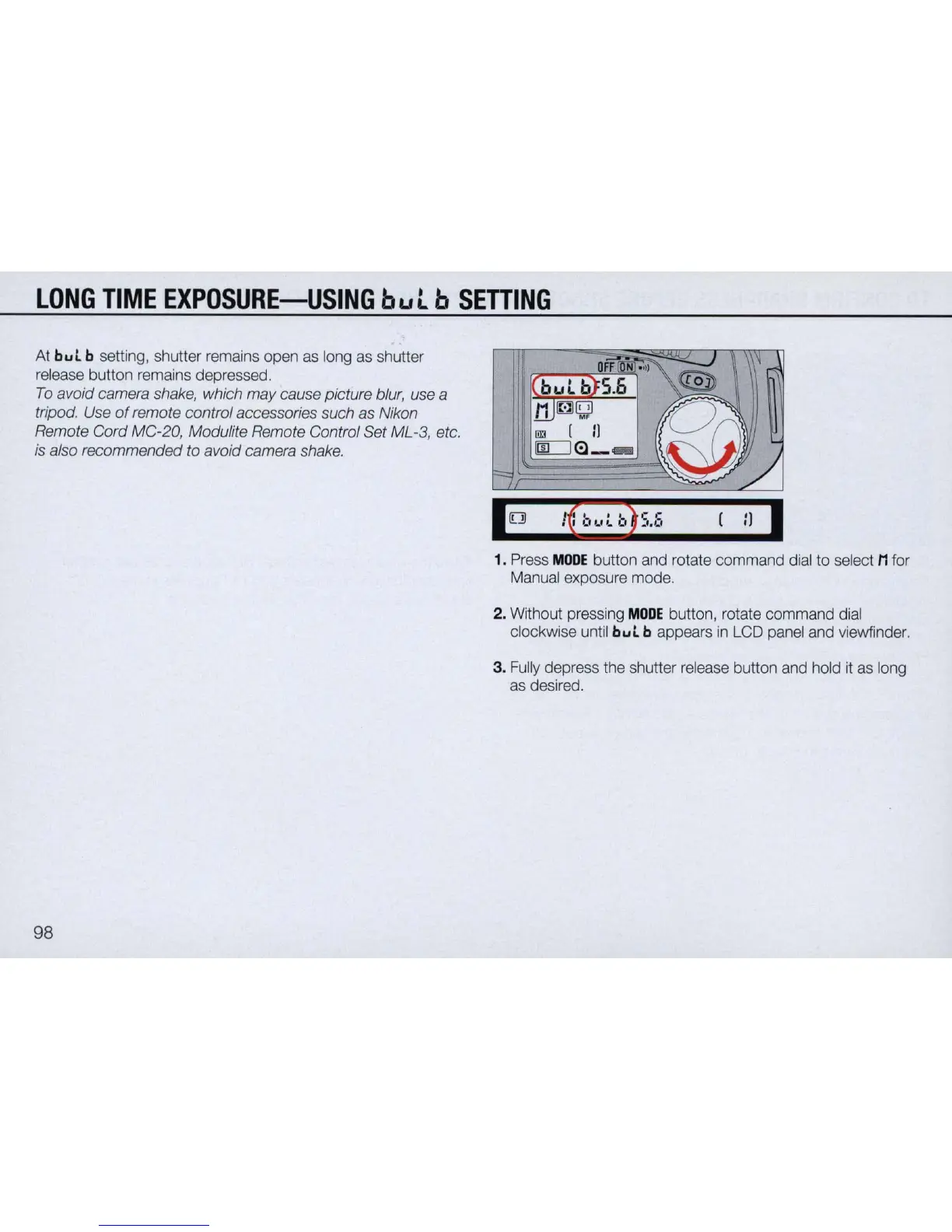
1.
Press
MODE
button
and
rotate command
dial
to
select M for
Manual
exposure mode.
2.
Without pressing
MODE
button, rotate command
dial
clockwise
until
but
b appears
in
LCD
panel
and
viewfinder.
3.
Fully
depress
the
shutter
release
button
and
hold
it
as
long
as
desired.

Table of Contents

Related product manuals