10
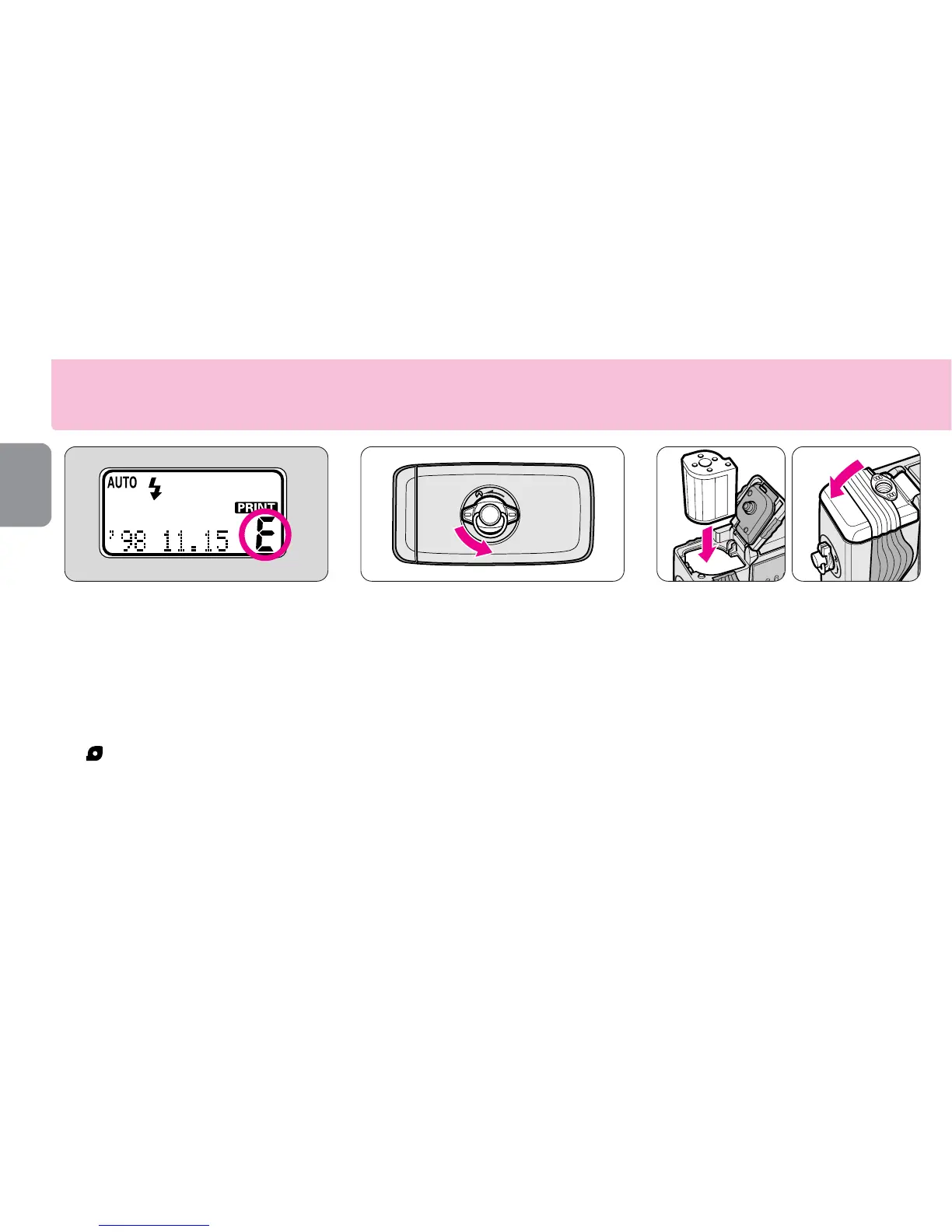
Loading the film
1
Open the slide cover to
check that the letter “´ ”is
visible on the LCD panel.
•If the number of frames appears on the
LCD panel, a partially exposed cartridge
is already loaded.
•If the letter “
´
” and the cartridge indicator
“” appear on the LCD panel, a cartridge
that is fully exposed is loaded and should
be removed. (- P. 17)
2
Turn the cartridge lock
release lever in the direction
of the arrow to open the
cartridge chamber cover.
3
Insert a film cartridge in the
cartridge chamber and close
the cover.
•Use only IX240 film cartridge. (Regular
35mm film cannot be used.)
•Check that the VEI (Visual Exposure
Indication) shows “○” (unexposed) or
“
;
” (partially exposed) before loading.
(- P. 11)
•Close the cartridge chamber cover until
it clicks shut.










 To Next Page