2
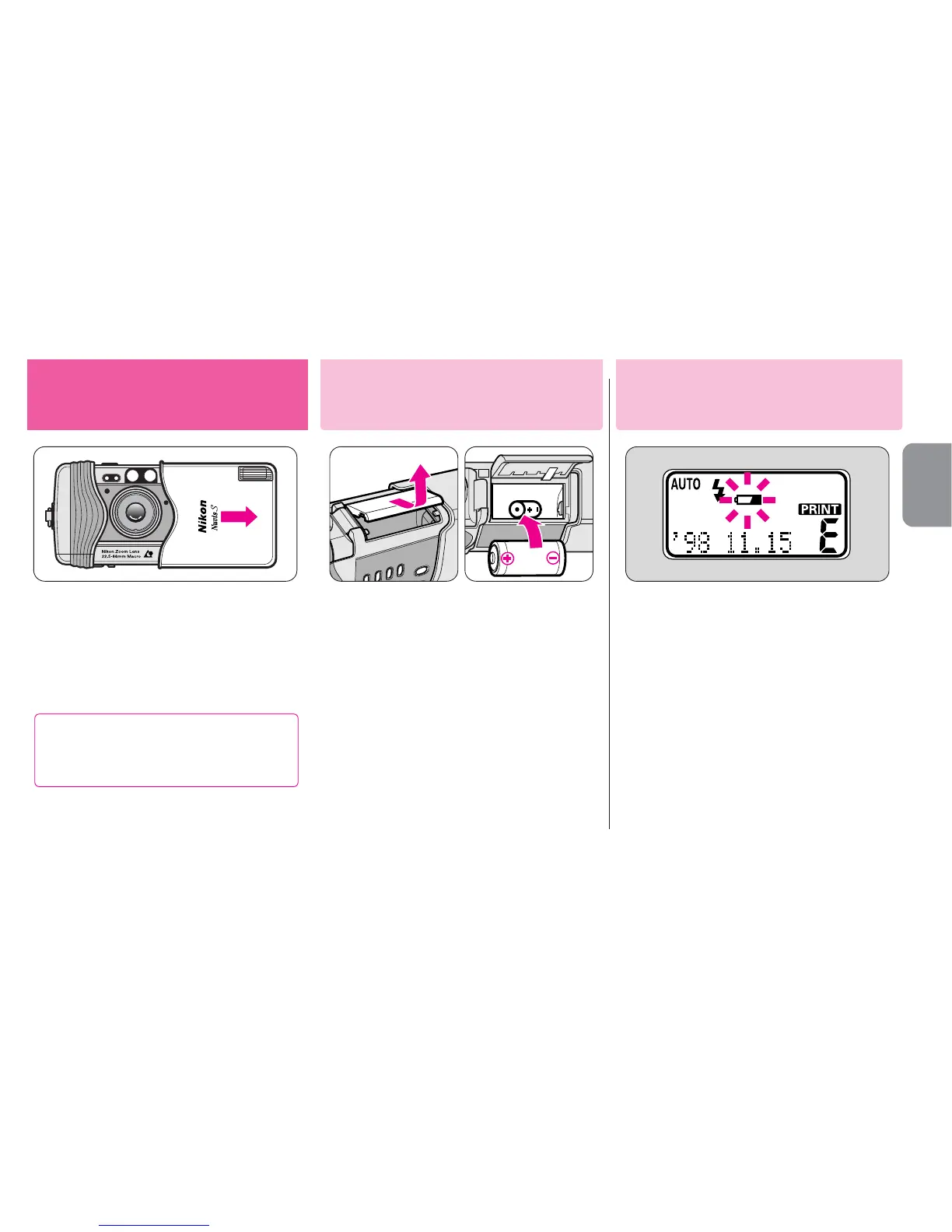
Install the battery.
▼
Open the battery chamber lid.
▼
Install one 3V lithium battery
CR2 inside the battery chamber
as shown.
▼
Close the battery chamber lid.
•Remember to reset the date and time
when the battery is replaced. (- P. 30)
1
Open the slide cover until it
click-stops.
Getting started
Checking battery power
Installing the battery
Check battery power.
▼
Open the slide cover to turn the
camera on.
•The lens automatically extends out to
the W (wide-angle) position.
•If “b” blinks or nothing appears on
the LCD panel, the battery is exhausted
and needs to be replaced.
•If a low battery power indicator “b”
does not appear, battery power is full.
When closing the slide cover, do
not close it too quickly, as this
may damage the lens.










 To Next Page