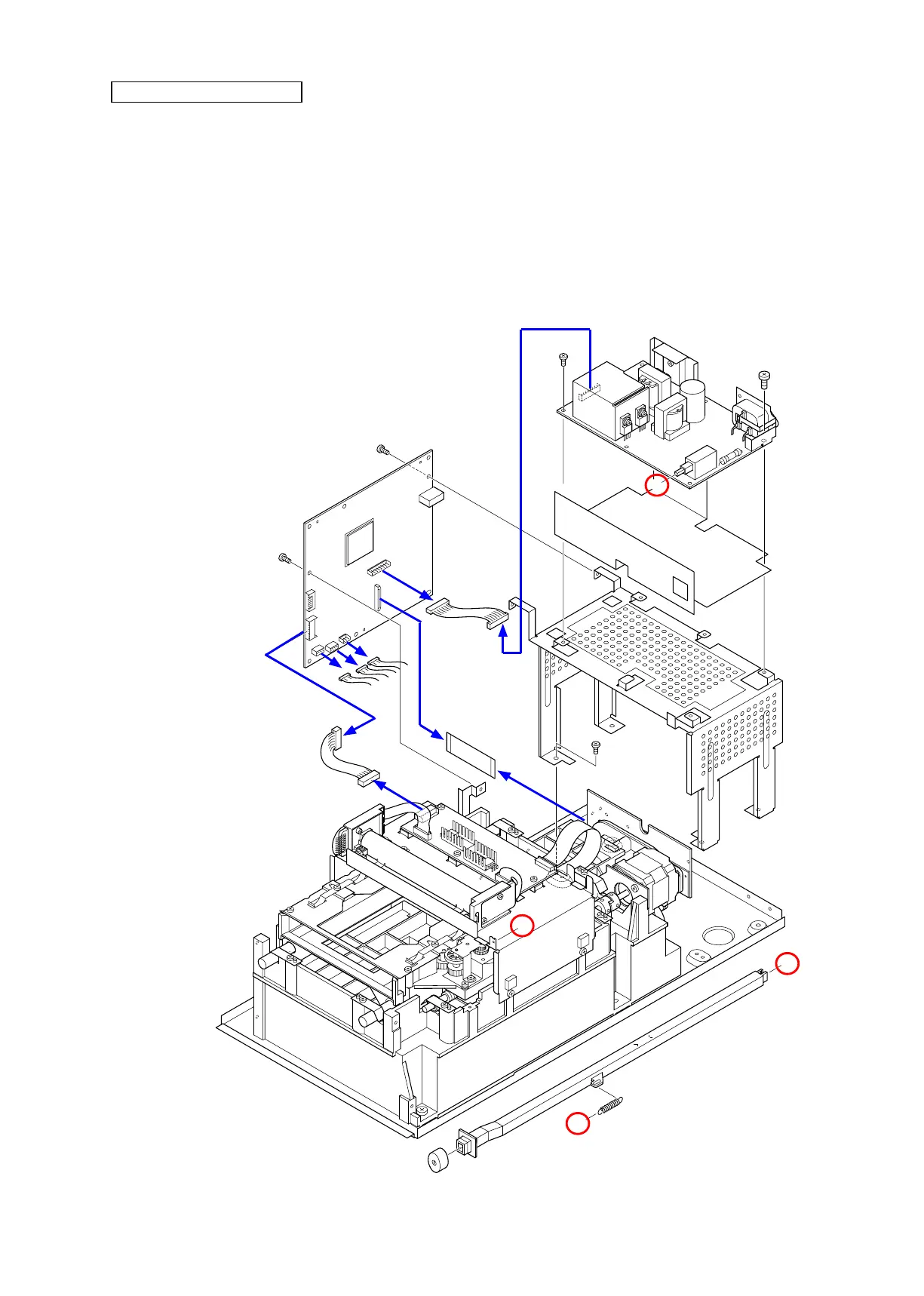
・ Remove the main PCB (#541) by taking out 6 screws (#192).
・ Disconnect 6 connectors on the main PCB (#560, #551, #516, #509, #510, and #517), then remove the main PCB.
・ Remove the spring (#45) and unhook the A-part of the power SW (#42).
・ Remove the power-PCB (#522) and insulating sheet (#50) by taking out 1 screw (#197) and 4 screws (#192).
・ Remove the power base (#35) by taking out 4 screws (#192).
Main PCB, Power-PCB





 To Next Page