512
N
The Retouch Menu: Creating Retouched Copies
Create small copies of selected photographs. If two memory
cards are inserted, you can choose the card used to store the
resized copies.
Resizing Multiple Images
If you accessed the retouch menu via the
G
button, you can
resize multiple selected images.
1
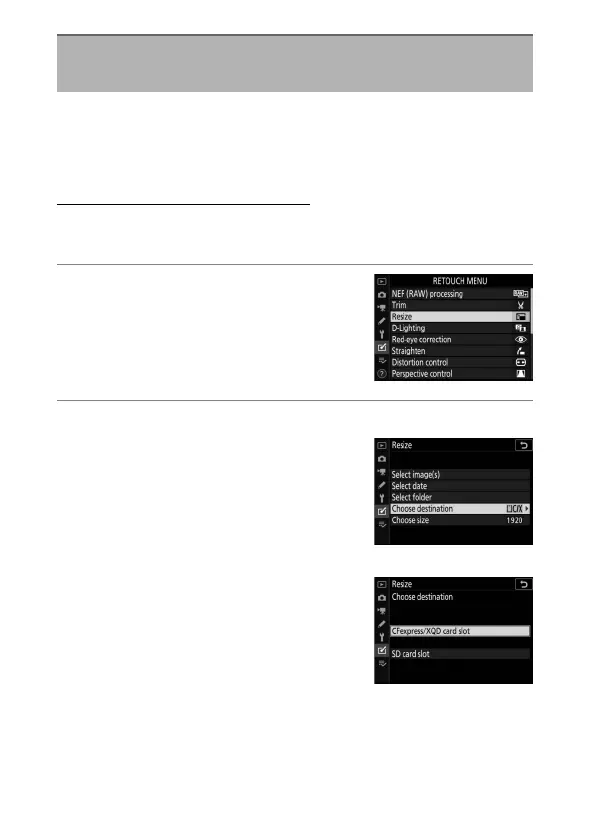
Select [Resize] in the retouch
menu.
Highlight [Resize] and press
2
.
2
Choose a destination.
•
If two memory cards are inserted,
highlight [Choose destination]
and press
2
.
•
[Choose destination] is not
available when only one memory
card is inserted. Proceed to Step 3.
•
Press
1
or
3
to highlight a card slot
and press
J
.
Resize
G
button
U
N
retouch menu



 To Next Page
 Loading...










