23
Parameters to adjust
If the laundry is felt not to be dry, increase the parameter value for the programme-
specic parameter
If the laundry is felt to be over-dried, long drying time,reduce the parameter value
for the programme-specic parameter.
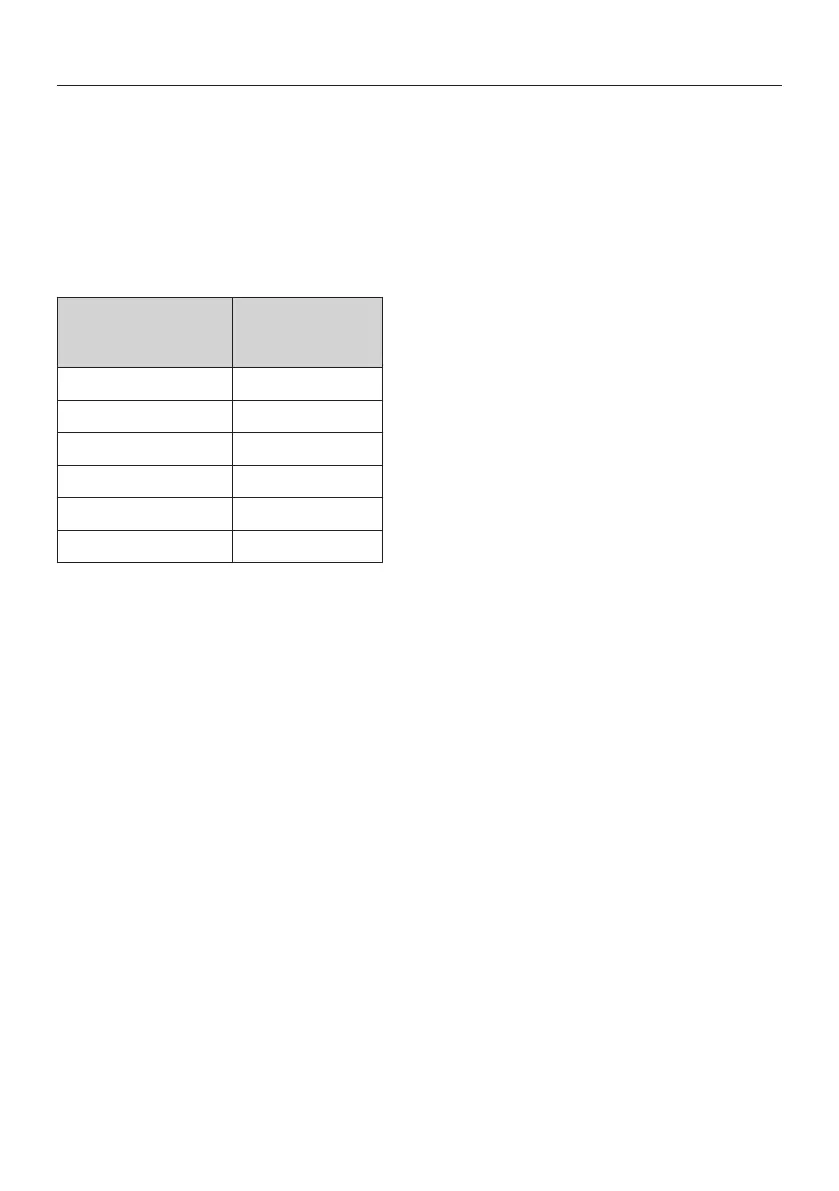
See the table for the parameter of the programme concerned to be adjusted.
Access to parameters
1 Turn o the cabinet by pressing ON/OFF.
2 Hold down Start/Stop and then press ON/OFF again. Select parameter by
stepping up or down using – and +.
Adjusting parameters
1 When the desired parameter has been selected, press Start/Stop to go to
the parameter concerned.
2
Adjust the parameter value by stepping down or up using – and +
.
3 Press Start/Stop to exit parameter adjustment.
Leaving the parameter list
1 When you have adjusted the parameters you want, press MAN and Start/
Stop.
2
If you want to reset the parameters to the factory setting, press AUTO and Start/
Stop.
PROGRAMME
Parameter
ECO+ 2165
LOW 2233
LOW EXTRA DRY 2243
HIGH 2203
HIGH EXTRA DRY 2213
HIGH ECO 2273
OPERATION SENSOR DRYER 1700/1900



 To Next Page