32
SENSOR DRYER
Questions What you can do
The drying cabinet is
not working.
1. Check that the mains lead is connected to a power
socket and that power is supplied.
2. Check that no fuse has blown
3. Have you pressed the start button?
4. Is the door closed?
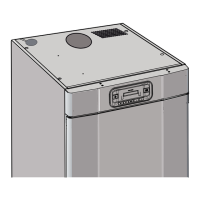
5. Check the toggle switch in the ceiling. See page 25.
The display shows an
alarm/error code
(Er1, Er2, Er3)
If an alarm or error code appears, first try to reset the
alarm by holding the Start/Stop button down for 5
seconds.
See the section headed “List of error codes for Sensor
Dryer”
If the problem persists, a service technician most be
called in.
Drying takes a long
time.
1. Make sure that the correct programme has been
selected for the type of washing.
2. Make sure that the washing is not soaking wet
(poorly spun).
3. Check that too much laundry has not been hung.
4. See the section headed ”Adjustment of parameters and
calibration of sensors”
The washing does not
become dry.
1. Make sure that the correct programme has been
selected for the type of washing.
2.
Check that too much laundry has not been hung.
3.
See the section headed ”Adjustment of parameters and
calibration of sensors”
The sealing strip does
not close
tightly/the door is ajar
Check that the cabinet is level and attached to a wall.
Check with a spirit level, adjust if necessary with the
adjusting feet.
TROUBLESHOOTING



 To Next Page