EasyManua.ls Logo

Nintendo DSI - Stylus and Touch Screen Care; Screen Cleaning Procedures

Nintendo DSI
72 pages
Print Icon
To Next Page IconTo Next Page
To Previous Page IconTo Previous Page
Loading...
Using
the
Nintendo
DSi
XL
stylus/Nintendo
DSi
XL
stylus
(large)
and
Touch
Screen
The
lower
screen,
or
Touch
Screen,
is
touch
sensitive.
For
Nintendo
DS
games
that
include
this
game
control
feature,
operate
the
screen
by
using
the
included
Nintendo
DSi
XL
stylus
/
Nintendo
DSi
XL
stylus
(large).
Lightly
touch
or
slide
the
stylus
across
the
Touch
Screen.
Important
Nintendo
DSi
XL
stylus
/
Nintendo
DSi
XL
stylus
(large)
and
Screen
Guidelines
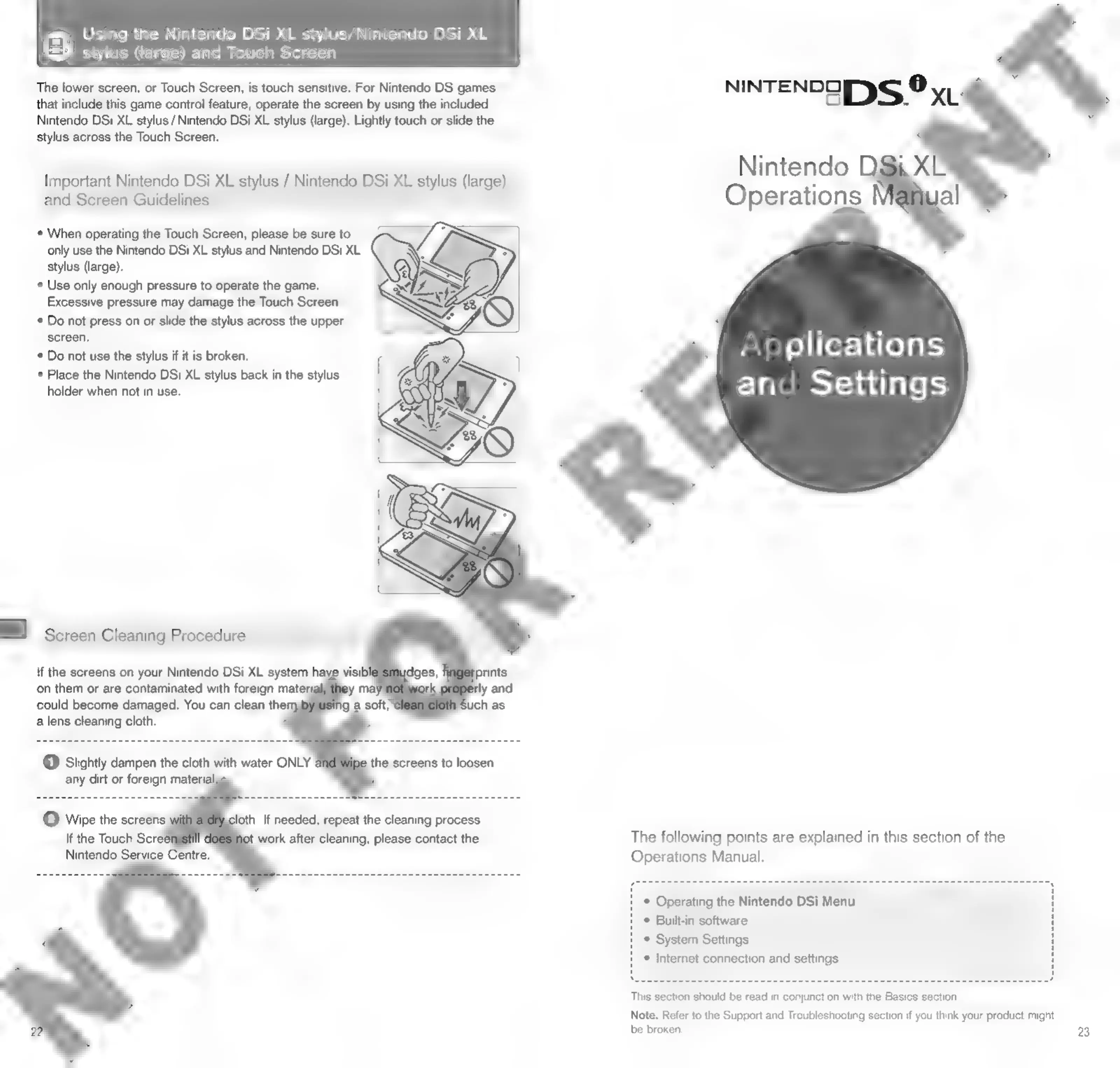
*
When
operating
the
Touch
Screen,
please
be
sure
to
only
use
the
Nintendo
DSi
XL
stylus
and
Nintendo
DSi
XL
stylus
(large).
*
Use
only
enough
pressure
to
operate
the
game.
Excessive
pressure
may
damage
the
Touch
Screen.
*
Do
not
press
on
or
slide
the
stylus
across
the
upper
screen.
*
Do
not
use
the
stylus
if it
is
broken.
*
Place
the
Nintendo
DSi
XL
stylus
back
in
the
stylus
holder
when
not
in
use.
Screen
Cleaning
Procedure
If
the
screens
on
your
Nintendo
DSi
XL
system
have
visib!
alens
cleaning
cloth.
any
dirt
or
foreign
material
@
Slightly
dampen
the
cloth
with
water
ONLY
\dges,
prints
on
them
or
are
contaminated
with
foreign
materi
yy
maj
0
rly
and
could
become
damaged.
You
can
clean
the:
ig
a
soft,
uch
as
the
screens
to
loosen
NINTENDO)
S
®
XL
Nintendo
i,
X
Operations
al
Applications
and
Settings
The
following
points
are
explained
in
this
section
of
the
Operations
Manual.
*
Operating
the
Nintendo
DSi
Menu
4
©
Built-in
software
H
*
System
Settings
H
*
Internet
connection
and
settings
:
This
section
should
be
read
in
conjunction
with
the
Basics
section.
Note:
Refer
to
the
Support
and
Troubleshooting
section
if
you
think
your
product
might
be
broken.
23

Other manuals for Nintendo DSI

Related product manuals