EasyManua.ls Logo

Nintendo DSI - Nintendo DSi Camera Introduction; Camera Features and Photo Storage

Nintendo DSI
72 pages
Print Icon
To Next Page IconTo Next Page
To Previous Page IconTo Previous Page
Loading...
a)
Nintendo
DSi
Camera
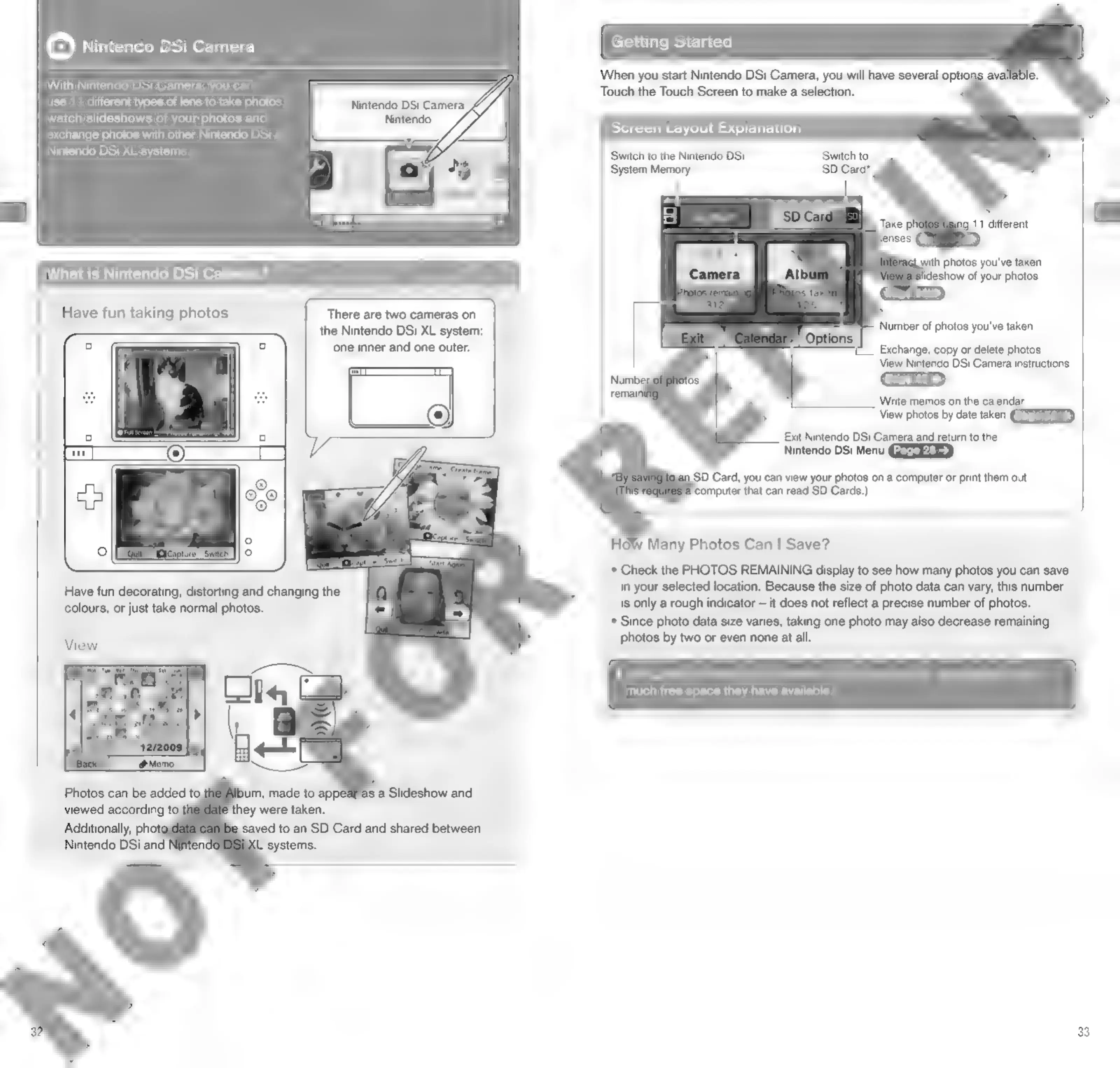
With
Nintendo
DSi
Gamera,
you
can
use
11
different
types
of
lens
to
take
photos,
watch
slideshows
of
your
photos
and
exchange
photos
with
other
Nintendo
DSi
/
Nintendo
DSi
XL
systems.
What
is
Nintendo
DSi
Ca
Have
fun
taking
photos
There
are
two
cameras
on
‘one
inner
and
one
outer.
Have
fun
decorating,
distorting
and
changing
the
colours,
or
just
take
normal
photos.
is
a
Slideshow
and
they
were
taken.
Additionally,
phot«
Nintendo
DSi and
the
Nintendo
DSi
XL
system:
Getting
Started
When
you
start
Nintendo
DSi
Camera,
you
will
have
several
optior
Touch
the
Touch
Screen
to
make
a
selection.
Screen
Layout
Explanation
Switch
to
the
Nintendo
DSi
System
Memory
Switch
to
gLwith
photos
you've
taken
ideshow
of
your
photos
Number
of
photos
you've
taken
Exchange,
copy
or
delete
photos
View
Nintendo
DSi
Camera
instructions
Write
memos
on
the
calendar
View
photos
by
date
taken
Exit
Nintendo
DSi
Camera
and
return
to
the
Nintendo
DSi
Menu
SD
Card,
you
can
view
your
photos
on
a
computer
or
print
them
out.
‘computer
that
can
read
SD
Cards.)
HoW
Many
Photos
Can
|
Save?
*
Check
the
PHOTOS
REMAINING
display
to
see
how
many
photos
you
can
save
in
your
selected
location.
Because
the
size
of
photo
data
can
vary,
this
number
is
only
a
rough
indicator
it
does
not
reflect
a
precise
number
of
photos.
*
Since
photo
data
size
varies,
taking
one
photo
may
also
decrease
remaining
photos
by
two
or
even
none
at
all.
*
SD
Cards
can
save
up
to
a
maximum
of
3,000
photos,
regardless
of
how
much
free
space
they
have
available.
33

Other manuals for Nintendo DSI

Related product manuals