EasyManua.ls Logo

Nintendo DSI - Face Recognition Features; Face Recognition Warnings

Nintendo DSI
72 pages
Print Icon
To Next Page IconTo Next Page
To Previous Page IconTo Previous Page
Loading...
Using
the
Cameras
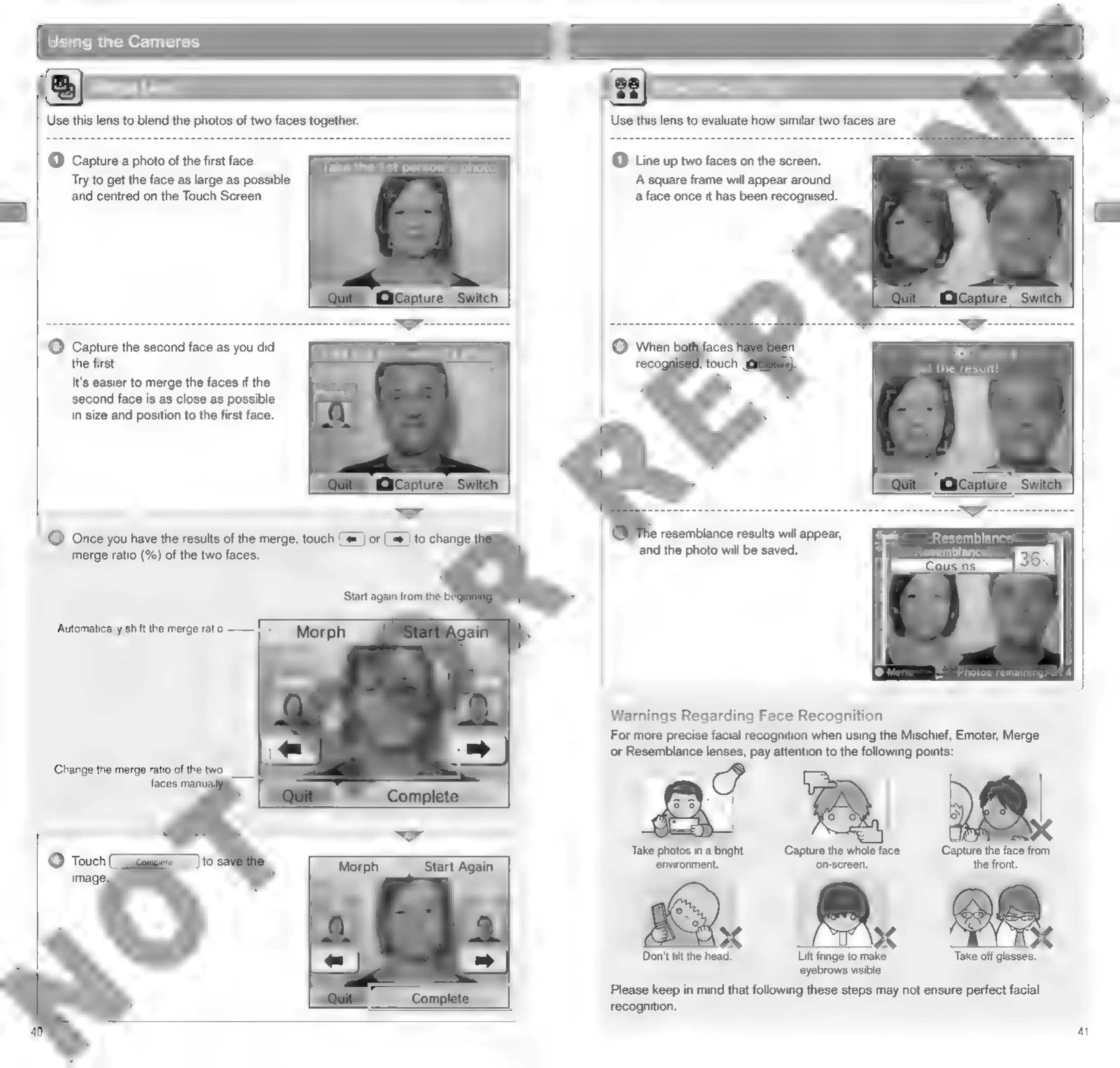
Use
this
lens
to
blend
the
photos
of
two
faces
together.
(1)
Capture
a
photo
of
the
first
face.
Try
to
get
the
face
as
large
as
possible
and
centred
on
the
Touch
Screen.
Take
the
1st
person's
photo
(2)
ek
the
second
face
as
you
did
Take
the
2nd
person's
photo
first.
a
-
-
"y
}
It's
easier
to
merge
the
faces
if
the
=
i)
second
face
is
as
close
as
possible
Hi
in
size
and
position
to
the
first
face.
(
)
dak
fH
Resemblance
Lens
(1)
Line
up
two
faces
on
the
screen.
A
square
frame
will
appear
around
a
face
once
it
has
been
recognised.
1
the
result!
e
resemblance
results
will
appear,
Resemblance
and
the
photo
will
be
saved.
Aesemblance:
=
Photos
remaining:
74
Warnings
Regarding
Face
Recognition
For
more
precise
facial
recognition
when
using
the
Mischief,
Emoter,
Merge
or
Resemblance
lenses,
pay
attention
to
the
following
points:
18.
Take
photos
in
a
bright
Capture
the
whole
face
Capture
the
face
from
environment.
on-screen.
the
front.
Don't
tit
the
head.
Lift
fringe
to
make
Take
off
glasses.
eyebrows
visible.
Please
keep
in
mind
that
following
these
steps
may
not
ensure
perfect
facial
recognition.
4

Other manuals for Nintendo DSI

Related product manuals