EasyManua.ls Logo

Nintendo DSI - Creating Photo Frames

Nintendo DSI
72 pages
Print Icon
To Next Page IconTo Next Page
To Previous Page IconTo Previous Page
Loading...
Using
the
Cameras
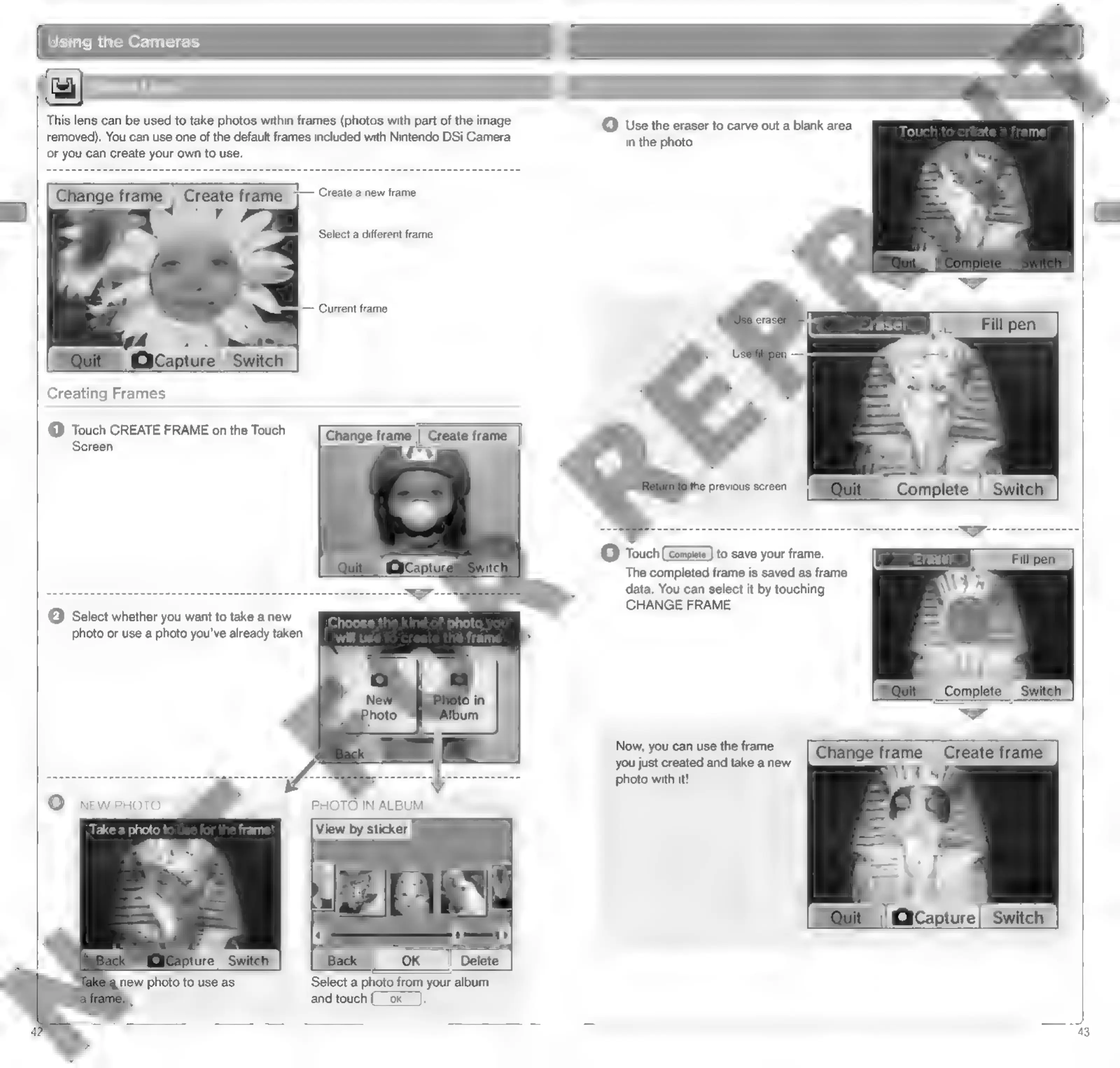
This
lens
can
be
used
to
take
photos
within
frames
(photos
with
part
of
the
image
removed).
You
can
use
one
of
the
default
frames
included
with
Nintendo
DSi
Camera
or
you
can
create
your
own
to
use.
©
Use
the
eraser
to
carve
out
a
blank
area
in
the
photo.
Creating
Frames
(1)
Touch
CREATE
FRAME
on
the
Touch
Screen.
Change
frame
||
Create
frame
Chi)
e
previous
screen
ts}
Touch
(Complete
)
to
save
your
frame.
The
completed
frame
is
saved
as
frame
(2)
Select
whether
you
want
to
take
a
new
data.
You
can
select
it
by
touching
VA
CHANGE
FRAME.
photo
or
use
a
photo
you've
already
taken.
ito
Now,
you
can use
the
frame
you
just
created
and
take
a
new
photo
with
it!
PHOTO
IN
ALBUM
View
by
sticker
Mi
J:
‘|Gicapture|
Switch]
'
»
OK
_|
Delete
NEW
PHOTO
Take
a
photo
t
=
_]
Select
a
photo
from
your
album
and
touch
(__ok
a
new
photo
to
use
as
43

Other manuals for Nintendo DSI

Related product manuals