EasyManua.ls Logo

Nintendo DSI - Music Playback Features; Sound Effects and Voice Layering

Nintendo DSI
72 pages
Print Icon
To Next Page IconTo Next Page
To Previous Page IconTo Previous Page
Loading...
Playing
with
Music
on
an
SD
Card
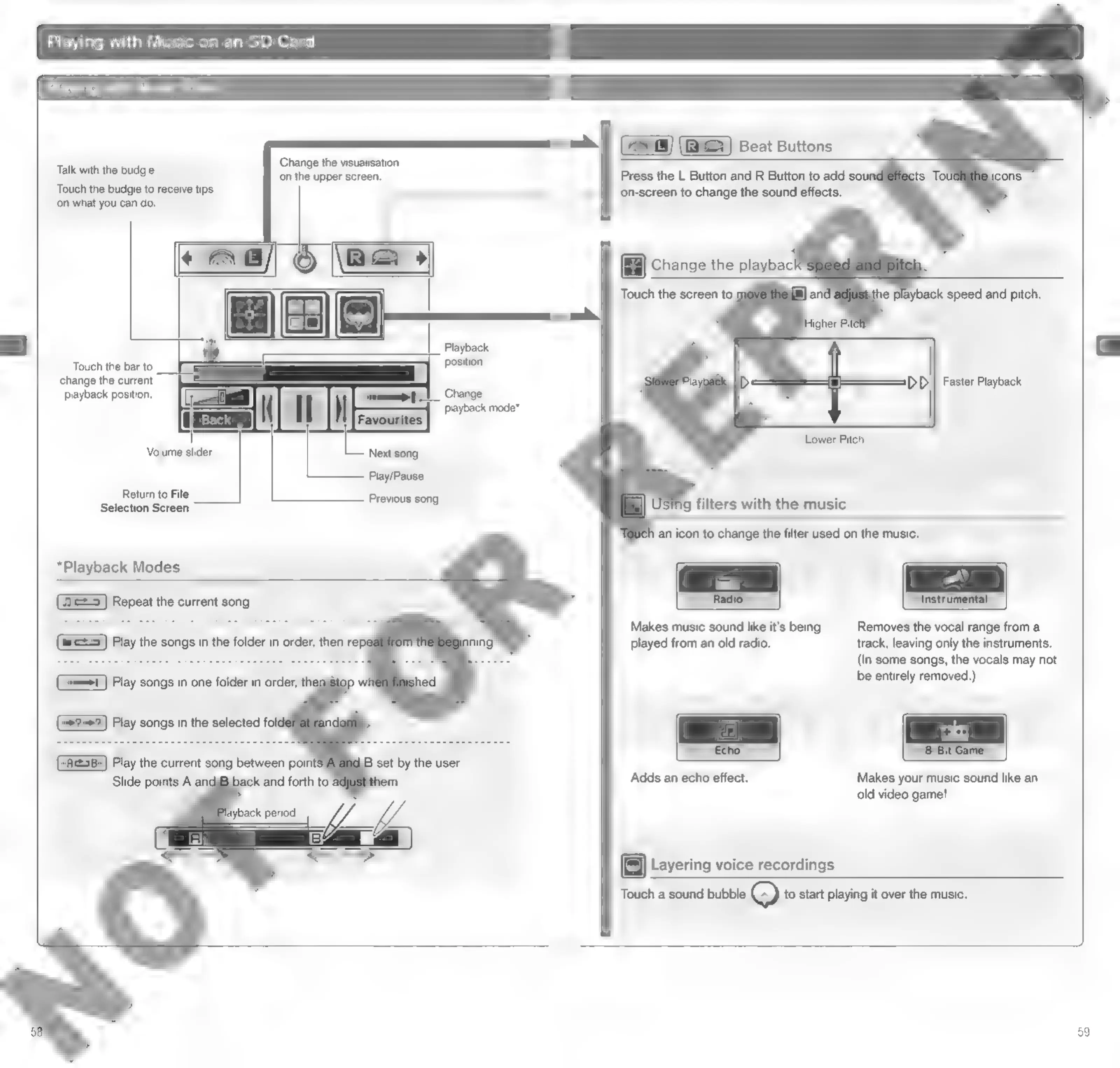
Talk
with
the
budgie
Touch
the
budgie
to
receive
tips
on
what
you
can
do.
Change
the
visualisation
on
the
upper
screen.
Touch
the
bar
to
change
the
current
playback
position.
Volume
slider
Return
to
File
Selection
Screen
*Playback
Modes
Repeat
the
current
song.
Play
songs
in
the
selected
fol
Next
song
Play/Pause
Previous
song
Beat
Buttons
Press
the
L
Button
and
R
Button
to
add
sour
on-screen
to
change
the
sound
effects.
Touch
the
screen
to
m
ie
playback
speed
and
pitch.
Faster
Playback
g
filters
with
the
music
an
icon
to
change
the
filter
used
on
the
music.
Instrumental
Removes
the
vocal
range
from
a
track,
leaving
only
the
instruments.
(In
some
songs,
the
vocals
may
not
be
entirely
removed.)
Radio
Makes
music
sound
like
it’s
being
played
from
an
old
radio.
Adds
an
echo
effect.
Makes
your
music
sound
like
an
old
video
game!
[=]
Layering
voice
recordings
Touch
a
sound
bubble
Q
to
start
playing
it
over
the
music.

Other manuals for Nintendo DSI

Related product manuals