EasyManua.ls Logo

Nintendo DSI - DS Download Play and PictoChat; Using Download Play and PictoChat

Nintendo DSI
72 pages
Print Icon
To Next Page IconTo Next Page
To Previous Page IconTo Previous Page
Loading...
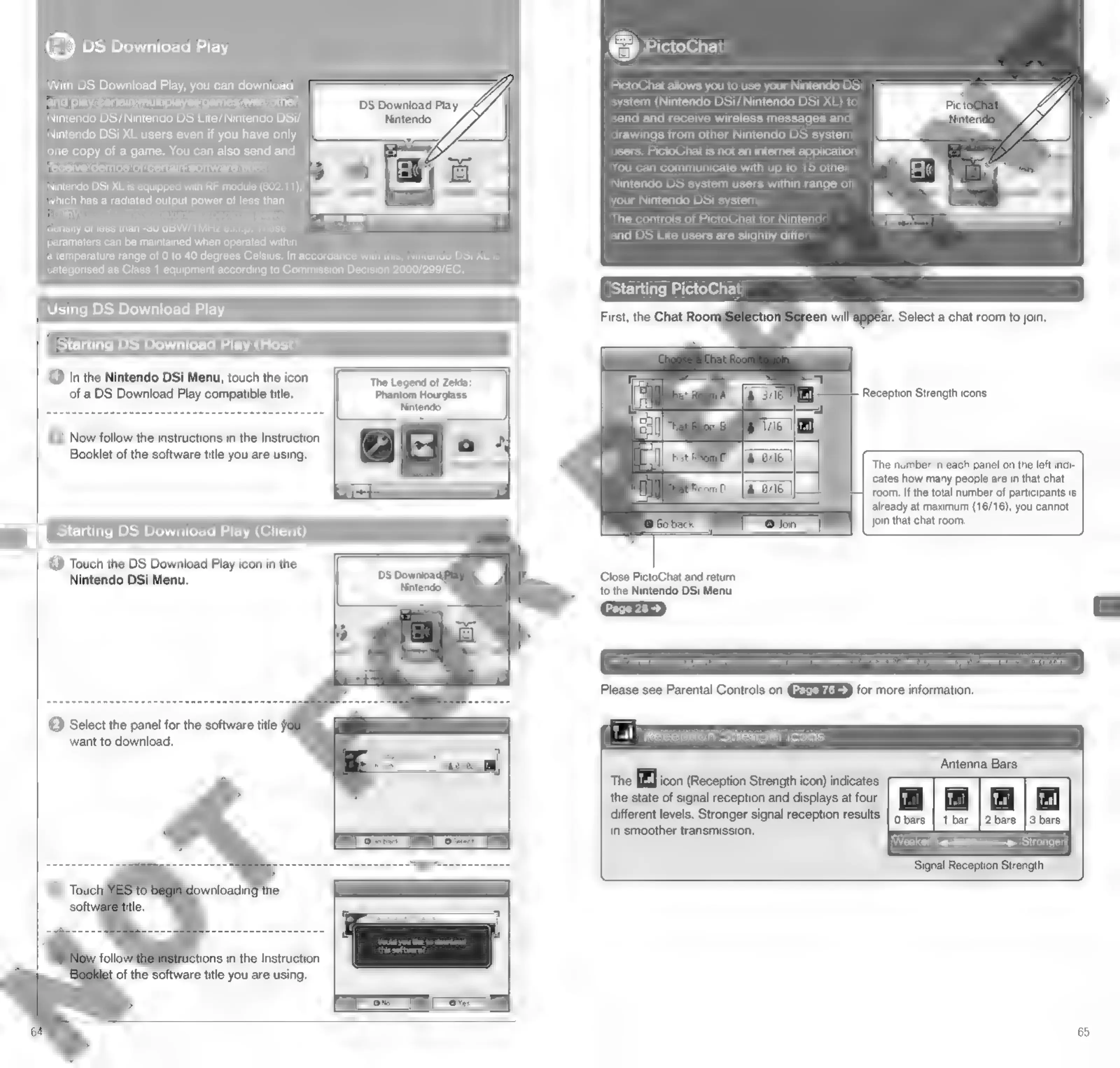
PictoChat
PictoChat
allows
you
to
use
your
Nintendo
DSi
system
(Nintendo
DSi/
Nintendo
DSi
XL)
to
send
and
receive
wireless
messages
and
drawings
from
other
Nintendo
DS
system
users.
PictoChat
is
not
an
internet
application.
You
can
communicate
with
up
to
15
other
Nintendo
DS
system
users
within
range
of
your
Nintendo
DSi
system
The
controls
of
PictoChat
for
Nintendo
and
DS
Lite
users
are
slightly
differ
®
DS
Download
Play
With
DS
Download
Play,
you
can
download
and
play
certain
multiplayer
games
with
other
Nintendo
DS/Nintendo
DS
Lite/
Nintendo
DSi/
Nintendo
DSi
XL
users
even
if
you
have
only
one
copy
of
a
game.
You
can
also
send
and
receive
demos
of
certain
software
titles.
Nintendo
DSi
XL
is
equipped
with
RF
module
(802.11),
Which
has
a
radiated
output
power
of
less
than
10
mW
e.i.rp.
and
a
maximum
spectrum
power
Sew
eam
density
of
less
than
-80
dBW/1MHz
e.ir.p.
These
=
parameters
can
be
maintained
when
operated
within
a
temperature
range
of
0
to
40
degrees
Celsius,
In
accordance
with
this,
Nintendo
DSi
XL
is
categorised
as
Class
1
equipment
according
to
Commission
Decision
2000/299/EC.
Starting
PictoChat
Using
DS
Download
Play
ar,
Select
a
chat
room
to
join,
Starting
DS
Download
Play
(Host)
©
In
the
Nintendo
DSi
Menu,
touch
the
icon
The
Legend
of
Zelda:
of a
DS
Download
Play
compatible
title.
Phantom
Hourglass
Nintendo
Reception
Strength
icons
(2)
Now
follow
the
instructions
in
the
Instruction
2:
Booklet
of
the
software
title
you
are
using,
The
number
in
each
panel
on
the
left
indi-
cates
how
many
people
are
in
that
chat
room.
If
the
total
number
of
participants
is
already
at
maximum
(16/16),
you
cannot
join
that
chat
room.
=
Starting
DS
Download
Play
(Client)
©
Touch
the
DS
Download
Play
icon
in
the
Nintendo
DSi
Menu.
Close
PictoChat
and
return
to
the
Nintendo
DSi
Menu.
Page
28
>
i
Parents
or
guardians
can
restrict
the
use
of
PictoChat
by
using
Parental
Controls.
Please
see
Parental
Controls
on
for
more
information.
©
Select
the
panel
for
the
software
title
y
want
to
download.
«tl
Reception
Strength
icons
Antenna
Bars
The
[Bl]
icon
(Reception
Strength
icon)
indicates
the
state
of
signal
reception
and
displays
at
four
[tif
ital]
i.
|
ital]
different
levels.
Stronger
signal
reception
results
|
9
bars
|
1
bar
|2bars
|3
bars
in
smoother
transmission.
Weaker
<———»
Stronger
Signal
Reception
Strength
of
the
software
title
you
are
using.
65

Other manuals for Nintendo DSI

Related product manuals