EasyManua.ls Logo

Nintendo DSI - Glossary of Network Terms

Nintendo DSI
72 pages
Print Icon
To Next Page IconTo Next Page
To Previous Page IconTo Previous Page
Loading...
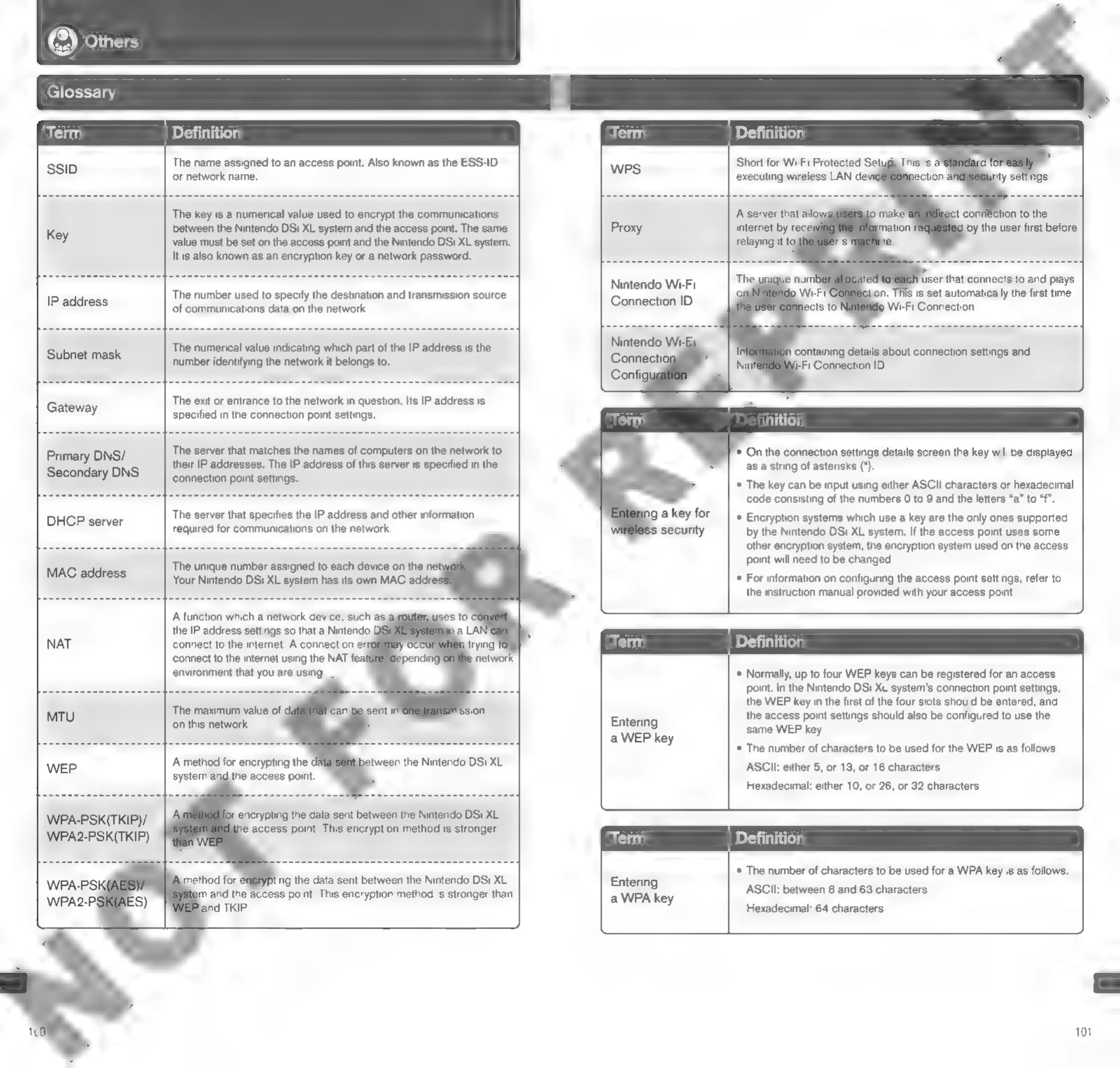
Glossary
SSID
Primary
DNS/
Secondary
DNS.
WPA-PSK(TKIP)/
WPA2-PSK(TKIP)
The
name
assigned
to
an
access
point.
Also
known
as
the
ESS-ID
or
network
name.
The
key
is
a
numerical
value
used
to
encrypt
the
communications
between
the
Nintendo
DSi
XL
system
and
the
access
point.
The
same
value
must
be
set
on
the
access
point
and
the
Nintendo
DSi
XL
system.
Itis
also
known
as
an
encryption
key
or
a
network
password.
The
number
used
to
specify
the
destination
and
transmission
source
of
communications
data
on
the
network.
The
numerical
value
indicating
which
part
of
the
IP
address
is
the
number
identifying
the
network
it
belongs
to.
The
exit
or
entrance
to
the
network
in
question.
Its
IP
address
is
specified
in
the
connection
point
settings.
The
server
that
matches
the
names
of
computers
on
the
network
to
their
IP
addresses.
The
IP
address
of
this
server
is
specified
in
the
connection
point
settings.
The
server
that
specifies
the
IP
address
and
other
information
required
for
communications
on
the
network.
The
unique
number
assigned
to
each
device
on
the
net
Your
Nintendo
DSi
XL
system
has
its
own
MAC
addre’
connect
to
the
internet
using
the
NAT
feat
environment
that
you
are
using.
The
maximum
value
of
‘on
this
network.
‘A
method
for
encrypting
the
the
access
point.
Nintendo
Wi-Fi
Connection
ID
Nintendo
Wi-5i
t
conn€ction
to
the
by
the
user
first
before
.
This
is
set
automatically
the
first
time
9
Wi-Fi
Connection.
n
containing
details
about
connection
settings
and
j-Fi
Connection
ID.
*
On
the
connection
settings
details
screen
the
key
will
be
displayed
as
a
string
of
asterisks
(*).
*
The
key
can
be
input
using
either
SCI
characters
or
hexadecimal
code
consisting
of
the
numbers
0
to
9
and
the
letters
“a”
to
“f".
*
Encryption
systems
which
use
a
key
are
the
only
ones
supported
by
the
Nintendo
DSi
XL
system.
If
the
access
point
uses
some
other
encryption
system,
the
encryption
system
used
on
the
access
point
will
need
to
be
changed.
*
For
information on
configuring
the
access
point
settings,
refer
to
the
instruction
manual
provided
with
your
access
point.
Entering
a
WEP
key
Entering
a
WPA
key
Cf)
*
Normally,
up
to
four
WEP
keys
can
be
registered
for
an
access
point.
In
the
Nintendo
DSi
XL
system's
connection
point
settings,
the
WEP
key
in
the
first
of
the
four
slots
should
be
entered,
and
the
access
point
settings
should
also
be
configured
to
use
the
same
WEP
key.
*
The
number
of
characters
to
be
used
for
the
WEP
is
as
follows:
ASCIl:
either
5,
or
13,
or
16
characters
Hexadecimal:
either
10,
or
26,
or
32
characters
*
The
number
of
characters
to
be
used
for
a
WPA
key
is
as
follows:
ASCII:
between
8
and
63
characters
Hexadecimal:
64
characters
101

Other manuals for Nintendo DSI

Related product manuals