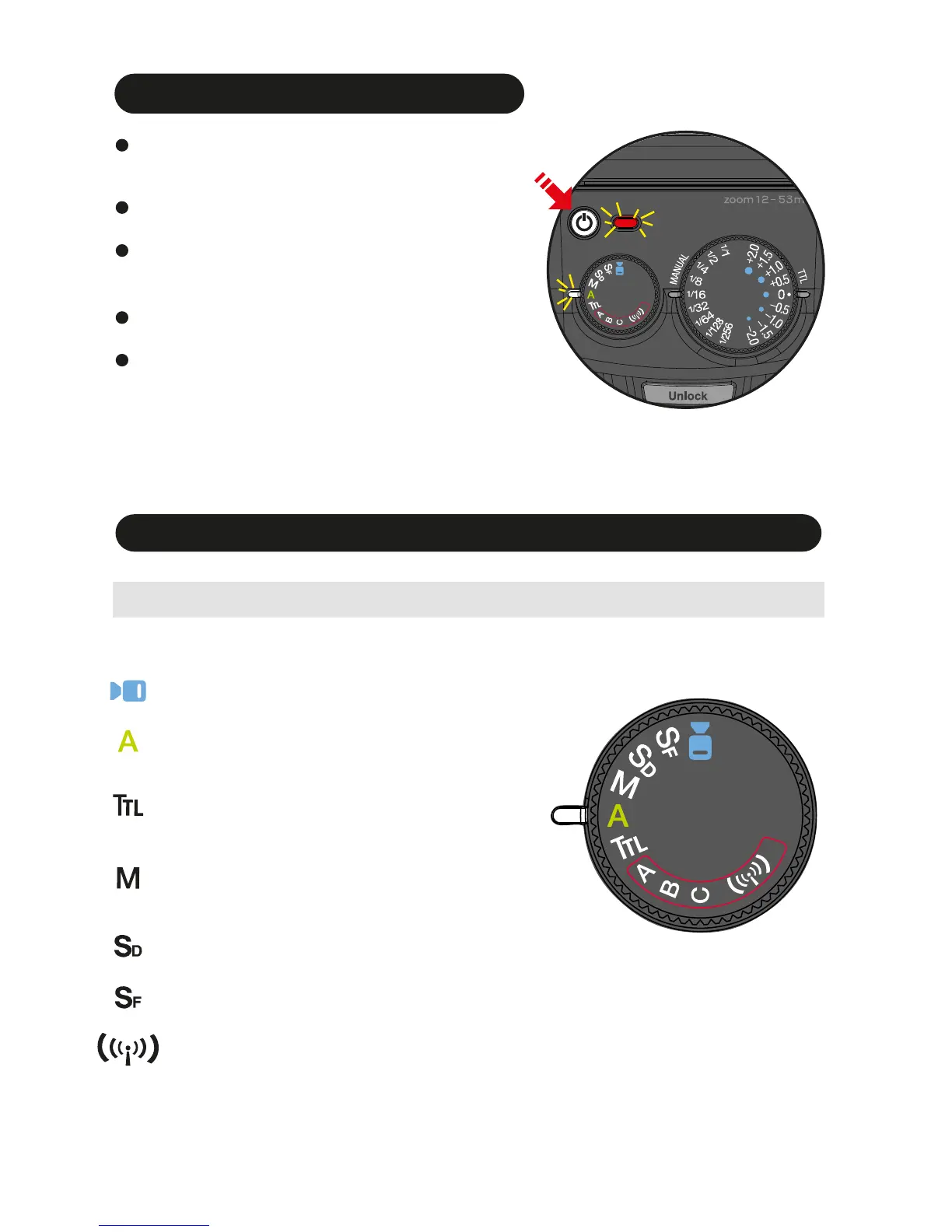
Turn on the flash unit
For a test flash, press the Pilot button.
To turn off the flash unit manually, press
the On/ Off switch for 1 second.
Press the On/ Off switch and Pilot button
turns red, showing the unit is turned on.
In a few seconds, the Pilot button turns
green. The i40 is ready to shoot.
Indicator Lamp A on.
MENU DIAL
i40 Flash Mode and Functions
Flash light is fully controlled by the camera for the
most proper exposure.
Built in video light with 9 steps of output level adjustment
Full Automatic Mode
TTL Program Mode
Manual Setting Mode
Slave Digital
Slave Film
Wireless TTL Slave Mode (A/ B/ C)
…
…
…
…
…
…
Flash light is automatically controlled by the camera
but the flash exposure value can be compensated.
Manual Mode -Selecting the desired manual power
on the flash unit.
Placing multiple numbers of flashes (slave flash) off
camera and controlling the creative TTL lighting or
Manual power output.
Rotate the dial to select a function.
…
Video Light
7


 To Next Page