Settings
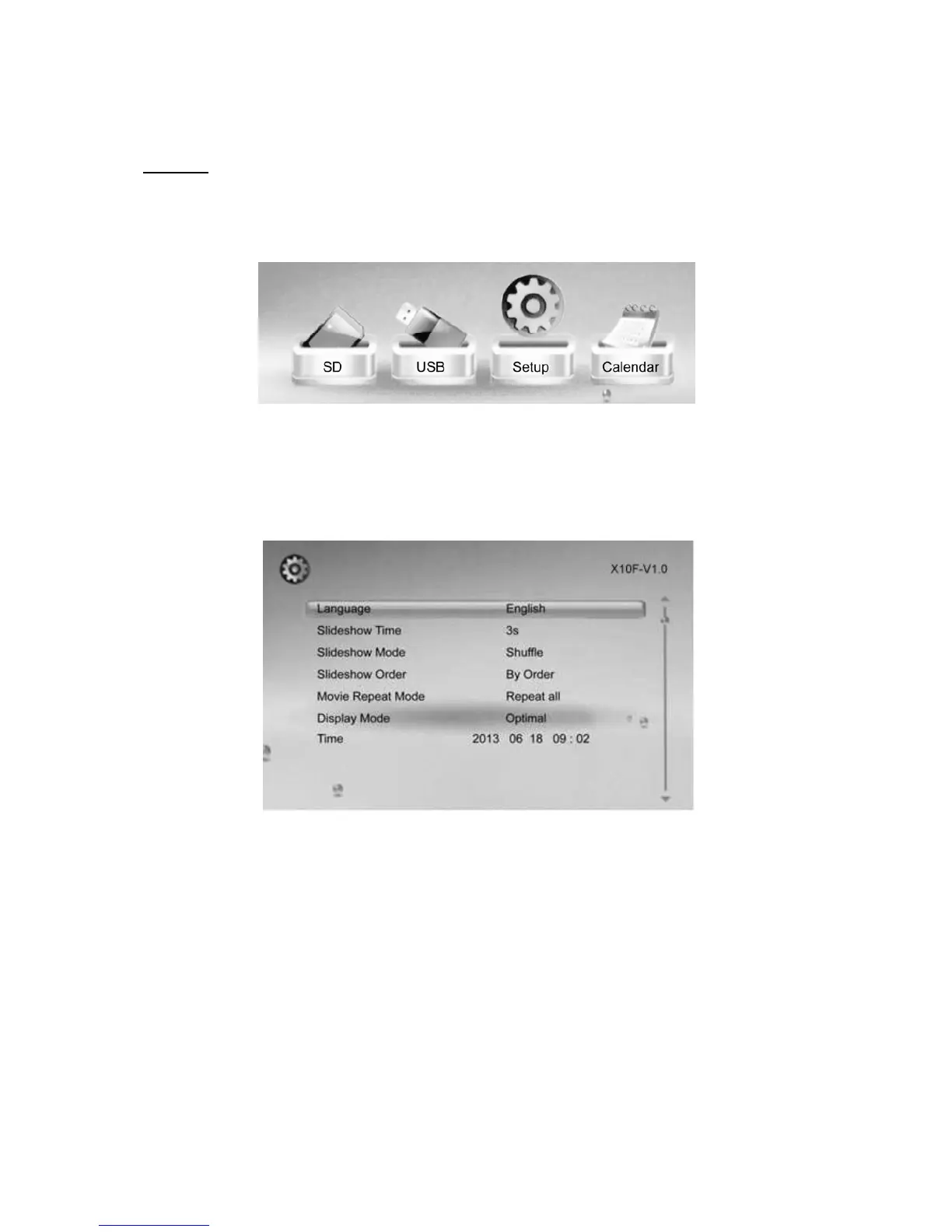
Select the ‘setup’ icon from the main menu, to adjust the settings on your Digital Photo Frame.
Alternatively, just press the ‘setup’ button on the Remote Control
From here, you will see the various options:
[▲][▼] button: Move through items or choose parameters
[◀][▶]button: Change the parameters
ENTER: Confirm/ Save Changes
EXIT: Back to item list.



 To Next Page