Explanation of Settings:
Language Choose what language the frame will operate in
Slideshow Time Choose the duration of the slide interval from 3 seconds up to 1 hour
Slideshow Mode Choose from a number of transition effects for the slideshow
Slideshow Order
Choose between viewing your photos in Random Shuffle mode or By
Order
Movie Repeat
Allows you to repeat one video, all videos or having no repeat
Display Mode
Choose the way your photos appear on the screen: Optimal, Fit to
Screen, Original
Time Allows you to set the Date and Time
Brightness Changes the brightness of the image settings
Contrast Changes the contrast of the image settings
Saturation Changes the saturation of the image settings
Function
Allows you to view up to 4 images on screen at the same time
Hu-Motion Timer Set the timing of the Motion Sensor. See page 5 for details
Default Restores Factory Settings
Diagrams and Specifications
Package Contents:
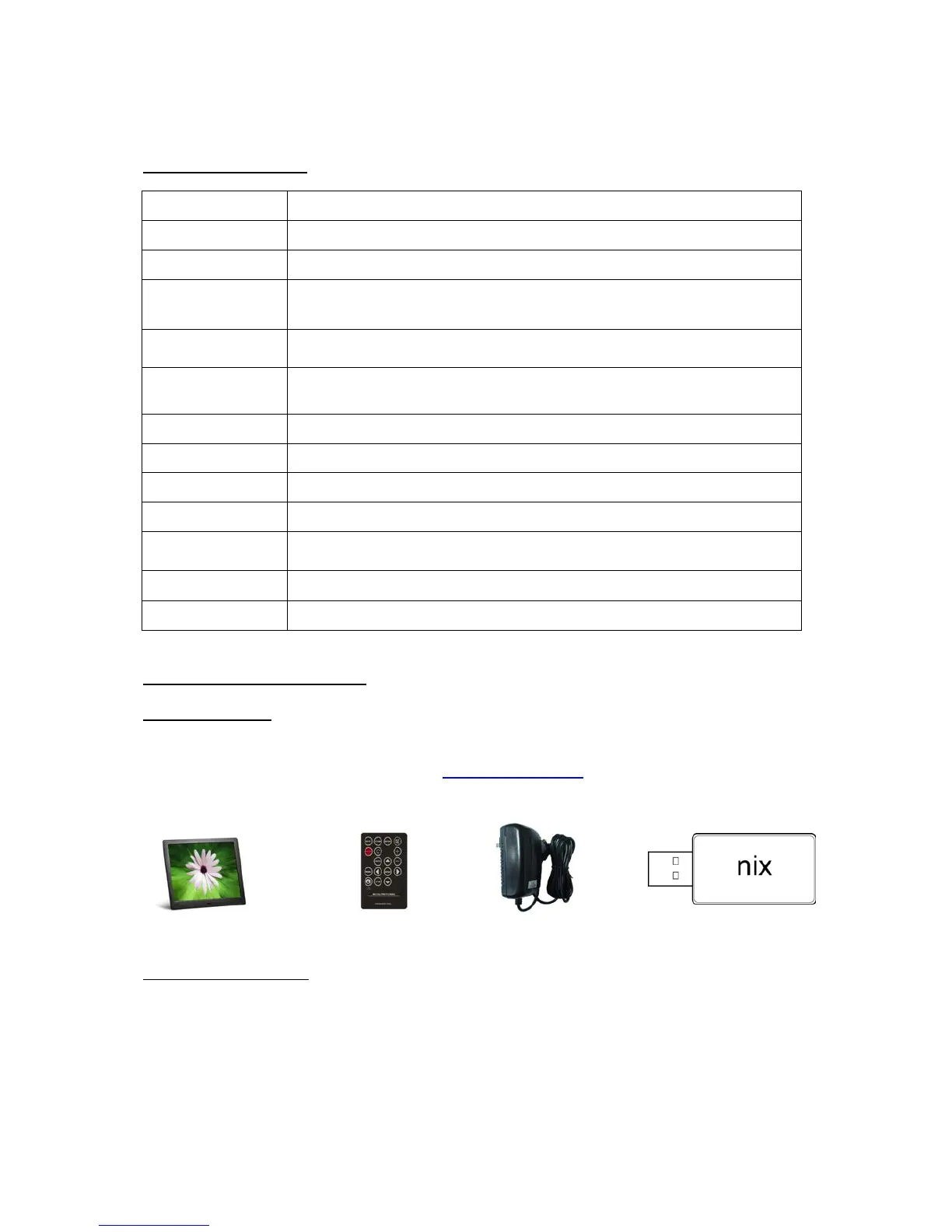
Please make sure all of the following are present when you unpack your Digital Photo Frame. If
there are any parts missing, contact us via www.nix-digital.com and we will send you the
relevant part.
Digital Photo Frame Remote Control Power Adapter USB Flash Drive
Electrical Specifications:
10 Inch High Definition XGA LCD Screen (4:3) 1024 x 768 pixels
Power Adapter: Input AC100V-240V,50-60Hz,Output 5V



 To Next Page