Deleting Files
Generally, we would recommend editing and deleting your files on a Computer, as the process
is much faster. With this Digital Photo Frame though, you can delete files from the storage
device.
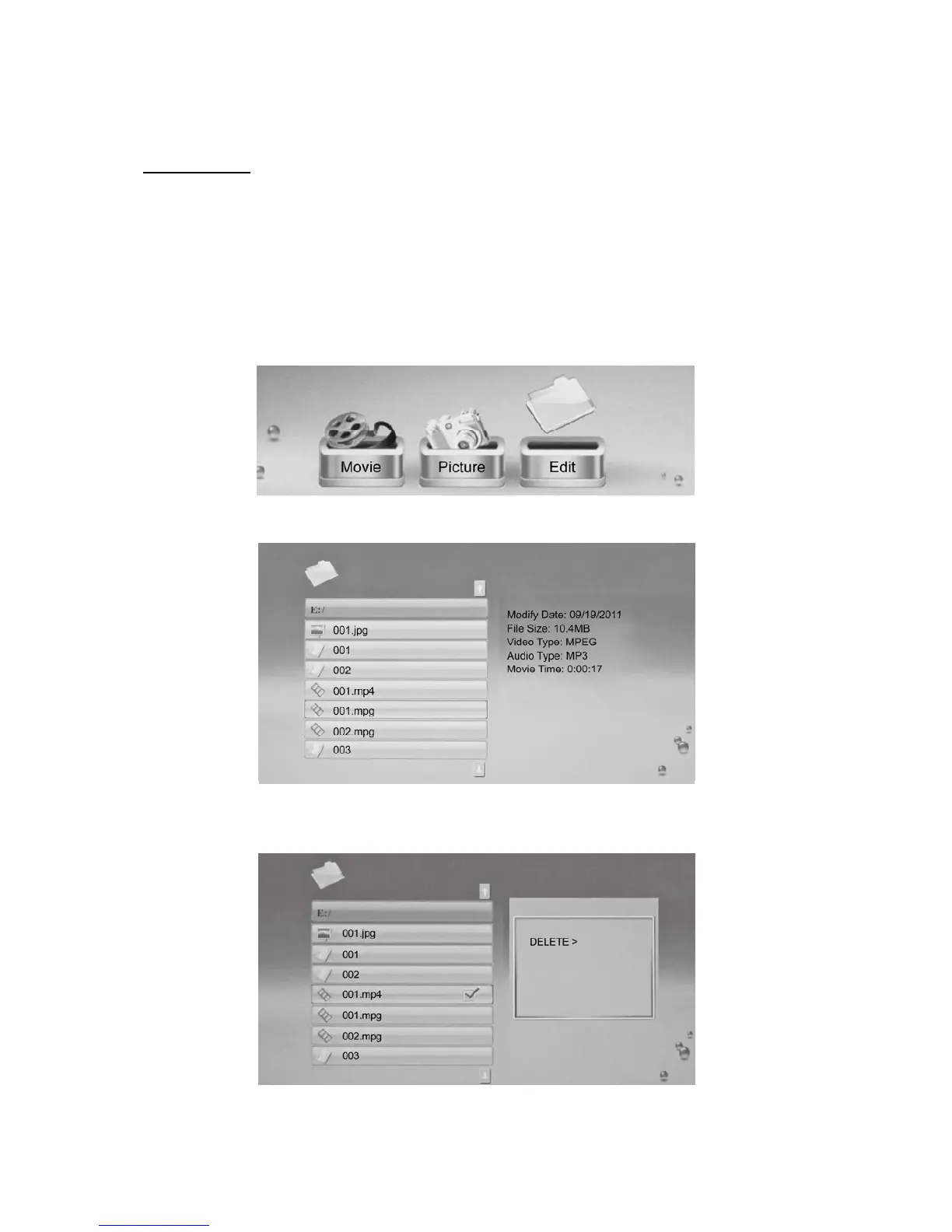
▪ From the Main Menu, select the Memory Device where the relevant file is stored, ie USB,
SD etc.
▪ Select ‘Edit’ from the Menu as illustrated below:
▪ Now scroll down to the file you wish to delete:
▪ Select the file(s) you wish to delete by pressing the RIGHT ARROW on the Remote
Control. This will place a tick next to the relevant file name:



 To Next Page