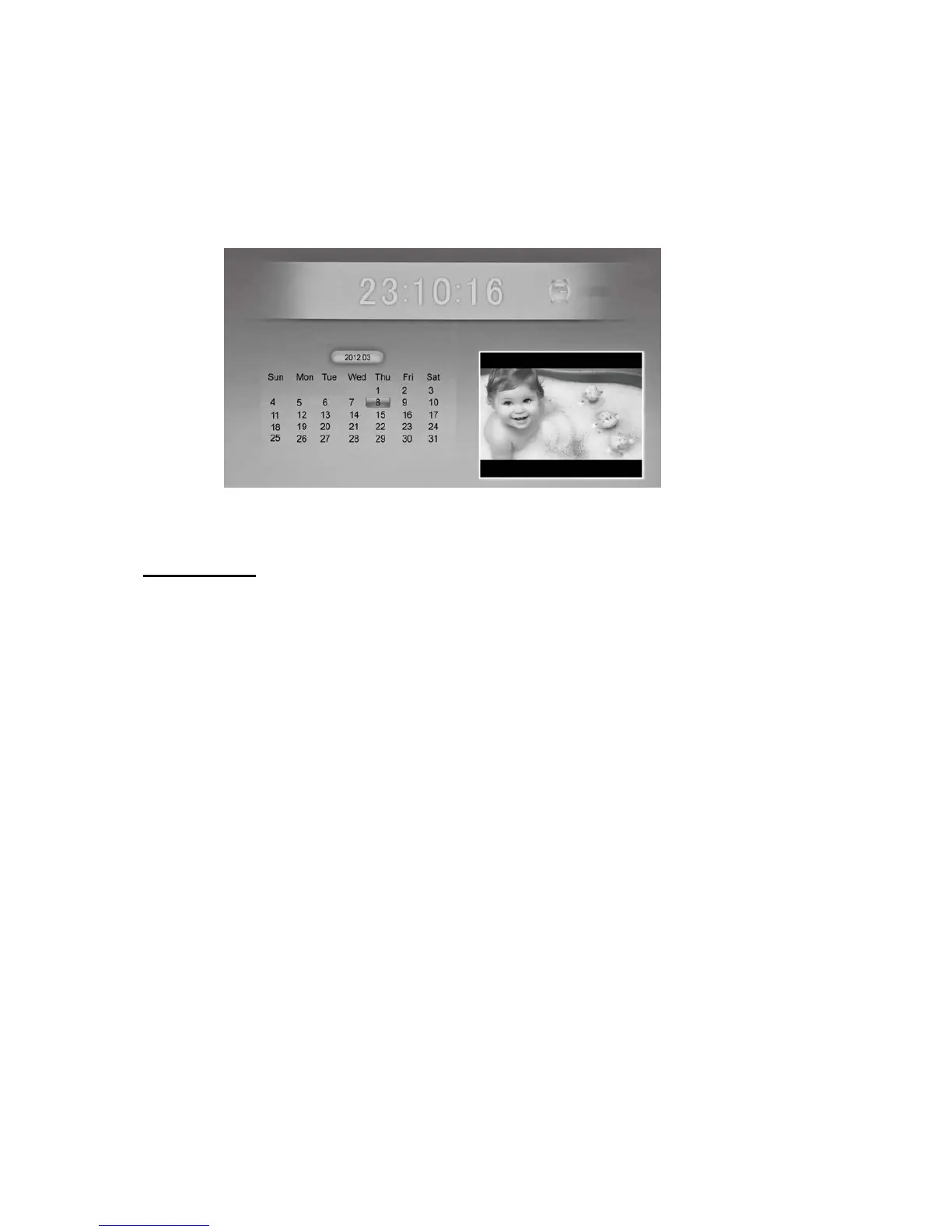
2) To view the Calendar, choose the Calendar icon from the Main Menu. A Photo slideshow
will play in a small window in the lower right corner.
Motion Sensor
For Energy-Saving and convenience, you can set the Digital Photo Frame to automatically turn
on when it detects human movement and off when there’s nobody around it.
First, you will need to choose the timing of the Motion Sensor. Choose between 5/10/30
minutes or 1 hour. Whatever you choose, this means that if the frame does not sense human
movement within this time, the frame will automatically turn off. When someone re-enters the
room and movement is sensed within 2.5 Meters of the frame, it will turn on again, resuming
the display that was on the screen before it switched off. Videos will restart themselves.
To set the feature, press the ‘Setup’ button on the Remote Control. Scroll down the screen, until
‘Hu Motion Timer’ is highlighted. Now, using the [◀][▶] arrows, you can set the amount of
time to elapse before the frame turns off, having sensed no movement. Press ENTER to save
the setting.
If you do not want to use Motion Sensor feature, select it to ‘Off ‘. Press ENTER to save the
setting.



 To Next Page