P. 6
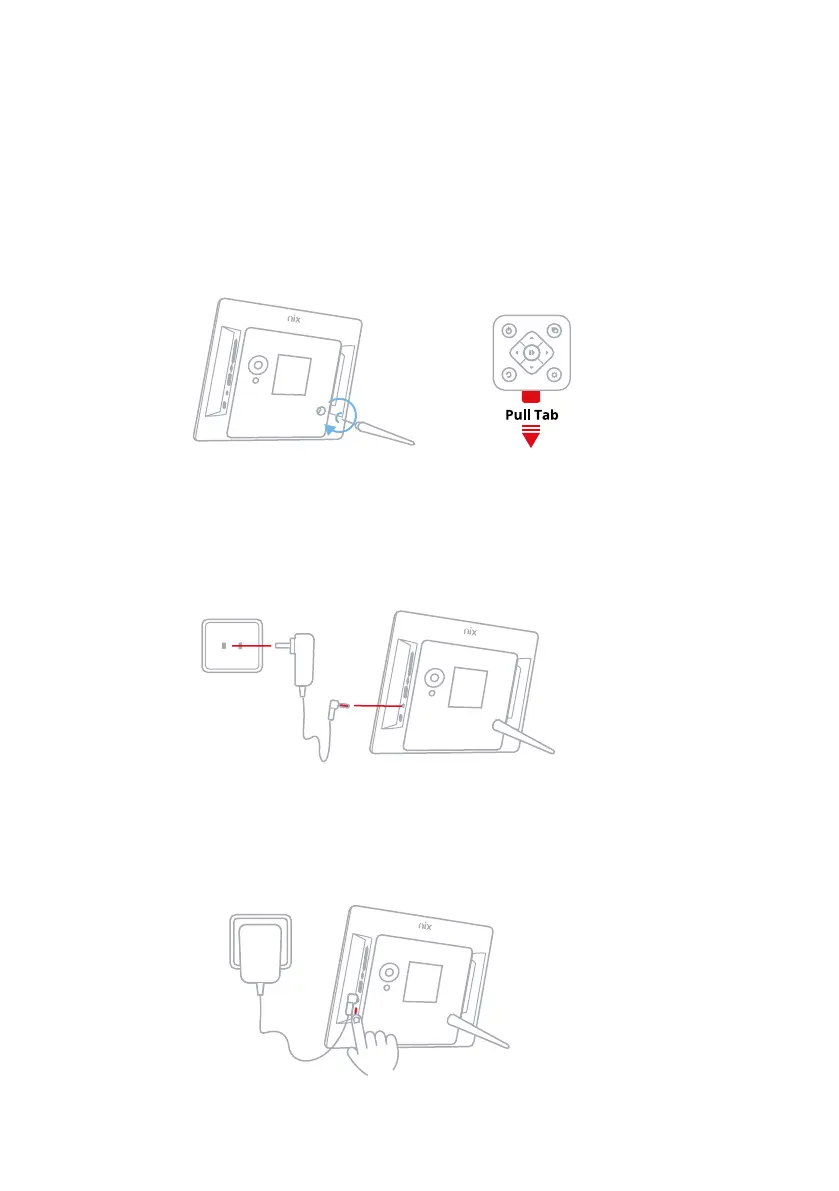
Assemble Digital Frame: 2.1
Plug in the Power Adaptor to your Digital Frame:
2.2
Turn Power Button to ON position: 2.3
Then plug your Digital Frame cable into a power source.
Screw in the stand to the back of the Digital Frame and remove the plastic tab
from your Remote.
This is located on the back of your Digital Frame.
Frame Setup
2


 To Next Page