P. 9
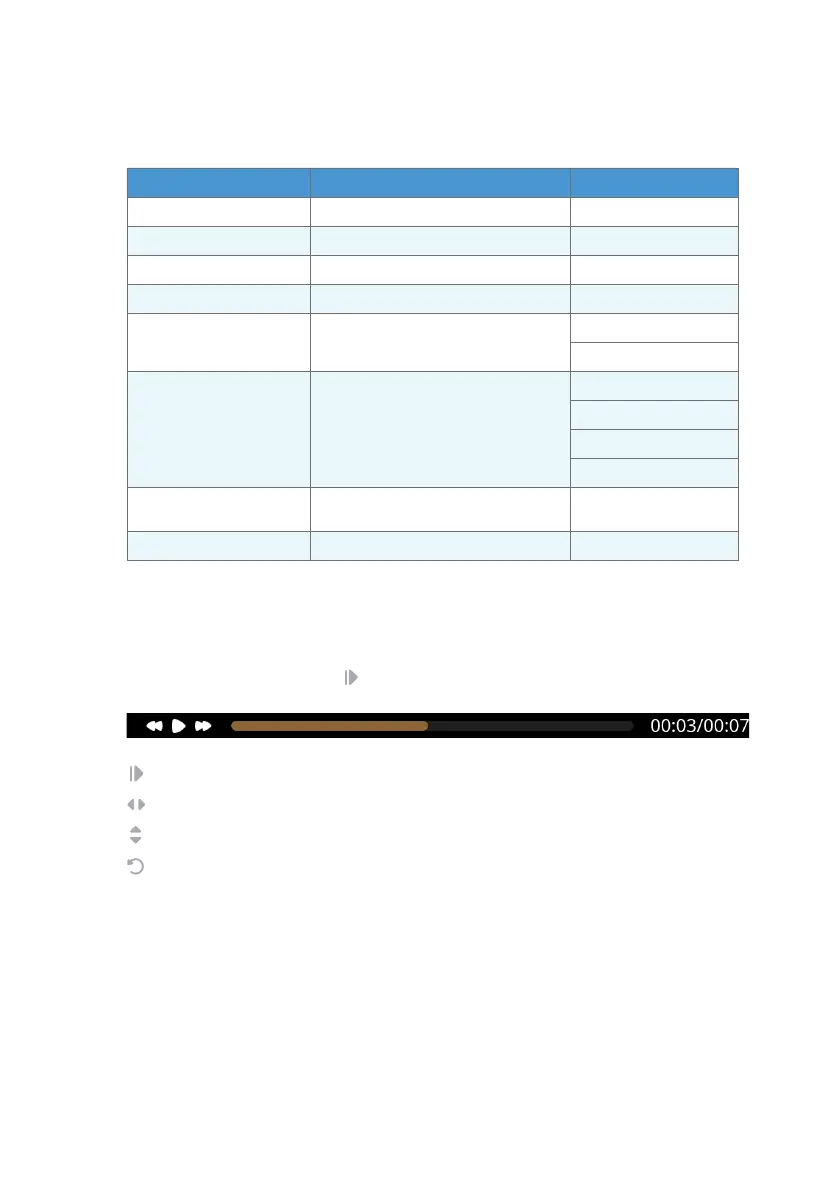
Video Playback
Video Settings
Play/Pause Video
Fast Forward/Rewind Video (Hold down to increase speed, release to resume playback)
Audio Volume Control
Hide Playback control
During video playback, press on the remote control to access the playback control.
ITEM DESCRIPTION OPTION
Brightness Adjust brightness of display 0-100
Contrast Adjust contrast of display 0-100
Saturation Adjust saturation of display 0-100
Hue Adjust hue of display 0-100
Screen Mode
Select how videos are displayed on your
Digital Frame screen
Fill
Fit
Rotate Adjust orientation of video
None
90
180
270
Delete File
Permanently delete le from inserted
media device
-
Go To Main Settings Adjust Digital Frame settings -


 To Next Page