MOON PHASE
TIME AND DATE SETTING
MODES
TIME AND DATE SETTING
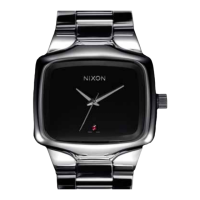
(REASON LS AND REASON)
(1) Make sure your watch is totally dry.
(2) Pull the crown out and turn the hands to the current time.
(3) Push the crown back in to re-engage time.
(4) To set the date, pull the crown out one click only.
(5) Turn the crown clockwise (away from you) to the current date.
Note: the date will automatically change at 12 midnight.
MOON PHASE
(REASON LS)
For the Moon Phase, no setting will be required, the moon phase
will be preset to your area. If minor adjustments are necessary, fol-
low these instructions:
(1) Make sure your watch is dry.
(2) Pull the crown out fully.
(3) Continuously turn the crown counter-clockwise (towards you)
until the moon phase lines up with the estimated current moon
phase…just like the moon, this moves very slowly...keep turn-
ing. You can get the moon phase from the news, a newspaper,
or the internet.
(4) If the window is all yellow, it’s a Full moon, and if it’s all black,
you got it, it’s a New moon.
(5) For more accurate settings, set during a Full or New moon.
(6) Set the hands to the current time.
(7) Push the crown back in one click.
(8) Turn the crown clockwise (away from you) to the current date.
Note: To maintain more accurate moon tracking over longer time
periods, small adjustments may need to be made to your
moon phase.
(2) (4) (3) (6) (8)



 To Next Page