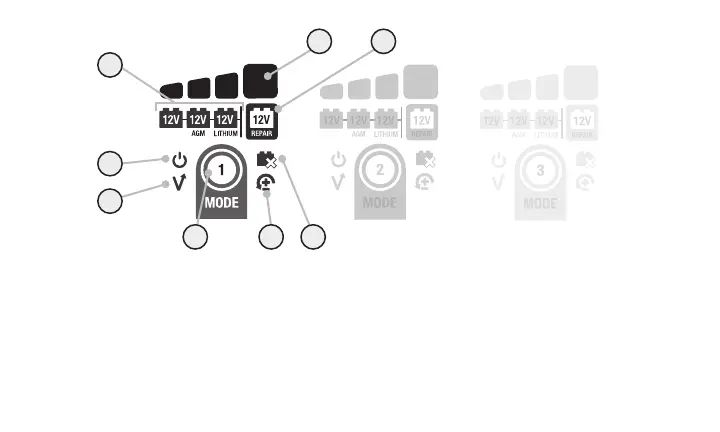
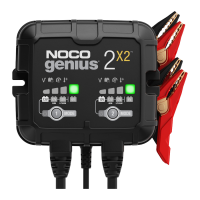
5.) Charge LED indicates the connected battery(s) state-of-charge.
6.) Standby LED Illuminates when the charger is in Standby Mode, the
charger is not charging or providing any power to the battery.
7.) «Press and Hold» Mode LED Mode button must be pressed and held for
3 seconds to enter the mode.
8.) Mode LED Indicates the Charge Mode the charger is currently in. Push the
MODE button to cycle through charge Modes.
1.) Mode Button Push to cycle through charging Modes.
2.) Overvoltage Error LED Illuminates solid Red; Battery Voltage is above
Protect voltage.
3.) Bad Battery Error LED Illuminates solid Red when connected battery will
not hold a charge.
4.) Reverse Polarity Error LED Illuminates solid Red when reverse polarity
is detected.
(For GEN5X1/5X2/5X3, each bank is isolated and functions independently.)
6
2
5
34
7
1
8










 To Next Page