13
DECLARATION OF CONFORMITY
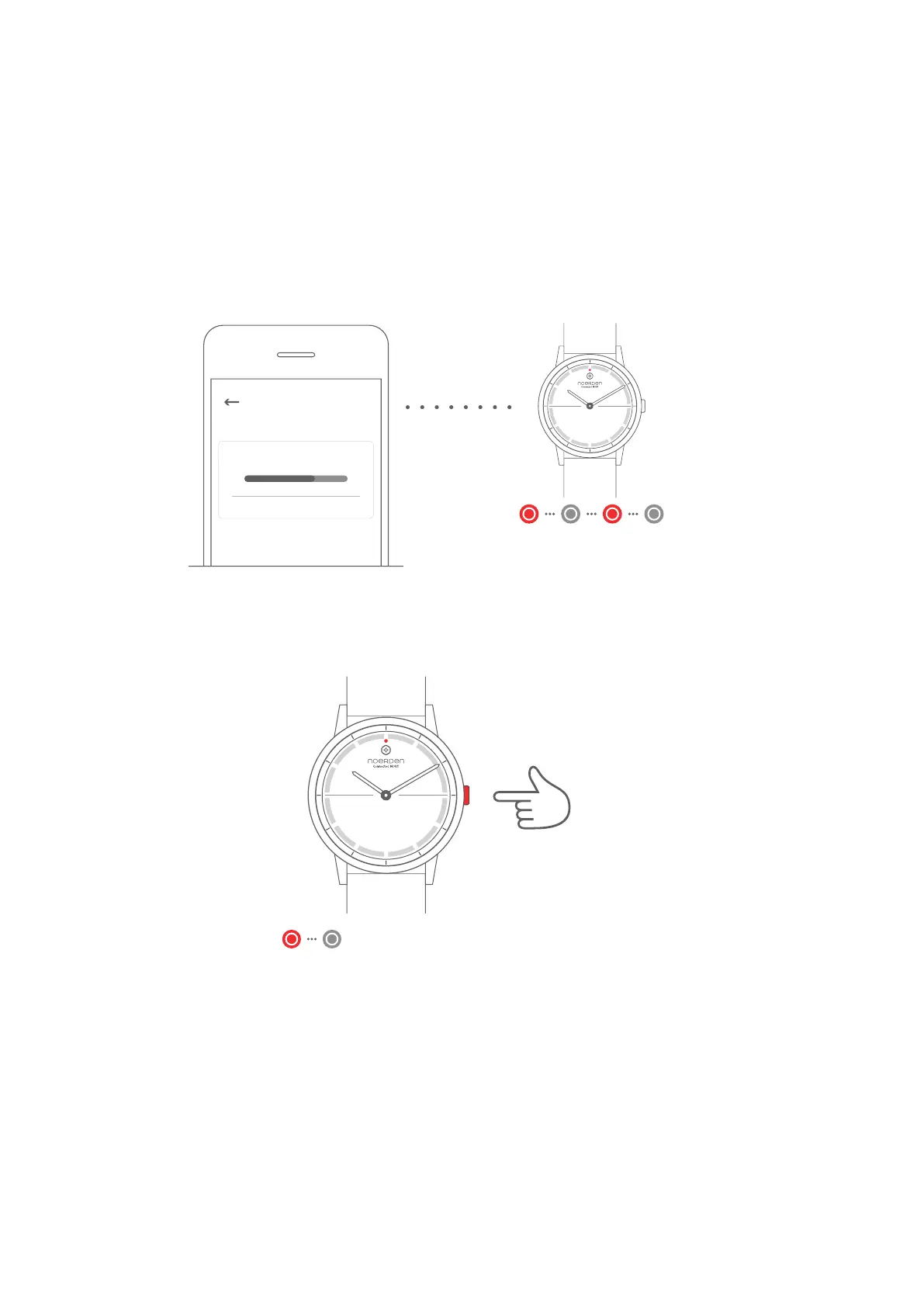
RESET
Note: If you reset your watch to factory mode, it may delete all your data.
You will have to restart your watch after the restoration.
Press and hold
for 6 seconds
UPGRADE WATCH FIRMWARE
Firmware Upgrading...
Cancel
Settings
1. To update your firmware go to the NOERDEN App > Profile > Settings > Check for
firmware upgrade.
2. Your phone will download the new firmware version and upload it to your watch.
3. During the installation, the indicator light of your watch will continuously flash in red.
4. When the indicator light stops flashing, the firmware has been upgraded successfully.
5. Check if the time of your watch is accurate, otherwise perform the time calibration.
Indicator light flashed red until
firmware update is successful
Press and hold the button for 6 seconds. The indicator light will flash in red once and the
process will start.
The undersigned, Noerden (Shanghai) Information Technology Co., Ltd declares that the
electrical radio equipment types of the Noerden Smart Watches, Models MATE2/MATE2+,
comply with the 2014/53/EU directive.
The complete text is available at www.noerden.eu/support
Indicator light flashes red once



 To Next Page