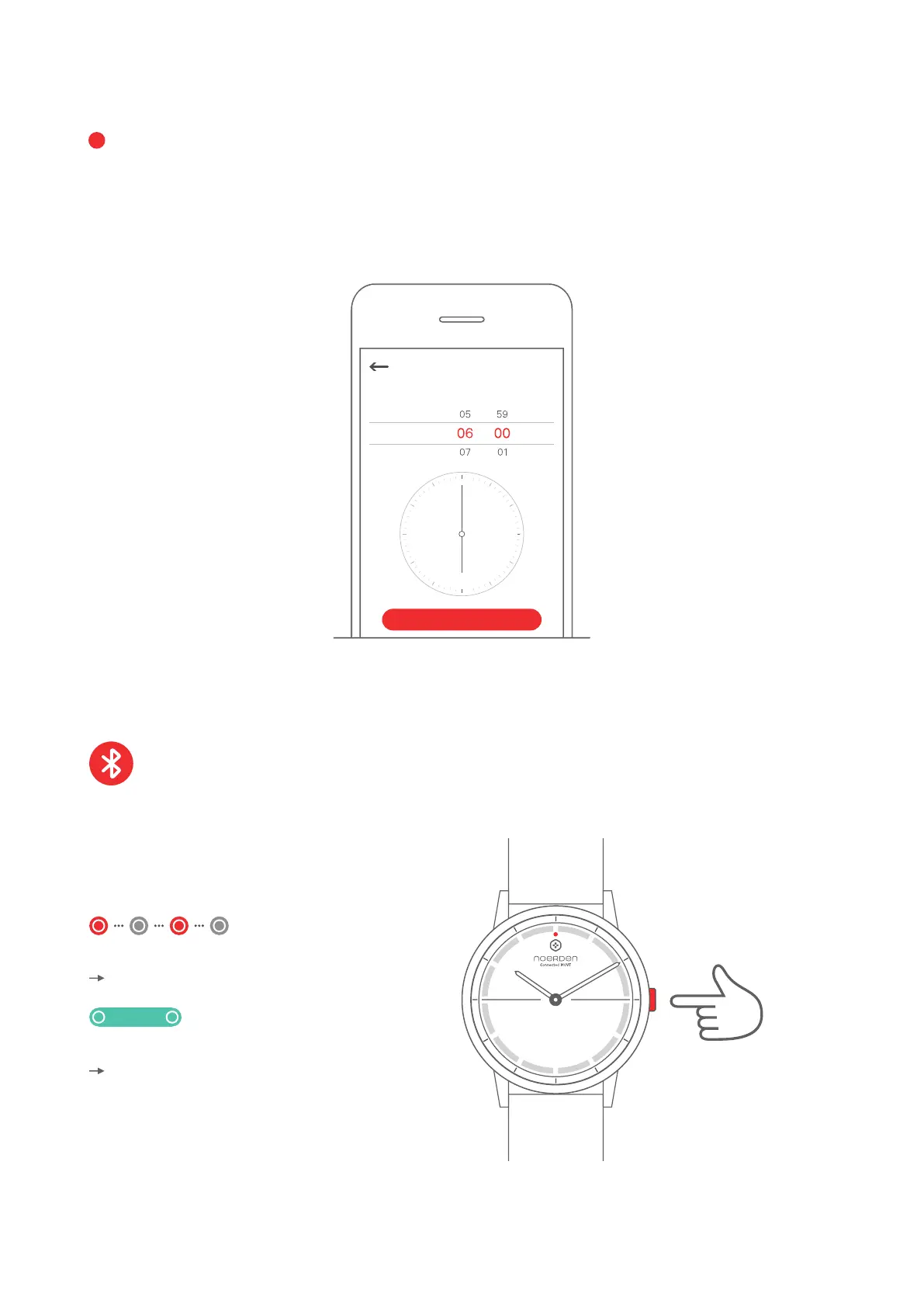
TIME CALIBRATION
When using your watch for the first time, you need to set the time of your new watch.
2. Enter the time displayed on your watch onto your phone's interface. The time will then
automatically calibrate.
Press the button to check the Bluetooth status of your watch.
DISCOVER THE KEY FUNCTIONS
Bluetooth
Bluetooth is disconnected
Bluetooth is connected
Indicator light is green
PM
AM
Please enter the time displayed on your watch
Time calibration
OK
Press once
5
1. In the NOERDEN App, go to the 'Device' page and then click 'Smart Time Calibration'.
The indicator light flashes red



 To Next Page