User Manual for Noise Scout 07
VOICE CHAT
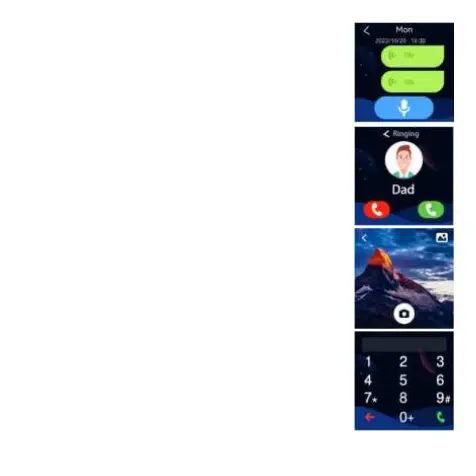
This feature lets you send voice messages to your family
members.
-Go to voice chat
-Touch and hold the recording button for 15 seconds and record
your voice note. Release to send the voice message to the
primary and secondary account holder.
CALLS
This feature lets you make calls to the numbers saved on your
smartwatch.
-Go to calls.
-Swipe to select contact and tap on the green receiver to call.
CAMERA
This feature lets you click pictures using the front camera. You
can store those clicked photos in the album, browse, share
with the contacts that have been saved in the Noise Buddy app
or delete.
Open the camera. Tap on the camera icon to click pictures.
To share the picture with the contacts
-Tap on the upper right corner - gallery icon, tap on the share
icon and share it with the saved contacts.
To delete the picture
-Tap on the upper right corner - gallery icon, tap on the dustbin
icon and conirm.
DIAL PAD
You can use this feature to dial and get in touch with the people
you know.
-Go to the dial pad. Dial the number to call the person.


 To Next Page