Your phone
6
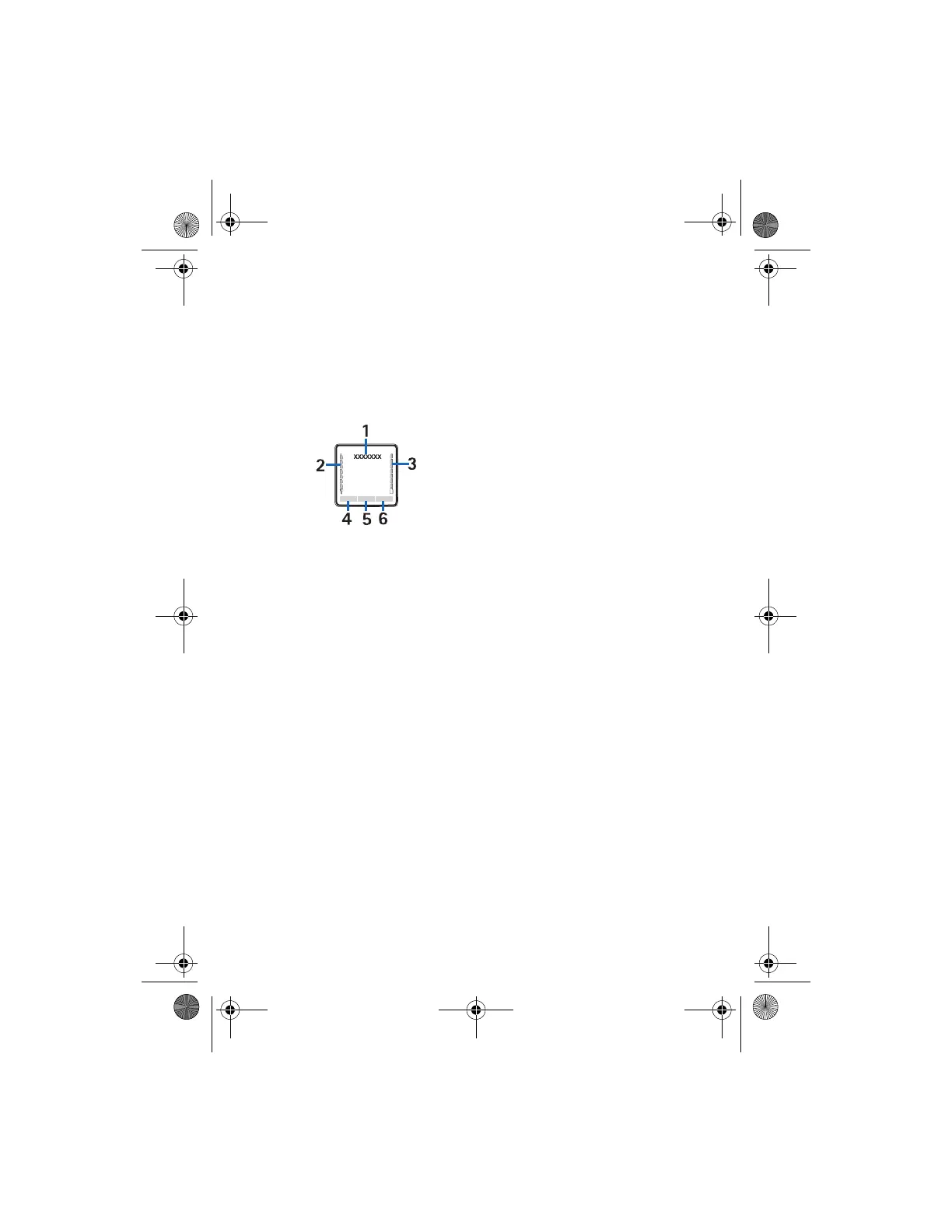
■ Standby mode
When the phone is ready for use, and
you have not entered any characters,
the phone is in the standby mode.
• Name of the network or the
operator logo (1)
• Signal strength of the cellular
network at your current location
(2)
• Battery charge level (3)
• Left selection key is Go to (4). To
view the functions in the
personal shortcut list, select Go
to.
To activate a function select it.
To view a list with available
functions, select Options >
Select options. To add a function
to the shortcut list, select Mark.
To remove a function from the
list, select Unmark.
To rearrange the functions on
your personal shortcut list, select
Options > Organise. Select the
desired function and Move and
the place where you want to
move the function.
• Middle selection key is Menu (5)
• Right selection key is Names (6)
to access the Names menu or
another shortcut to a function
that you selected. See "My
shortcuts", page 37. Operator
variants may have an operator-
specific name to access an
operator specific Web site.
Shortcuts in the standby
mode
• To access the list of dialled
numbers, press the call key once.
Scroll to the number or name
that you want and to call the
number: press the call key.
• To open the web browser, press
and hold 0.
• To call your voice mailbox, press
and hold 1.
• Use the navigation key as a
shortcut. See "My shortcuts",
page 37.
• To change the profile, open the
list of profiles: briefly press the
power key, and select the desired
profile from the list.
9237415_8800_2_en_zh.fm Page 6 Tuesday, April 19, 2005 10:26 AM



 To Next Page