Use without CarMenu
17
■ Switch a call between car kit and mobile device
To switch a call between the car kit and your compatible mobile device,
press .
■ Connect a mobile device
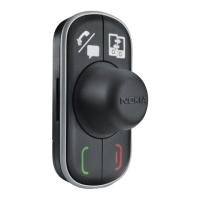
To connect the car kit to a paired device, press and hold the Navi wheel
for about 1 second.
■ Listen to music
To start, pause, or resume music playback when the music player of your
mobile device is active, press the mode key.
To skip to the next or previous track of a playlist, artist, or album when a
track is playing or paused, turn the Navi wheel.



 To Next Page