EasyManua.ls Logo

Nokia Cark-112 - User Manual

Nokia Cark-112
14 pages
Print Icon
To Next Page IconTo Next Page
Loading...
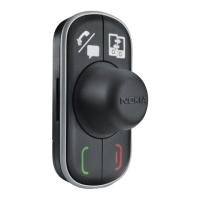
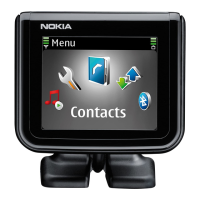
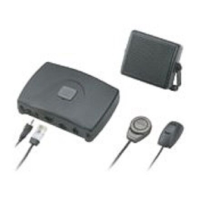
User’s Guide for the Wireless Car
Kit (CARK112)
9353697
Issue 1
cark112_1en_with_updates150102.fm Page 1 Monday, February 4, 2002 3:25 PM

Questions and Answers

  • D
    Donald KochJul 30, 2025
    What to do if my Nokia Cark-112 car kit won't connect to my phone?
    • S
      shaffertravisJul 30, 2025
      If your Nokia Automobile Accessory car kit won't connect to your phone, ensure that the car ignition is turned on and that Bluetooth is enabled on your phone. Also, verify that the car kit is properly paired with your phone. Confirm that your phone is within 10 meters of the handsfree unit, without obstructions like walls or other electronic devices. If the pairing information list of the handsfree unit is full, reset the handsfree unit to its original settings.

Summary

Getting started

Connecting remote control to handsfree unit

Instructions for connecting the remote control button to the HFW-1 handsfree unit.

Attaching remote control to car

Guides on how to attach the remote control button to the car dashboard.

Taking car kit into use for the first time

Steps for initial setup and pairing of the car kit with a phone.

Troubleshooting

Solutions for common connection issues with the car kit.

Using the remote control button

Connecting paired car kit to phone

How to establish a connection between the paired car kit and the phone.

Making a call

Instructions on how to make a call using the car kit.

Ending a call

Procedures for ending an active call using the car kit.

Nokia Cark-112 Specifications

General IconGeneral
BrandNokia
ModelCark-112
CategoryAutomobile Accessories
LanguageEnglish

Related product manuals