WI-fI CallIng sETup
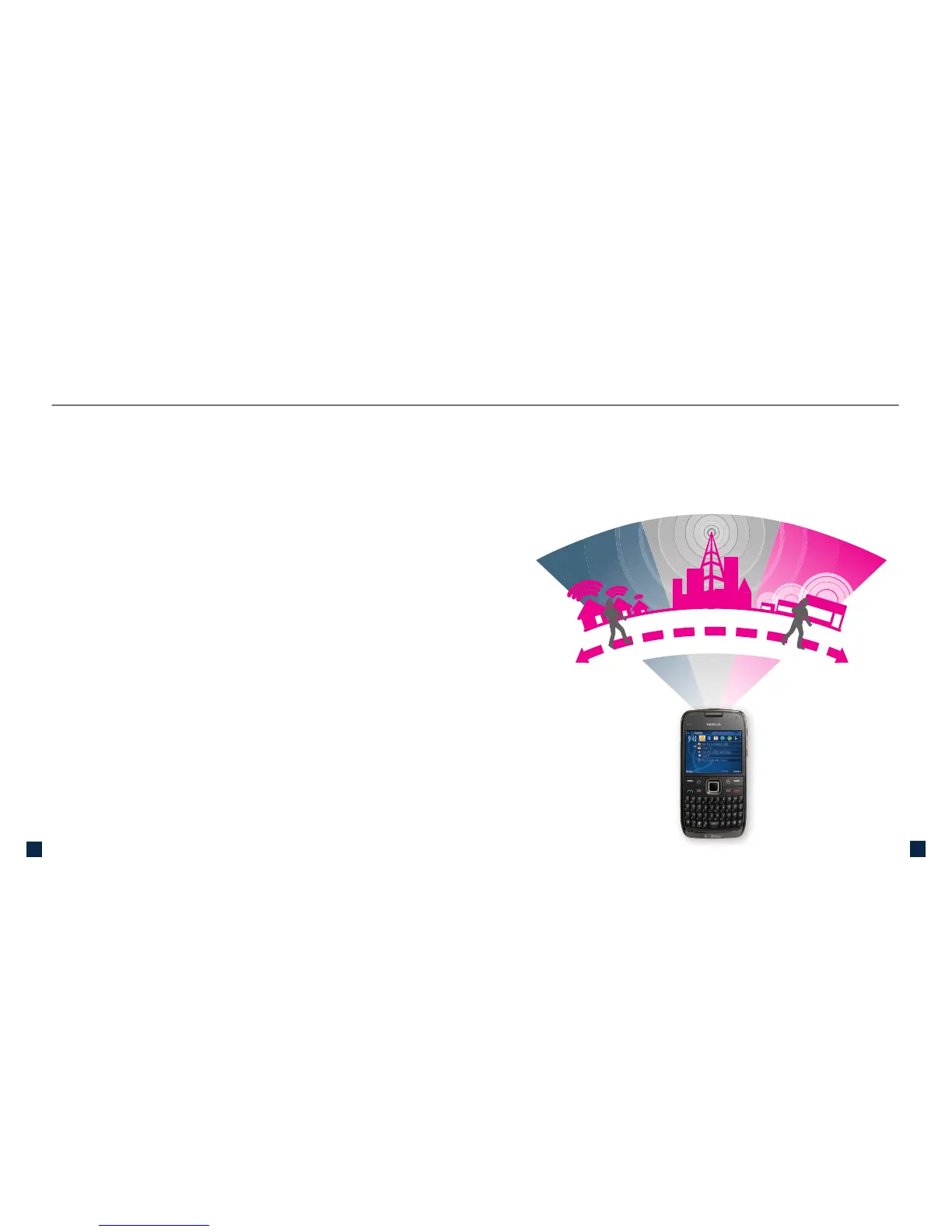
Your phone is HotSpot-enabled, allowing you to connect to the
network in three ways:
n
To standard mobile phone service (cell towers):
Automatically connects to standard mobile phone
service when you have coverage and whenever
you are not in range of a saved Wi-Fi network or a
T-Mobile HotSpot.
n
To Wi-Fi using your home Wi-Fi network:
Automatically connects to your home Wi-Fi network
after you set up your T-Mobile wireless router (or non-
T-Mobile wireless router) and save the network to your
phone.
n
To Wi-Fi using T-Mobile HotSpot:
Automatically connects to Wi-Fi when you are at a
T-Mobile HotSpot location.
Your phone can easily switch (while not on a call) between
saved Wi-Fi networks, standard mobile phone service, and
T-Mobile HotSpot locations. Your phone will use the connection
with the best signal strength.



 To Next Page