EasyManua.ls Logo

NOMA 052-6972-6 - User Manual

NOMA 052-6972-6
12 pages
Print Icon
To Next Page IconTo Next Page
Loading...
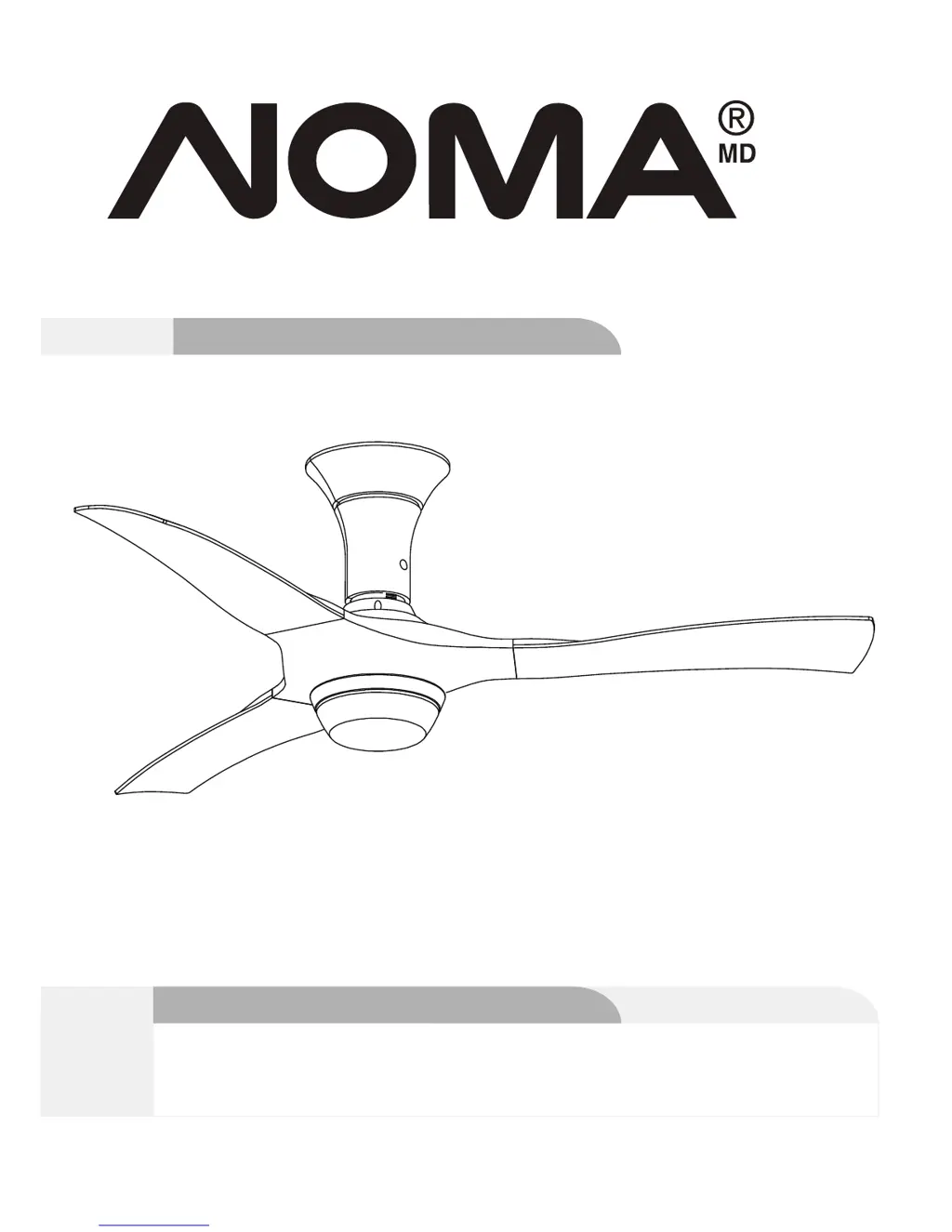
model no. 052-6972
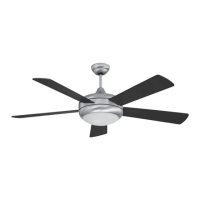
Turin LED Ceiling Fan
Instruction Manual
Toll-free: 1-866-827-4985
model no. 052-6972-6
IMPORTANT: Please read and understand this manual before any assembly. Before
beginning assembly of product, make sure all parts are present. Compare parts
with exploded view. If any part is missing, or if you have any questions, contact
customer service at 1-866-827-4985 (toll-free).
V. 3 2016

Questions and Answers

  • L
    Linda SmithAug 3, 2025
    What to do if my NOMA 052-6972-6 does not start?
    • J
      Jessica GrayAug 3, 2025
      If your NOMA Fan isn't starting, the cause might be a blown fuse or tripped circuit breaker. Check the main fuse and branch circuit fuses or circuit breaker, and repair as necessary. Another potential cause is loose or incorrect power line connections to the fan or switch wires. Inspect all wire connections to the fan and housing wiring, and repair as needed. Always ensure the main power is off before checking any wiring.
  • K
    kshepardAug 9, 2025
    What to do if the light on my NOMA Fan does not work?
    • H
      Hannah WardAug 9, 2025
      If the light on your NOMA Fan isn't working, there are a few things to check. First, ensure the wire connector in the switch housing is connected. Second, the light bulbs might be faulty, so unscrew them and discard them properly. Also, this fan is equipped with a 190 W limiter that will automatically turn the light off if the total wattage exceeds the maximum wattage level. If this is the case, turn the power OFF and replace the bulbs with lower wattage bulbs so that the total wattage is below 190 W.
  • C
    Connor PadillaAug 14, 2025
    Why does my NOMA 052-6972-6 Fan wobble or shake excessively?
    • J
      Jonathan KentAug 15, 2025
      If your NOMA Fan wobbles or shakes too much, it could be due to several reasons: * Loose screws securing the fan blade clips to the motor. Make sure these screws are fastened and tightened. * The fan blade and its blade clip are not securely fastened. Tighten the screws connecting the fan blade to the blade clip. * The canopy and mounting bracket are not tightened securely. Ensure the canopy and mounting bracket are securely tightened to the ceiling joist. * The blades are unbalanced. Check the blade levels and adjust accordingly. To do this, select a point on the ceiling above the tip of one of the blades. Measure this distance and ensure all blades are even. If all blade levels are not equal, adjust accordingly.
  • R
    Rachael DurhamAug 20, 2025
    How to fix a noisy NOMA 052-6972-6?
    • R
      Raymond TurnerAug 20, 2025
      If your NOMA Fan is noisy during operation, try these solutions: tighten screws on blades with a screwdriver; check and tighten the screws; tighten by hand, as necessary; disconnect power at fuse box, loosen canopy and re-position connectors; remove and re-attach; be sure canopy is not touching ceiling.
  • M
    Melanie KingAug 27, 2025
    Why doesn't my NOMA 052-6972-6 move much air?
    • M
      Mr. Brendan Carlson DVMAug 27, 2025
      If your NOMA Fan doesn't seem to move much air, it might be in reverse (blades moving clockwise). Counter-clockwise (forward) direction is recommended in warm weather. Also, check the fan's location. Place the fan in the center of the room with at least 12" (30 cm) between the end of the blades and walls or other obstructions.

Summary

Exploded View

Important Safety Instructions

Rules for Safe Installation

Tools Required for Assembly

Assembly

Preparing for Installation

Initial steps including unpacking, parts check, and location selection.

Mounting Bracket Installation

Securing the mounting bracket to the ceiling for normal or wooden installations.

Drop-mount Downrod Assembly

Steps for assembling the downrod and hanging the fan assembly for installation.

Wiring Instructions

Connecting the receiver, fan, and mains power with safety precautions.

Connecting Fan Components

Attaching canopy, blades, switch housing, and light kit to the fan motor.

Operation

Fan Speed and Light Control

Using the remote to control fan speed, turn the fan on/off, and manage the light.

Airflow Direction

Understanding forward (cooling) and reverse (warming) fan rotation functions.

Maintenance

Care and Cleaning

Instructions for cleaning the fan to maintain its appearance and function.

Troubleshooting

Addressing Fan Noise and Start Issues

Diagnosing and fixing common problems like noisy operation or the fan not starting.

Resolving Light and Airflow Problems

Solutions for when the light doesn't work, air movement is poor, or the fan wobbles.

Environmental Protection

Warranty

NOMA 052-6972-6 Specifications

General IconGeneral
BrandNOMA
Model052-6972-6
CategoryFan
LanguageEnglish

Related product manuals