EasyManua.ls Logo

Nomadic R150 - Remote Control

Default Icon
108 pages
Print Icon
To Next Page IconTo Next Page
To Previous Page IconTo Previous Page
Loading...
16
1
2
4
5
7
9
3
6
8
10
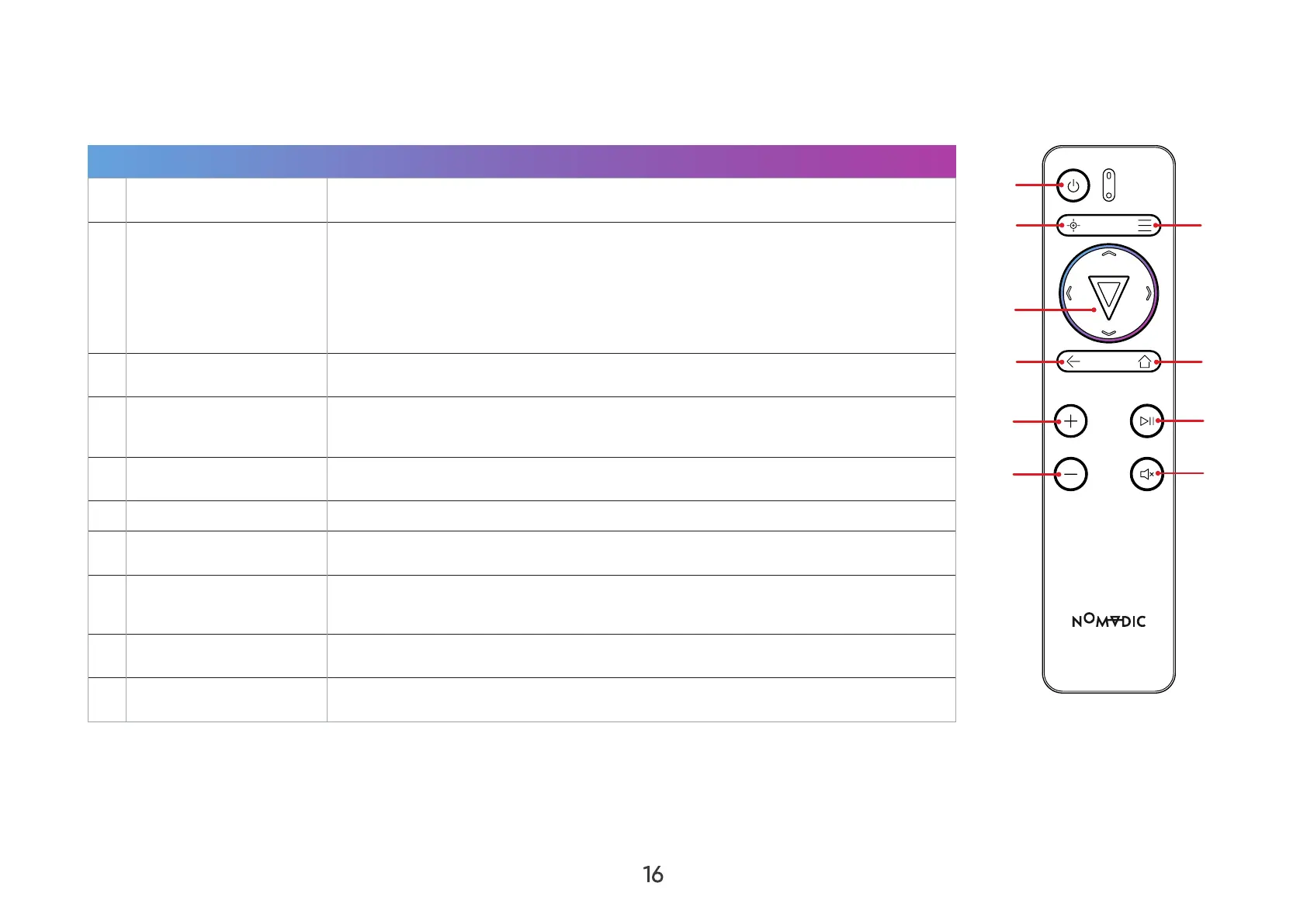
Remote Control
Button Description
1 Power Turn on the Projector.
2 Focus
Focus
use the Left and Right arrows.
NOTE: Focus button. To adjust
Focus
Adjustment Ring.
3  
4

Right


5 Return Return to the previous screen.
6  Access the Home screen.
7 Increase 
8 

NOTE: 
9 Decrease 
10 Mute 
NOTE: 

Table of Contents

Other manuals for Nomadic R150

Related product manuals