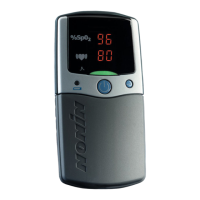
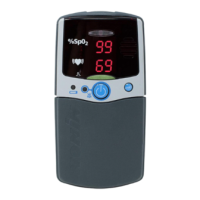
To use the Nonin Model 2500 (Model 2500A with alarms) PalmSAT® pulse
oximeter, please follow the simple instructions below.
Install Batteries or Use Rechargeable Battery Pack
Instructions for Use
Model 2500
P/N 114856-001-01 11/2022 13700 1st Avenue North, Plymouth, MN 55441-5443 USA nonin.com
Ensure device is turned off and sensor is not applied to a digit.
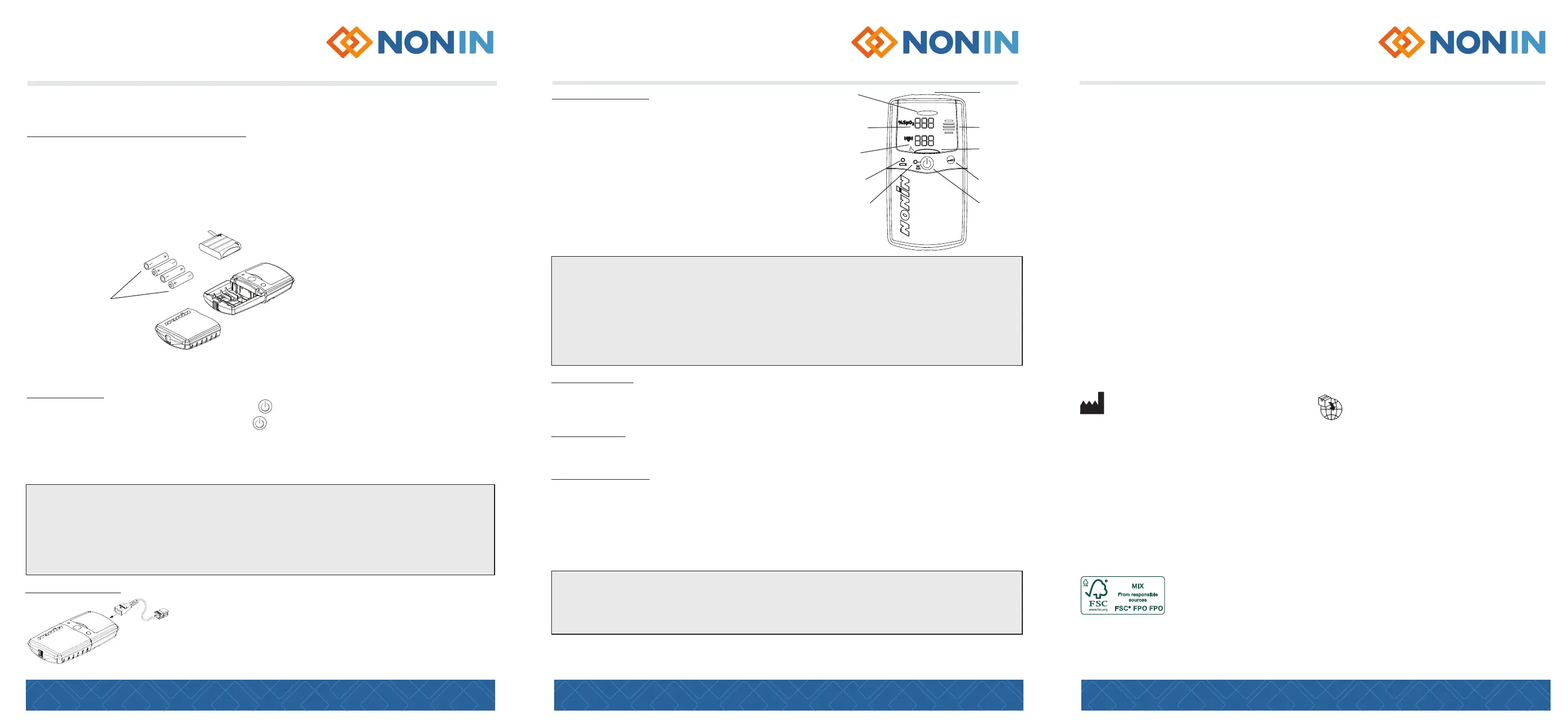
1. Press the battery cover latch and remove the battery cover on the bottom of the unit
2. Insert four new AA-size alkaline batteries or a rechargeable NiMH battery pack*, as
indicatedbythepolaritymarkings(+and-)insidethebatterycompartment
3. Replace the battery cover and turn on the device
P/N 114856-001-01 11/2022 13700 1st Avenue North, Plymouth, MN 55441-5443 USA nonin.com
Instructions for Use
Model 2500
Taking Measurements
Verify the pulse oximeter sensor is properly positioned
on the patient. If the Pulse Quality display is blinking red
or amber or is blinking erratically, reposition, or replace
the sensor.
If the sensor is not properly positioned, or no sensor
isattachedtothepulseoximeterafterstartup(afew
secondsafterpoweringon),boththeSpO
2
and Pulse
Rate displays will display a single dash until a valid
pulse signal is detected.
Please refer to the Operator’s Manual on nonin.com/support/2500
for troubleshooting guidance and more detailed operating instructions.
* Model 2500B Rechargable NiMH Battery Pack included with Model 2500C Charger Stand.
2500C Charger Stand will only work with the NiMH Battery Pack not with alkaline batteries.
Care and Maintenance
Cleaning the pulse oximeter
• Clean the device separately from the sensors. For instructions on cleaning sensors, refer to the
respective sensor Instructions for Use.
• Clean the device with a soft cloth dampened with isopropyl alcohol. Do not pour or spray any liquids
onto the device, and do not allow any liquid to enter any openings in the device. Allow the device to
dry thoroughly before reusing.
Alarm Functions – Only Applicable to 2500A
High-priorityalarmsarepatient-specicandareindicatedbyaashingredalarmbarandahigh
priorityaudiblealarmsignal.Medium-priorityalarmsareequipment-specicandareindicatedbya
ashingamberalarmbarandamediumpriorityaudiblealarmsignal.Thesealarmcyclesrepeatuntil
silenced. Silence alarms by pressing the On/Off button twice.
Users may adjust alarm settings when the device is in Setup mode.
For additional information on adjusting alarm settings, please reference the Operator’s Manual.
Cleaning the charger stand – only applicable to 2500C (sold separately)
Unplug the power supply from the AC power outlet. Clean the product with a soft cloth dampened
with isopropyl alcohol. Do not pour or spray any liquids onto the product, and do not allow any
liquid to enter any openings in the product. Allow the product to dry thoroughly before reusing.
P/N 114856-001-01 11/2022 13700 1st Avenue North, Plymouth, MN 55441-5443 USA nonin.com
Instructions for Use
Model 2500
Thank you for trusting Nonin with your patients’ healthcare needs. We sincerely
appreciate your business. Please read your Operator’s Manual carefully and direct any
further questions to a Nonin Technical Service representative. If you would like to order
products or check the status of a current order, please contact Customer Service.
Contact Customer Service or Technical Service
Toll Free: 800.356.8874 (U.S.andCanadaonly)
Phone:+1763.553.9968
Email: customerservice@nonin.com
Nonin Medical Inc.
13700 1st Avenue North
Plymouth, MN 55441-5443, USA
Nonin B.V.
Doctor Paul Janssenweg 150
5026 RH Tilburg, Netherlands
Have other questions or want to learn more?
Visit nonin.com to read more about our history, product offerings, and more.
Nonin is committed to sustainable practices. This paper is made with
FSC-certiedmaterials,printedwithsoyink,andis100%recyclable.
Battery Pack
Battery
Orientation
AA-size
Alkaline Batteries
→
→
Speaker
Advance Button
On/Off Button
Alarm Bar
(Bicolor)
Low Battery
Indicator
Alarm Silence
Indicator
Pulse Rate
Display
SpO
2
Display
Pulse Oximeter
Sensor
Connector
Pulse Quality
Display
(Tricolor)
Power On and Off
• Turn on the device by pressing and releasing the button on the front of the unit
• Turn off the device by pressing and holding the button for approximately two seconds
The device automatically powers off after 10 minutes of inactivity. Change battery when low
battery indicator light appears. AA-sized batteries should provide 60 hours of continuous use while the
rechargeable NiMH pack will provide 40 hours of continuous use.
Charging the Battery Pack Using the Charger Stand–Only Applicable to 2500C
(sold separately)
To use, place a PalmSAT Pulse Oximeter containing a rechargeable battery pack into the charger
stand. Next, connect the charger power supply to the charger, then plug the power supply into an
appropriateACpowersource(walloutlet).Thebatterypackwillbefullychargedin
approximately 180 minutes.
Connect the Sensor
Connect the pulse oximeter sensor with the Nonin logo facing
up to the top of the device as shown. Ensure the sensor is
rmlypluggedin.
RefertotheOperator’sManualorthespecicsensorpackageinsert
for pulse oximeter sensor positioning information.
Memory Functions
EachtimetheModel2500isturnedon(exceptduringSetupmode),dataareautomaticallycollectedin
memory. The device can collect and store up to 72 hours of SpO
2
and pulse rate information. Refer to the
Operator’s Manual.
Clinical Benets
Nonin pulse oximeters allow for the management of patients’ medical conditions by providing fast,
accurate, real-time, noninvasive oxygen measurement in order to meet patients’ medical needs.
2500/2500A Specications
*AdditionalspecicationsareavailableintheOperator’sManualthatcanbelocatedusingtheQRCode.
• Oxygen saturation measured from 0%-100% SpO
2
• Pulse rate measured from 18bpm-321bpm
• ThedevicemustmaintainaccuracyinaccordancewithISO80601-2-61andISO9919forpulserate
and SpO
2
atthelowestobtainablepulseamplitude(0.3%modulation).
Measurement Wavelengths and Output Power:
• Red: 660 nanometers @ 0.8 mW maximum average
• Infrared:910nanometers@1.2mWmaximumaverage


 To Previous Page
 Loading...