EasyManua.ls Logo

Nonin 8500 - Troubleshoot Manual

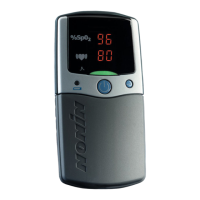
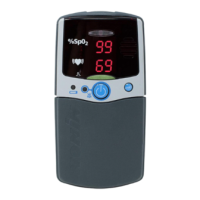
Nonin 8500
2 pages
Print Icon
To Next Page IconTo Next Page
Loading...
NONIN OXIMETER TROUBLESHOOTING
Nonin 8500, 8500M, 8500MA
1) Unit will not turn on:
a) Install six new batteries, ie Duracell, Energizer ect (avoid off brand low quality batteries)
b) Verify correct polarity of the batteries (FIGURE 2)
c) Verify battery door has metal contact
d) Disconnect any accessories attached to the device
e) Verify battery contacts, inspect for corrosion / clean contacts
2) Unit will not retain memory:
a) Verify Model # of the device, must have “M” in the model # to have memory capability
(8500M, 8500MA, 920M)
b) Has the device lost battery power for more than 2 minutes, unit will clear memory after 2
minutes with no battery power.
c) Has more than 2 minutes of data been recorded.
d) Unit must have 6 new good batteries (no flashing displays), good sensor reading 2
minutes or more.
3) Unit will not display readings:
a) Verify that only Nonin accessories are being used
b) Verify integrity of all batteries, is display blinking
c) Try another sensor
d) If 8500I is being used, remove and try again using only the sensor.
e) Verify that tester \ patient is not wearing fingernail polish
4) Unit is displaying erratic readings
a) Follow steps in item #2 above
5) Numeric displays blink at one-second intervals (Low Battery Indication)
a) Install six new batteries
b) Verify correct installation (polarity) of ALL batteries (FIGURE 2)
Nonin 8500, 8500M, 8500MA Battery placement configurations
FIGURE 2
Battery installation (6) Left to Right - #1, #3, #5
#2, #4, #6

Other manuals for Nonin 8500

Questions and Answers

  • T
    Trevor GravesSep 10, 2025
    What does it mean if the Pulse Quality LED is blinking amber with each pulse on Nonin Medical Equipment?
    • M
      Meghan CookSep 10, 2025
      If the Pulse Quality LED is blinking amber with each pulse, this indicates that the quality of the pulse signal at the sensor site is inadequate. Assess the patient. Reposition the sensor or select an alternate sensor site.
  • D
    Debbie WilliamsSep 9, 2025
    What to do if there is an inconsistent Pulse Rate or an amber Pulse Quality display during the use with electrosurgical unit (ESU) on Nonin 8500?
    • J
      joshua45Sep 9, 2025
      If you observe an inconsistent pulse rate or an amber Pulse Quality display during use with an electrosurgical unit (ESU), it's possible that the ESU is interfering with the pulse oximeter performance (assess the patient and move the device, cables, and sensors as far away from the ESU as possible).
  • J
    Jennifer SmithSep 8, 2025
    What to do if dashes are displayed in both the SpO and Pulse Rate displays of Nonin 8500 Medical Equipment?
    • K
      Kyle RobinsonSep 8, 2025
      If dashes are displayed in both the SpO and Pulse Rate displays, it could be due to no signal being detected because the sensor is not plugged in (verify the sensor connections) or sensor failure (replace the sensor).
  • M
    Matthew BarnesSep 7, 2025
    What does it mean if a dash appears in the leftmost position of the SpO display on Nonin Medical Equipment?
    • W
      Warren AverySep 7, 2025
      A dash appearing in the leftmost position of the SpO display indicates a sensor fault (disconnect, failure, misalignment, or incompatibility with the monitor). Verify that the sensor is correctly connected to the device and the patient; replace the sensor if the condition persists.
  • L
    Lance StokesAug 23, 2025
    Why won't my Nonin 8500 turn on?
    • D
      darren99Aug 23, 2025
      The device might not be turning on due to several reasons: the batteries could be depleted (replace all 6 batteries), the batteries might be installed incorrectly (verify battery orientation), or a metal contact in the battery compartment might be missing or damaged (contact Nonin Technical Service).
  • D
    Dillon AdkinsSep 4, 2025
    What to do if Pulse Quality LED does not blink green on Nonin 8500?
    • L
      Lindsey BurnsSep 5, 2025
      If the Pulse Quality LED isn't blinking green, try the following: reposition the sensor if it's not correctly positioned or if there is an inadequate pulse signal. Ensure that the sensor isn't restricting blood circulation at the sensor site, or relocate the sensor. Reduce ambient light and patient motion. Also, remove any nail polish or artificial nails. Reduce or eliminate performance degradation from an arterial catheter, blood pressure cuff, or infusion line.
  • J
    Johnathan MurphySep 4, 2025
    What to do if numeric displays are blinking at once per second on Nonin 8500?
    • L
      Linda WallaceSep 4, 2025
      If the numeric displays are blinking once per second, this may indicate low batteries (replace all 6 batteries) or incorrect battery installation (verify battery orientation).
  • L
    Louis PattersonSep 2, 2025
    Why Nonin 8500 device won’t turn on?
    • B
      Brandon AndersenSep 2, 2025
      The device may not be turning on due to several reasons: the batteries may be depleted (replace all 6 batteries); the batteries might be installed incorrectly (verify the battery orientation); or a metal contact in the battery compartment could be missing or damaged.
  • R
    Ronald HunterSep 1, 2025
    What to do if numeric display segments are missing on Nonin 8500?
    • J
      Judy RichardsonSep 1, 2025
      If numeric display segments are missing, it indicates defective LEDs. Discontinue use of the device.
  • C
    Christopher CookAug 31, 2025
    What does a dash in the leftmost position of the SpO display on Nonin 8500 mean?
    • W
      Whitney AllenAug 31, 2025
      A dash appearing in the leftmost position of the SpO display indicates a sensor fault (disconnect, failure, misalignment, or incompatibility with the monitor). Verify that the sensor is correctly connected to the device and the patient; replace the sensor if the condition persists.

Summary

Nonin Oximeter Troubleshooting

Unit Will Not Turn On

Troubleshoot a Nonin oximeter that fails to power on, checking battery installation, polarity, and contacts.

Unit Will Not Retain Memory

Diagnose memory retention issues in Nonin oximeters, verifying model number, battery power, and data recording.

Unit Will Not Display Readings

Address Nonin oximeter display problems by checking accessories, battery integrity, sensor type, and fingernail polish.

Erratic Readings Troubleshooting

Resolve erratic readings on Nonin oximeters by following memory retention troubleshooting steps.

Low Battery Indication

Understand and resolve the low battery blinking indicator by replacing and correctly installing batteries.

Nonin 8500 Series Battery Placement

Battery Installation Configurations

Guide to correct battery installation and polarity for Nonin 8500, 8500M, 8500MA models using Figure 2.

Nonin 8500 Specifications

Operating Environment IconOperating Environment
operating temperature range-20 to +40 °C
storage temperature range-40 to +70 °C
operating humidity range10 to 90% noncondensing
storage humidity range10 to 95% noncondensing
operating altitudeUp to 4, 000 meters
hyperbaric pressureUp to 4 atmospheres
Power IconPower
battery typeSix 1.5V AA-size alkaline batteries
battery life at maximum display brightness100 hours
battery life at normal display brightness160 hours
Display and Indicators IconDisplay and Indicators
oxygen saturation display range0 to 100% SpO2
pulse rate display range18 to 321 BPM
pulse quality indicatorLED, tricolor
numeric displays3-digit 7-segment LEDs, red
Measurement Specifications IconMeasurement Specifications
red wavelength660 nanometers
red output power0.8 mW max. avg.
infrared wavelength910 nanometers
infrared output power1.2 mW max. avg.
Weight and Dimensions IconWeight and Dimensions
width8 cm
height15 cm
depth2.5 cm
weight280 g

Related product manuals