AP Connection
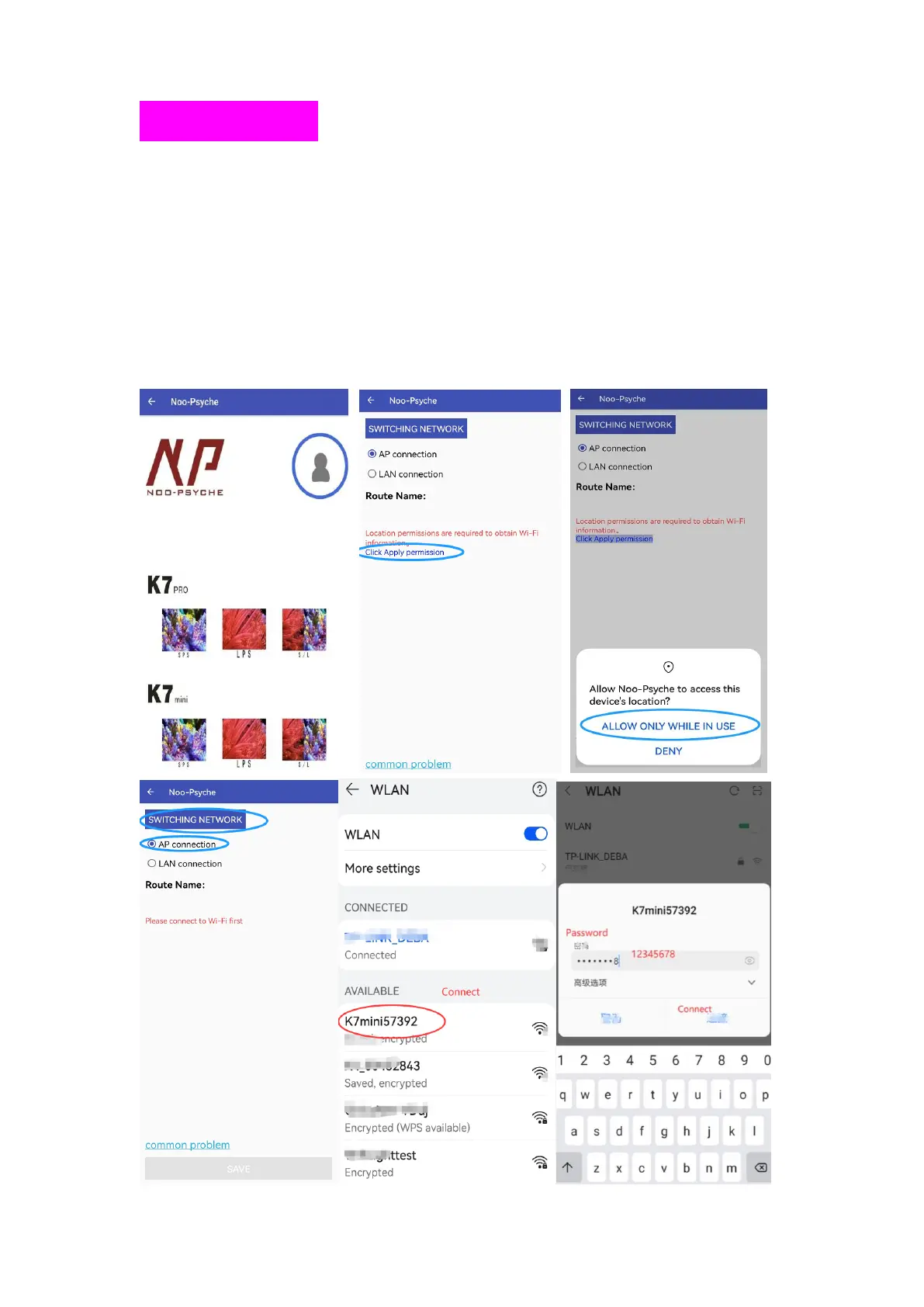
① Switch the light on AP mode. Pls learn above “Connection Mode”
② Open the APP, click the Portrait
③ Click Apply Permission, Allow Noo-Psyche to access location
④ Click SWITCHING NETWORK. Click WLAN and keep it on. Find the
K7_mini**** in the WLAN list, then enter the password (12345678) and click
connect.



 To Next Page