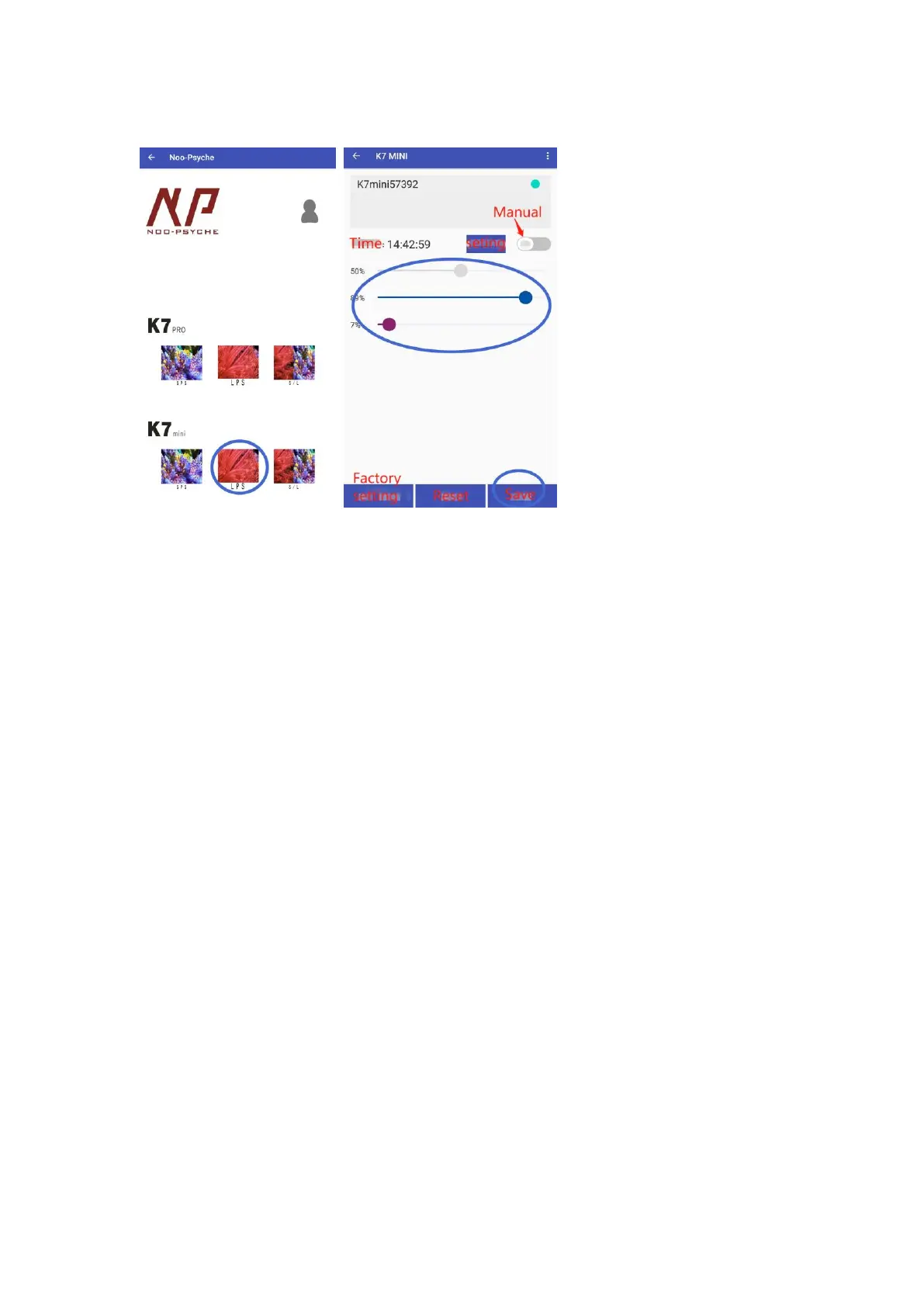
Manual – One click viewing
Select LPS. Switch to Manual. Pull the progress bar to adjust the brightness
finally click SAVE.
Auto – Sunrise and sunset scene simulation
Modify parameters:
① Click Auto
② Click TIME POINT SETTING
③ Click EDIT to modify channel parameters
④ Set the brightness of each channel at the time point, click confirm. Click
close when all is done
⑤ Click SAVE. If you want to quickly check the spectrum, click Demo Mode



 To Next Page