Norac UC5
5
PN 2006019–ENG Rev. I
• When you disable Automatic Mode on any part of the boom and the display switches to Manual Mode, this button
turns white and the display beeps twice. If less than the full boom remains in Manual Mode, the display will continue
beeping twice every three seconds.
Boom Height Control Options Button
At the center of the Map screen’s Equipment
Tab, the Boom Height Control Options button
displays data on NORAC UC5 Run Time
performance.
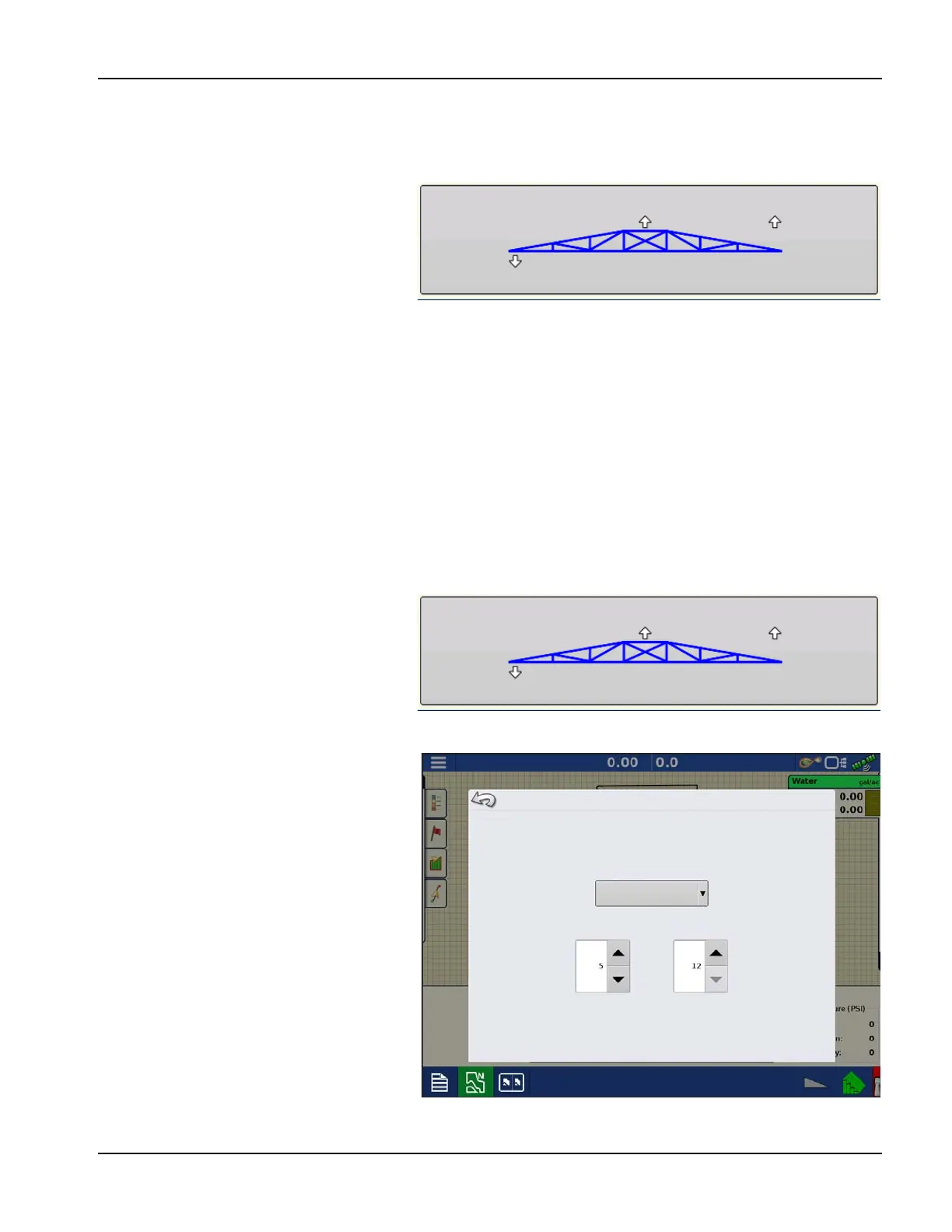
• The Boom Icon appears as blue when in
Automatic Mode; and black when in
Manual Mode. The right, left and center
sections appear independently on this icon. Press the Boom Height Control Options button to open the Boom
Height Control Options screen.
• The white arrows indicate the direction that the boom section is being commanded to move. The arrows shown
around the boom appear either 1) In Automatic Mode, or 2) When the boom is in Manual Mode and the boom is
moved by the operator.
• Mode—Indicates whether the Boom is in Crop Mode, Soil Mode, or Hybrid Mode.
• Target Height—The desired boom height above the ground (for Soil Mode), or the crop canopy (for Crop Mode).
• Sensitivity—Adjusts the boom response. Higher values make the height control more responsive.
• Distance Between Boom and Target—The numbers that appear below the Boom Icon show the distance
between the boom section and the target.
• Tem pe ratu re —Shows the measurement of the outside ambient air temperature.
Boom Height Control
Options Screen
Pressing the Boom Height Control Options
button opens the Boom Height Control
Options screen.
At this screen, you can adjust the boom’s Mode,
Sensitivity and Target Height.
• Mode—The drop-down menu is where
you can choose one of three modes:
A. Soil Mode—the UC5 controls
boom height relative to the distance
from the soil.
B. Crop Mode—the UC5 controls
boom height relative to distance
from the crop canopy.
C. Hybrid Mode—The UC5 controls
boom height using a combination
of soil and crop readings. For
detailed Hybrid Mode information,
see the Norac UC5 manual.
Mode: Crop
Target Height: 12 in
Sensitivity: 5
15.9
8.4
8.4
50 F
Mode: Crop
Target Height: 12 in
Sensitivity: 5
15.9
8.4
8.4
50 F
Boom Height Control Options
Crop Mode
Sensitivity
Target Height


 To Next Page