8
3.3. ErrorIndicators
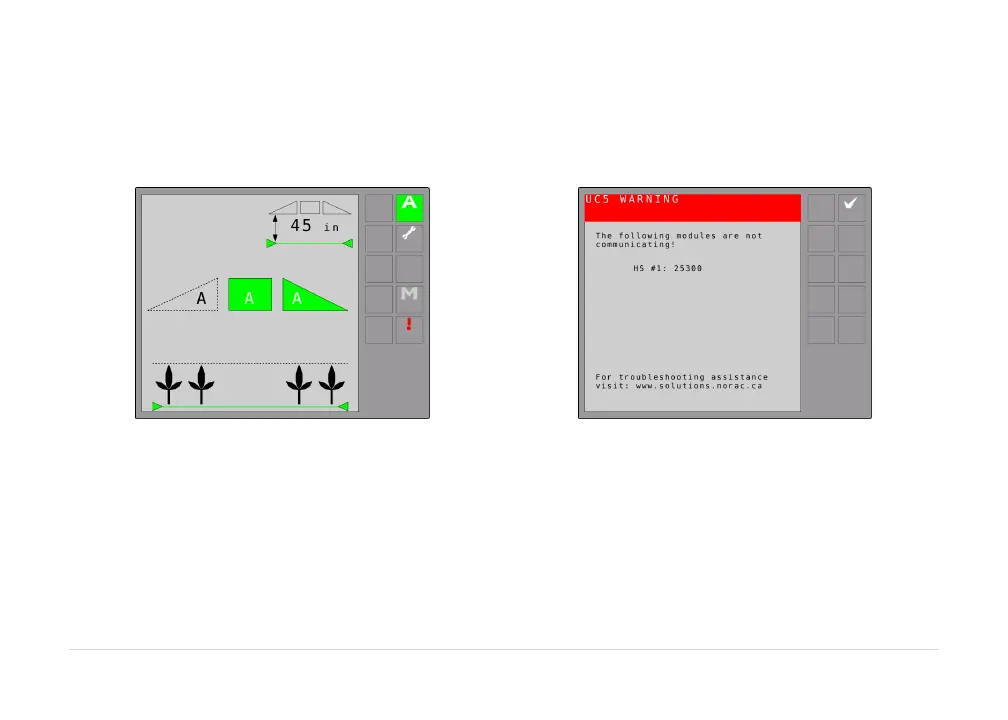
Ifanerrorisdetected in thesystem,the error buttonwillappearon the screen as shown in the figures
below.The boom with the error will go to its manual state with the ‘M’ or ‘A’ on the display flashing
dependingonwhetherthesystem
isinautoormanualmode.
Figure3:ErrorIndicator
Figure4:SampleErrorViewingScree n
Selecting the error button allows all active system errors to be viewed. To navigate between multiple
errors,usethenextandpreviousarrowbuttons.
If the boom is above normal working height (typically 60 inches/152 cm) when automatic mode is
engaged, a warning message will appear requiring the boom to be
lowered before allowing automatic
modetobeactivated.



 To Next Page