15
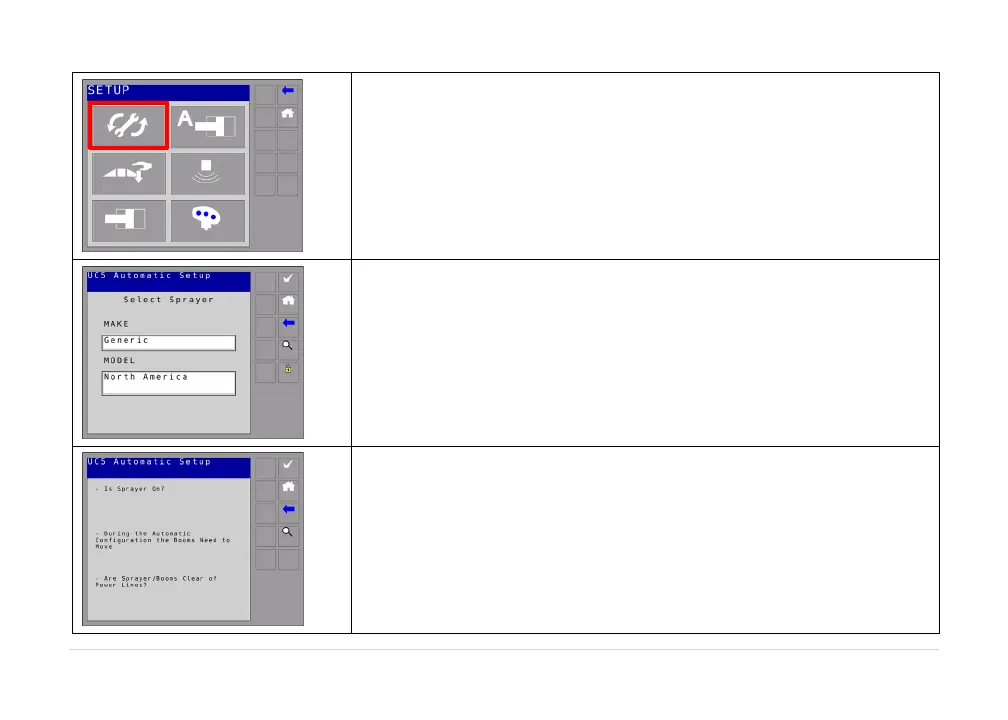
Selectautomaticsetup.
Selectthesprayermakeandmodelfromthelists.
Thenselectthecheckbutton.
A list of precautions will be displayed on the display.It is very
importantthatyoureadtheseprecautionsandfollowthem.
Onceyouhavereadtheprecautions,selectthecheckbutton.
At any point the magnifying glass can be pressed to obtain more
detailedinformationofthesetupprocedure
ortoviewanyerrors.



 To Next Page