22
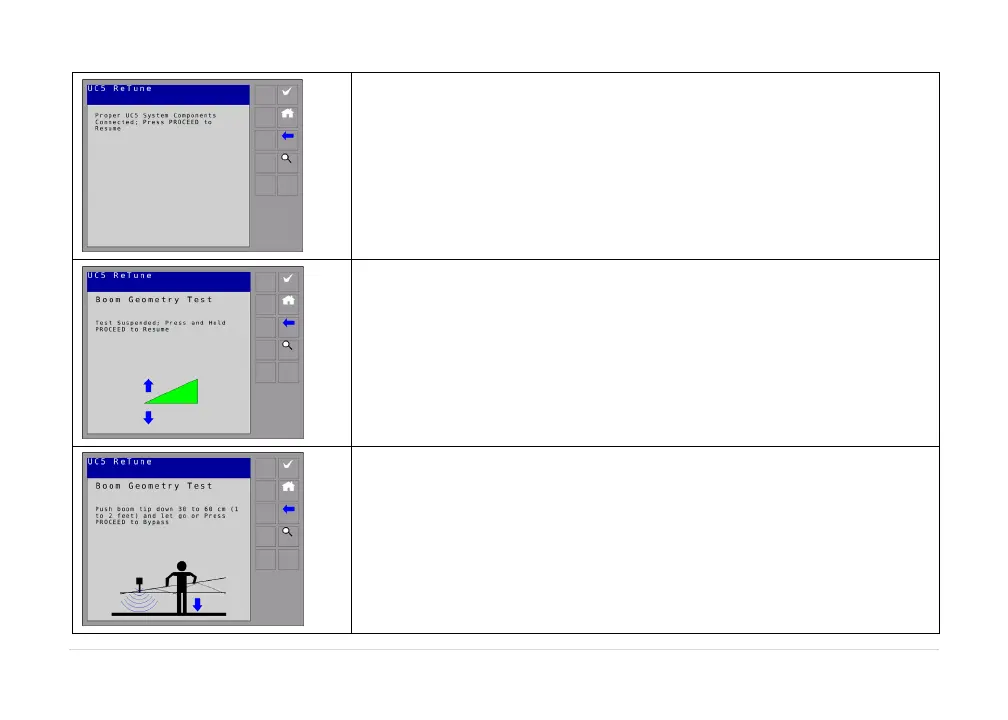
A list of connected modules will be displayed (ECHO™ only).Make
surethemodulesmatchyoursystemmodules.
Ifthelistofmodulesmatchesthecurrentlyinstalledmodules,select
thecheckbutton.
You will then be instructed to hold the check button.The terminal
willdisplay“cruising”.
Theterminalwilltheninstructyoutoexitthecabandpulltheboom
tipdowntowardsthegroundandthenreleasetheboom.
Ensure you stay a minimum of 3 feet (1m) away from any of the
sensors.



 To Next Page