24
3.9. OptionsMenu
NOTE: Somefunctionsandfeaturesmaynotbeavailableforallsprayermakesandmodels.Consultyour
salesrepresentativeortechnicalsupportwithanyquestionsorconcerns.
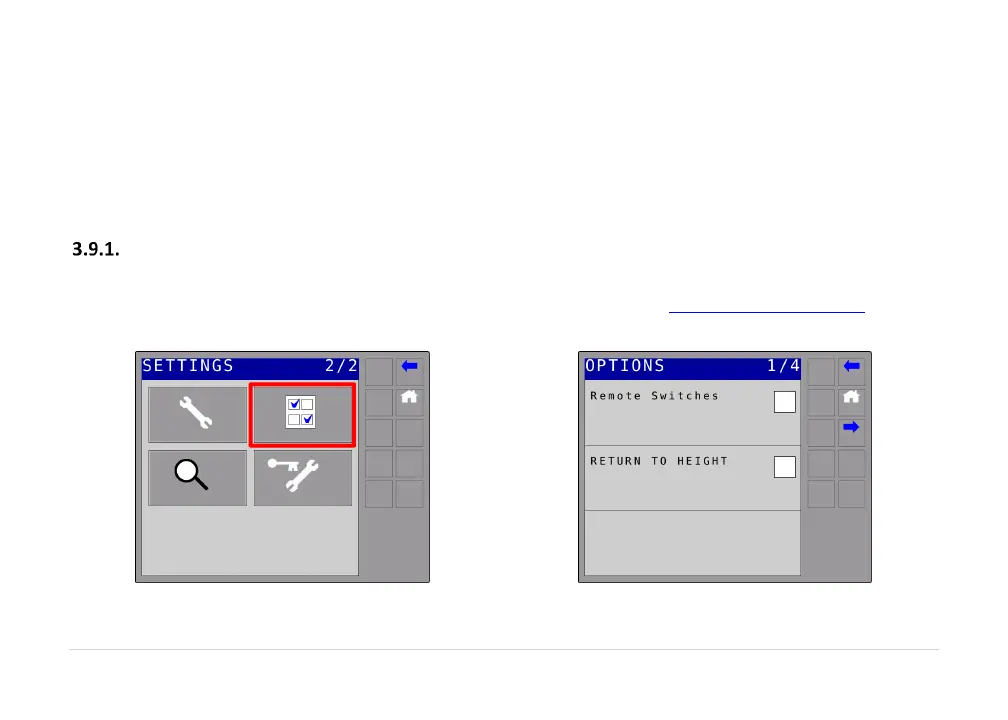
Navigate to the UC5™ settings menu (Section 3.6) and choose options as shown in Figure 7. The first
screenof
theoptionsmenuisshowninFigure8.
RemoteSwitches
Whenremoteswitches are enabled, the UC5 can be put into automatic or manualmode using external
switches.Formoreinformationonsettingupremoteswitches,refertowww.solutions.norac.ca(Section
4).
Figure7:SelectingOptionsMenu
Figure8:OptionsMenu



 To Next Page