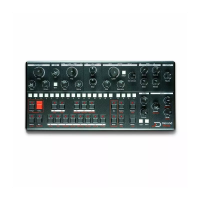
To transpose a whole pattern hold [FUNC] and hit [TRANSPOSE],
you can select the transposition level with the [NOTE] keys. Use
the [SEQ] key to select the octave. Key 8 is the default value.
Beat division
To set up the pattern beat division, hold [FUNC] and hit [BEAT
DIV]. The selected [SEQ] key defines how many steps are played
each beat, default is 4.
Swing
To set up the swing value of the current pattern, hold [FUNC] and
hit [SWING]. The default value is 9 (no swing). A smaller value
will add shuffle to the pattern (advance odd step), and a greater
value will add swing (delay odd step).
Mod Note mode
The mod note mode is a little bonus mode that allows users to
create up to 40 custom temporary patch or timbre settings per
project to be played and recorded. Hit [MOD NOTE], the key LED
should be on indicating that you enabled Mod Note mode. The 8
bottom [NOTE] keys each represent a timbre, you can't use them
to play pitch anymore.
The mod notes are scoped to the project, each project can hold
40 mod notes, separated into 5 pages. You can scroll the pages
with the [UP] and [DOWN] key.
To set up the timbre, select one of those Mod Note keys, say the
D [NOTE] key. When you select an empty Mod Note slot, the
current patch will be copied to that mod note slot. Editing the
timbre by rotating knobs will now edit that Mod Note's timbre.
Every time you play that key, the timbre that you recorded will be
played. It will virtually turn the potentiometer to the recorded
positions. You can add note trigs just as you would do in normal
mode to create a sequence of Mod Notes.
The next "normal" note trig played by the sequencer after a mod
note will revert the synth parameters back to the pattern's patch
values. So you can use these Mod Notes to create “happy
accidents” in an otherwise simple pattern by playing it live for


 To Next Page