EasyManua.ls Logo

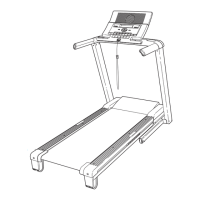
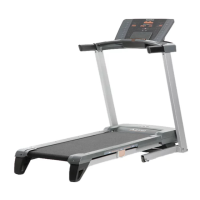
NordicTrack A2550 - User Manual

NordicTrack A2550
36 pages
Print Icon
To Next Page IconTo Next Page
Loading...
Serial Number
Decal
Model No. NTL09107.2
Serial No.
Write the serial number in the space
above for reference.
CAUTION
Read all precautions and instruc-
tions in this manual before using
this equipment. Save this manual
for future reference.
QUESTIONS?
As a manufacturer, we are com-
mitted to providing complete cus-
tomer satisfaction. If you have
questions, or if parts are missing,
DO NOT CONTACT THE STORE;
please contact Customer Care.
IMPORTANT: You must note the
product model number and
serial number (see the drawing
above) before contacting us:
CALL TOLL-FREE:
1-888-825-2588
Mon.–Fri. 6 a.m.–6 p.m. MT
Sat. 8 a.m.–4 p.m. MT
ON THE WEB:
www.nordictrackservice.com
w
ww.nordictrack.com
USER'S MANUAL
With Universal Dock for iPod
®

Questions and Answers

  • R
    Ryan NunezJul 29, 2025
    How to turn on NordicTrack Treadmill?
    • R
      Regina Mcbride MDJul 29, 2025
      First, ensure the power cord is correctly plugged into a surge suppressor, which is then plugged into a grounded outlet. Remember, the treadmill isn't compatible with GFCI outlets. Second, make sure the key is properly inserted into the console. Lastly, check the reset/off circuit breaker on the treadmill frame near the power cord. If the switch protrudes, the breaker has tripped; wait five minutes, then press the switch back in to reset it.
  • A
    Amanda RoblesAug 3, 2025
    What to do if the incline on my NordicTrack A2550 Treadmill isn't working?
    • H
      Helen JensenAug 3, 2025
      If the incline isn't working correctly, insert the key into the console and press an Incline button. While the incline is changing, remove the key. After a few seconds, re-insert the key. The treadmill will automatically rise to the maximum incline level and then return to the minimum level. This recalibrates the incline system.
  • M
    Maria DavisAug 8, 2025
    What to do if my NordicTrack A2550 Treadmill turns off during use?
    • T
      tlynnAug 8, 2025
      If your NordicTrack Treadmill turns off during use, first check the reset/off circuit breaker. If it has tripped, wait five minutes before pressing the switch back in. Also, ensure the power cord is securely plugged in; unplug it, wait five minutes, then plug it back in. Finally, remove and reinsert the key from the console.
  • N
    nicholassmithAug 13, 2025
    How to fix a NordicTrack Treadmill walking belt that is off-center or slips?
    • T
      Thomas WilliamsAug 13, 2025
      If the walking belt is off-center, remove the key and unplug the power cord. If the belt has shifted left, turn the left idler roller bolt clockwise 1/2 turn. If it has shifted right, turn the bolt counterclockwise 1/2 turn. Then, plug in the power cord, insert the key, and run the treadmill for a few minutes, repeating until centered. If the belt slips, remove the key and unplug the power cord. Turn both idler roller bolts clockwise 1/4 turn. The belt is correctly tightened when you can lift each edge 2 to 3 inches off the platform. Plug in the power cord, insert the key, and carefully walk on the treadmill for a few minutes, repeating until the belt is properly tightened.
  • A
    amy35Aug 18, 2025
    Why does my NordicTrack A2550 walking belt slow down when I walk on it?
    • A
      April SampsonAug 18, 2025
      The walking belt may slow down if it's overtightened or if there is an issue with the power supply. Ensure you are using a single-outlet surge suppressor. If the belt is overtightened, remove the key and unplug the power cord. Use a hex key to turn both idler roller bolts counterclockwise 1/4 of a turn. The walking belt is properly tightened when you can lift each edge 2 to 3 inches off the platform. Then, plug in the power cord, insert the key, and run the treadmill for a few minutes, repeating until properly tightened.
  • T
    Travis RobinsonAug 23, 2025
    What to do if NordicTrack A2550 Treadmill console stays on after removing the key?
    • N
      nichole63Aug 25, 2025
      If the console displays remain lit after removing the key, the treadmill may be in display demo mode. To turn off demo mode, hold down the Stop button for a few seconds.

Summary

Customer Support and Questions

Warning Decal Placement

Important Safety Precautions

Assembly Instructions

Operation and Adjustment

Console Diagram and Features

Turning On the Treadmill Power

Using Preset Workouts

Custom Workout Center Guide

Fitness Test Workout Procedure

Using iFit Cards

Folding and Moving the Treadmill

Folding for Storage

Instructions on how to safely fold the treadmill for storage.

Moving the Treadmill

Steps for safely moving the folded treadmill.

Lowering the Treadmill for Use

Troubleshooting Common Problems

Power Issues

Solutions for when the treadmill power does not turn on or turns off during use.

Console Display Problems

Resolving issues with console displays remaining lit or not functioning properly.

Troubleshooting Belt and Incline Issues

Troubleshooting Belt Alignment and Slipping

Walking Belt Off-Center or Slips

Instructions for centering the walking belt and correcting belt slippage.

Exercise Guidelines and Intensity

Suggested Stretches

Ordering Replacement Parts

Limited Warranty Information

NordicTrack A2550 Specifications

General IconGeneral
Motor2.5 CHP
Incline0-12%
Speed0-12 MPH
Weight Capacity300 lbs
FoldableYes
Bluetooth AudioYes
Cooling FanYes
iFit CompatibilityYes
DisplayBacklit Display

Related product manuals