EasyManua.ls Logo

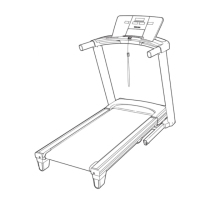
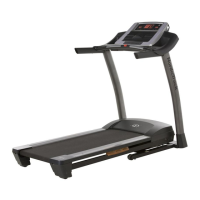
NordicTrack A2350 NTL07007.3 - User Manual

NordicTrack A2350 NTL07007.3
36 pages
Print Icon
To Next Page IconTo Next Page
Loading...
Serial Number
Decal
Model No. NTL07007.3
Serial No.
CAUTION
Read all precautions and instruc-
tions in this manual before using
this equipment. Save this manual
for future reference.
QUESTIONS?
As a manufacturer, we are com-
mitted to providing complete cus-
tomer satisfaction. If you have
questions, or if parts are missing,
PLEASE DO NOT CONTACT
THE STORE; please contact
Customer Care.
IMPORTANT: You must note the
product model number and
serial number (see the drawing
above) before contacting us:
CALL TOLL-FREE:
1-888-825-2588
Mon.–Fri. 6 a.m.–6 p.m. MST
Sat. 8 a.m.–4 p.m. MST
ON THE WEB:
www.nordictrackservice.com
Visit our website at
www.nordictrack.com
new products, prizes,
fitness tips, and much more!
V
Write the serial number in the space
above for reference.
USER'S MANUAL
With Universal Dock for iPod
®

Questions and Answers

  • G
    Gabriela FitzpatrickJul 26, 2025
    How to turn on my NordicTrack Treadmill?
    • L
      Laura FreemanJul 26, 2025
      First, ensure the power cord is correctly plugged into a surge suppressor, which is then plugged into a grounded outlet. Use a surge suppressor meeting the specifications on page 12, avoiding GFCI outlets. Next, make sure the key is inserted into the console after plugging in the power cord. Finally, check the reset/off circuit breaker on the treadmill frame near the power cord. If it protrudes, wait five minutes, then press the switch back in to reset it.
  • J
    joeholmesAug 1, 2025
    What to do if my NordicTrack A2350 NTL07007.3 Treadmill turns off during use?
    • D
      Dawn PinedaAug 1, 2025
      If your treadmill shuts off while you're using it, try these steps: Check the reset/off circuit breaker and reset it if tripped by waiting five minutes before pressing the switch back in. Ensure the power cord is securely plugged in; if it is, unplug it, wait five minutes, and plug it back in. Also, remove and reinsert the key from the console. If the issue persists, please see the front cover of this manual.
  • S
    Sara LongAug 7, 2025
    What to do if the incline on my NordicTrack A2350 NTL07007.3 isn't working?
    • D
      Deanna WareAug 7, 2025
      To recalibrate the incline system, insert the key into the console and press an Incline button. While the incline is changing, remove the key. After a few seconds, reinsert the key. The treadmill will automatically rise to the maximum incline level and then return to the minimum level.
  • M
    Mitchell WoodsAug 13, 2025
    How to turn off demo mode on NordicTrack Treadmill?
    • B
      Brian BassAug 13, 2025
      The console may be in display demo mode, which is designed for store displays. To turn off this mode, hold down the Stop button for a few seconds. If the displays remain lit, see THE INFORMATION MODE on page 22 to turn off the demo mode.
  • P
    Paige JohnsonSep 10, 2025
    How to fix a NordicTrack A2350 NTL07007.3 Treadmill walking belt that slows down when I walk on it?
    • A
      Amber JuarezSep 12, 2025
      First, ensure you're using a single-outlet surge suppressor that meets the specifications described on page 12. If the walking belt is overtightened, remove the key and unplug the power cord. Use a hex key to turn both rear roller bolts counterclockwise 1/4 of a turn. The belt should be tight enough that you can lift each edge 2 to 3 inches off the walking platform. Keep the walking belt centered. If the issue continues, consult the front cover of this manual.

Summary

Warning Decal Placement

Important Precautions

Before You Begin

Familiarize with Treadmill Parts

Overview of labeled components for user understanding.

Assembly

Assembly Hardware Identification

Visual guide to assembly hardware and quantities required.

Operation and Adjustment

Power Cord Connection and Surge Protection

Instructions for safely plugging in the treadmill and using surge suppressors.

Manual Mode Operation

Guide to operating the treadmill in manual mode.

Preset Workout Programs

Steps to select and use pre-programmed workout routines.

Custom Workout Center

Instructions for creating and using personalized workout plans.

Fitness Test Workout

How to perform a fitness test to assess fitness age.

Sound System Usage

Guide to connecting and playing audio through the console.

iFIT Card Functionality

Instructions for using iFIT workout cards with the treadmill.

Console Information and Settings

Accessing information modes, pulse sensor, and cushioning adjustments.

Folding and Moving the Treadmill

Folding for Storage

Step-by-step guide to properly fold the treadmill.

Moving the Treadmill

Instructions for safely transporting the folded treadmill.

Unfolding for Use

Steps to safely unfold the treadmill for operation.

Troubleshooting

Power Issues

Solutions for power not turning on or turning off during use.

Console Display Problems

Troubleshooting for displays remaining lit or malfunctioning.

Incline and Belt Performance

Solutions for incline not changing correctly or belt slowing.

Walking Belt Alignment and Slipping

Steps to correct off-center or slipping walking belts.

Exercise Guidelines

Exercise Intensity Levels

Guidance on achieving target heart rates for fat burning and aerobic exercise.

Workout Structure and Timing

Recommendations for warming up, training, and cooling down.

Workout Frequency and Rest

Advice on establishing a consistent exercise routine.

Suggested Stretches

Part List

Exploded Drawings

Exploded Drawing A

Detailed breakdown of treadmill components.

Exploded Drawing B

Detailed breakdown of treadmill components.

Exploded Drawing C

Detailed breakdown of treadmill components.

Exploded Drawing D

Detailed breakdown of treadmill components.

Ordering Replacement Parts

Limited Warranty

NordicTrack A2350 NTL07007.3 Specifications

General IconGeneral
Speed Range0-12 MPH
Incline Range0-12%
Running Surface20" x 60"
Weight Capacity300 lbs
FoldableYes
iFit CompatibleYes
Cooling FanYes
Built-in SpeakersYes
Heart Rate MonitorGrip

Related product manuals