EasyManua.ls Logo

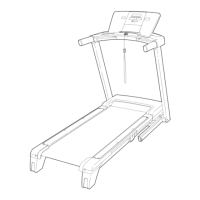
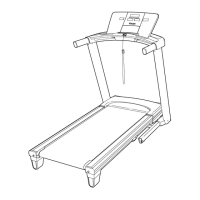
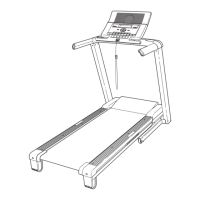
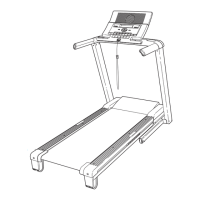
NordicTrack A2050 NTL10850 - User Manual

NordicTrack A2050 NTL10850
34 pages
Print Icon
To Next Page IconTo Next Page
Loading...
0 C C
Patent Pending
Mode! No. NTL10850
Seda! No.
Find the seriaUnumber in the Uocation
shown beUow,Write the seriaUnumber
in the space above for reference,
/
SeriaUNumber DecaU
If you have questions, or if there
are missing parts, we wilt guar-
antee complete satisfaction
through direct assistance from
our factory.
TO AVOID DELAYS, PLEASE
CALL DIRECT TO OUR TOLL-
FREE CUSTOMER HOT LINE.
The trained technicians on our
Customer Hot Line will provide
immediate assistance, free of
charge to you.
CUSTOMER HOT LINE:
1-888-825-2588
Mon.-Fd., 8 a.m.-8 p.m. MST
Ac CAUTION
Read all precautions and inetru co
tions in this manual before using
this equipment. Save this manual
for future reference.
'S
www.nordictrack.com
new products, prizes,
fitness tips, and much more r.

Questions and Answers

  • S
    Susan LarsonJul 26, 2025
    What to do if NordicTrack A2050 NTL10850 power does not turn on?
    • K
      Karen FletcherJul 26, 2025
      First, ensure the power cord is plugged into a surge suppressor, and that the surge suppressor is plugged into a properly grounded outlet, using only a single-outlet surge suppressor meeting the specifications on page 10. Note that the treadmill isn't compatible with GFCI-equipped outlets. Also, make sure that the key is fully inserted into the console after plugging in the power cord. Finally, check the reset/off circuit breaker located on the treadmill frame near the power cord. If the switch protrudes, the circuit breaker has tripped; wait five minutes, then press the switch to reset it.
  • T
    Thomas WilliamsAug 3, 2025
    What to do if NordicTrack A2050 NTL10850 Treadmill power turns off during use?
    • B
      Brian ScottAug 3, 2025
      If the power turns off during use, check the reset/off circuit breaker and, if tripped, wait five minutes before resetting it. Ensure the power cord is securely plugged in; if it is, unplug it, wait five minutes, and plug it back in. Also, remove and reinsert the key fully into the console.
  • H
    hnunezAug 10, 2025
    Why is my NordicTrack Treadmill walking belt slowing when walked on?
    • L
      Lindsey AustinAug 10, 2025
      The walking belt might be slowing down if you aren't using a single-outlet surge suppressor that meets the specifications described on page 10. Also, if the walking belt is overtightened, remove the key and unplug the power cord. Then, use an allen wrench to turn both rear roller adjustment bolts counterclockwise, 1/4 of a turn. When properly tightened, you should be able to lift each side of the belt 3 to 4 inches off the platform, keeping it centered. Plug the power cord back in, insert the key, and run the treadmill for a few minutes, repeating until properly tightened.
  • K
    Kyle ZhangAug 17, 2025
    How to fix NordicTrack A2050 NTL10850 walking belt that is off-center or slips?
    • K
      Kyle BooneAug 17, 2025
      To fix an off-center or slipping walking belt, first remove the key and unplug the power cord. If the belt has shifted left, turn the left rear roller bolt clockwise 1/2 turn; if it has shifted right, turn it counterclockwise 1/2 turn. Avoid overtightening. Plug the power cord back in, insert the key, and run the treadmill briefly, repeating until centered. If the belt slips, turn both rear roller bolts clockwise 1/4 turn. When correctly tightened, you should be able to lift each side of the belt 3 to 4 inches off the platform. Plug the power cord back in, insert the key, and carefully walk on the treadmill for a few minutes, repeating until properly tightened.

Summary

Customer Support and Contact Information

Important Safety Precautions

Before You Begin Operation

Treadmill Assembly Instructions

Operation and Adjustment

Pre-Lubricated Walking Belt Care

Avoid applying silicone spray or other substances to the walking belt or platform.

Power Cord Connection and Grounding

Properly connect the power cord using a surge suppressor and ensure grounding.

Console Information

Console Display Diagram

Diagram illustrating the treadmill console display and its various functions.

Console Features and Programs

Overview of console features, including manual mode, preset programs, heart rate programs, and iFIT.com.

Turning On Treadmill Power

Using the Manual Mode

Using Preset Programs

Using Heart Rate Programs

iFIT.com Program Connectivity

Connecting MP3 Player or CD Player

Instructions for connecting MP3 players and CD players to the treadmill for iFIT.com.

Connecting Portable Stereo

Instructions for connecting portable stereos to the treadmill for iFIT.com audio.

Connecting Home Stereo

Connecting VCR

Using iFIT.com MP3, CD, or Video Programs

Using iFIT.com Programs via Web

Information and Demo Modes

Optional Chest Pulse Sensor

Folding and Moving the Treadmill

Folding Treadmill for Storage

Instructions on how to safely fold the treadmill into its storage position.

Moving the Treadmill

Steps for safely moving the folded treadmill using its wheels.

Lowering Treadmill for Use

Treadmill Troubleshooting

Troubleshooting: Power Not Turning On

Steps to resolve issues where the treadmill does not power on.

Troubleshooting: Power Turns Off During Use

Steps to resolve issues where the treadmill unexpectedly shuts off.

Troubleshooting: Console Display Issues

Steps to resolve problems with the treadmill console display.

Troubleshooting Walking Belt Issues

Troubleshooting: Walking Belt Slows

Steps to diagnose and fix issues with the walking belt slowing down.

Troubleshooting: Belt Off-Center or Slipping

Steps to adjust the walking belt if it is off-center or slips.

Conditioning Guidelines and Workout Tips

Exercise Intensity and Goals

Guidance on setting exercise intensity based on heart rate for fat burning and aerobic goals.

Workout Structure and Frequency

Guidelines for structuring workouts, including warm-up, training zone, and cool-down.

Suggested Stretches for Users

Part List and Identification

Ordering Replacement Parts

NordicTrack A2050 NTL10850 Specifications

General IconGeneral
FoldingYes
BluetoothYes
iFit CompatibleYes
Cooling FanYes
AudioYes

Related product manuals