EasyManua.ls Logo

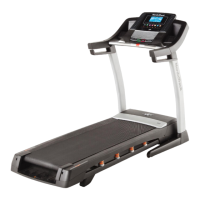
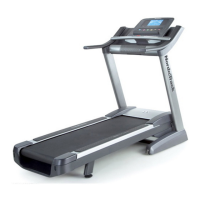
NordicTrack C900 24959.0 - User Manual

NordicTrack C900 24959.0
36 pages
Print Icon
To Next Page IconTo Next Page
Loading...
www.nordictrack.com
Model No. 24959.0
Serial No.
Write the serial number in the space
above for reference.
Serial Number
Decal
QUESTIONS?
if you have questions, or if parts
are damaged or missing, DO NOT
CONTACT THE STORE; please
contact Customer Care.
iMPORTANT: Please register this
product (see the limited warranty
on the back cover of this manual)
before contacting Customer Care.
CALL TOLL-FREE:
1-800-TO-BE-FIT
(1-800-862-3348)
Mon.-Fri. 6 a.m.-6 p.m. MT
Sat. 8 a.m.-4 p.m. MT
ON THE WEB:
www.nordictrackservice.com
ER'S ANUAL
(,,"-'m F R E E -,_
lira ®v ,O W- OI
www.iFit.com -J

Questions and Answers

  • D
    David Hamilton DVMJul 30, 2025
    What to do if my NordicTrack C900 24959.0 Treadmill turns off during use?
    • H
      hmendezJul 31, 2025
      If your treadmill shuts off unexpectedly, start by checking the power switch. Also, make sure the power cord is securely plugged in. If it is, unplug it, wait five minutes, and then plug it back in. Finally, try removing and reinserting the key from the console.
  • P
    patrickcabreraAug 10, 2025
    How to turn off demo mode on NordicTrack C900 24959.0 Treadmill?
    • J
      johnny97Aug 10, 2025
      To turn off the demo mode, hold down the Stop button for a few seconds.
  • C
    Chris PonceAug 20, 2025
    Why is the walking belt off-center or slipping on my NordicTrack Treadmill?
    • S
      Sandra GibsonAug 20, 2025
      If the walking belt has shifted to the left, use the hex key to turn the left idler roller screw clockwise 1/2 of a turn; if it has shifted to the right, turn the left idler roller screw counterclockwise 1/2 of a turn. If the walking belt slips when walked on, first remove the key and unplug the power cord. Using the hex key, turn both idler roller screws clockwise, 1/4 of a turn.

Summary

Warning Decal Placement

Warning Decal Locations

Details the locations of warning decals on the treadmill for safety.

Cautionary Area Notice

Alerts users to keep hands and feet away from specific treadmill areas during operation.

Important Precautions

Before You Begin

Part Identification Chart

Assembly

Operation and Adjustment

Connect Power Cord Safely

Instructions for connecting the treadmill's power cord using a surge suppressor for safety.

Console Diagram

How to Turn On the Power

How to Use the Manual Mode

Start and Control Operation

Start the walking belt, adjust speed, and change incline during manual mode.

Monitor Workout Progress

Track key metrics like time, distance, calories, and heart rate on the console.

Finish Exercise Session

Properly stop the treadmill, adjust incline, and secure the key.

How to Use an Onboard Workout

Select and Start Onboard Workout

Choose a programmed workout and begin exercising.

Monitor Onboard Workout Progress

Follow the workout's programmed speed and incline changes.

Finish Onboard Workout

Properly conclude the workout and secure the treadmill.

How to Use a Set-a-Goal Workout

Set Workout Goal

Define a specific goal (calories, distance, or time) for the workout.

Start and Complete Goal Workout

Begin the workout and continue until the set goal is reached.

How to Use an iFit Workout

Prepare and Select iFit Workout

Insert iFit module, select user, and choose a downloaded workout.

Execute iFit Workout

Follow guided workouts, track progress, and compete with others.

How to Use the Stereo Sound System

The Information Mode

Select Information Screens

Access displays for usage hours, distance, iFit status, units, and contrast.

Configure Console Settings

Adjust display contrast, trainer voice, and default menu options.

How to Fold and Move the Treadmill

Fold Treadmill for Storage

Adjust incline, remove key, and secure the frame for folding.

Move Treadmill Safely

Roll the folded treadmill using wheels, requiring two people.

Lower Treadmill for Use

Release the latch and carefully lower the frame to the operational position.

Troubleshooting

Power Not Turning On

Troubleshoot issues when the treadmill fails to power up.

Power Turns Off During Use

Address problems where the treadmill unexpectedly shuts down.

Console Displays Remain Lit

Resolve issues with the console staying on after key removal.

Console Displays Malfunction

Fix problems with the console display not functioning correctly.

Incline Change Errors

Recalibrate the incline system if it does not respond correctly.

Walking Belt Slows Down

Diagnose and fix issues causing the walking belt to lose speed.

Walking Belt Alignment and Slipping

Adjust belt tension and alignment for centering and to prevent slipping.

Console Display Lines

Adjust display contrast to resolve lines appearing on the console.

Exercise Guidelines

Exercise Intensity Levels

Understand heart rate zones for fat burning and aerobic exercise.

Workout Structure Guidelines

Follow warm-up, training zone, and cool-down phases for effective exercise.

Exercise Frequency Recommendations

Plan a consistent workout schedule for maintaining or improving fitness.

Part List

Exploded Drawing A

Exploded Drawing B

Exploded Drawing C

Exploded Drawing D

Ordering Replacement Parts

Limited Warranty

NordicTrack C900 24959.0 Specifications

General IconGeneral
BrandNordicTrack
ModelC900 24959.0
CategoryTreadmill
LanguageEnglish

Related product manuals