EasyManua.ls Logo

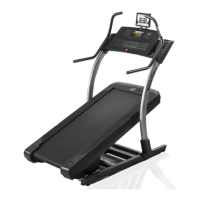
NordicTrack NTL29016.0 - User Manual

NordicTrack NTL29016.0
40 pages
Print Icon
To Next Page IconTo Next Page
Loading...
USER’S MANUAL
www.nordictrack.com
Model No. NTL29016.0
Serial No.
Write the serial number in the space
above for reference.
CAUTION
Read all precautions and instruc-
tions in this manual before using
this equipment. Save this manual
for future reference.
ACTIVATE YOUR
WARRANTY
To register your product and
activate your warranty today, go
to www.nordictrackservice.com/
registration.
CUSTOMER CARE
For service at any time, go to
www.nordictrackservice.com.
Or call 1-800-TO-BE-FIT
(1-800-862-3348)
Mon.–Fri. 6 a.m.–6 p.m. MT
Sat. 8 a.m.–12 p.m. MT
Please do not contact the store.
Serial
Number
Decal

Questions and Answers

  • K
    Kristin RandolphAug 2, 2025
    How to fix NordicTrack NTL29016.0 when the power does not turn on?
    • T
      thomasjamesAug 2, 2025
      First, ensure the power cord is properly connected to a surge suppressor, and that the surge suppressor is plugged into a grounded outlet. If your treadmill is connected to an AFCI-equipped outlet and the circuit breaker trips repeatedly, consider purchasing an arc filter (refer to the front cover of this manual). Also, check the power switch located on the treadmill frame near the power cord. If the switch protrudes, indicating it has tripped, wait five minutes before pressing it back in to reset.
  • S
    saracarterAug 8, 2025
    What to do if my NordicTrack NTL29016.0 Treadmill turns off during use?
    • H
      henry11Aug 8, 2025
      If your NordicTrack Treadmill shuts off unexpectedly, try these steps: Check the power switch and reset it if it has tripped by waiting five minutes and then pressing it back in. Ensure the power cord is securely plugged in; if it is, unplug it, wait five minutes, and then plug it back in. Also, remove and reinsert the key from the console. If the issue persists, please see the front cover of this manual.
  • L
    Lori SmithAug 14, 2025
    How to adjust a walking belt on NordicTrack Treadmill if it is off-center or slips?
    • B
      Brianna TaylorAug 14, 2025
      If your NordicTrack Treadmill's walking belt is off-center or slips, first adjust the incline to 40 percent. If the belt has shifted to the left, use the hex key to turn the left idler roller screw clockwise 1/2 of a turn. If it has shifted to the right, turn the left idler roller screw counterclockwise 1/2 of a turn. If the belt slips, turn both idler roller screws clockwise 1/4 of a turn using the hex key.
  • G
    gonzaleskevinAug 21, 2025
    Why does the walking belt slow down when I walk on my NordicTrack NTL29016.0?
    • N
      nguyenveronicaAug 21, 2025
      If the walking belt on your NordicTrack Treadmill slows down when you walk on it: First, adjust the incline to 40 percent. If the walking belt is overtightened, incline trainer performance may decrease and the walking belt may become damaged. When the walking belt is properly tightened, you should be able to lift each edge of the walking belt 3 to 4 in. (8 to 10 cm) off the walking platform. If you suspect that the walking belt needs more lubricant, or if the walking belt still slows when walked on, see the front cover of this manual.
  • M
    Megan SmithAug 26, 2025
    What to do if the console of NordicTrack Treadmill does not stay in place?
    • B
      Billy PierceAug 27, 2025
      If the console of your NordicTrack Treadmill is too loose and won't stay in the desired position, use a hex key to slightly tighten the console in the indicated location on both sides.

Summary

IMPORTANT PRECAUTIONS

ASSEMBLY

THE CHEST HEART RATE MONITOR

HOW TO USE THE HEART RATE MONITOR

Instructions for wearing and connecting the heart rate monitor.

HOW TO USE THE INCLINE TRAINER

CONSOLE DIAGRAM AND FEATURES

POWERING ON AND USING THE TOUCH SCREEN

HOW TO TURN ON THE POWER

Step-by-step guide to powering on the incline trainer.

HOW TO USE THE TOUCH SCREEN

Instructions for navigating and interacting with the console's touch interface.

CONSOLE SETUP AND MANUAL MODE

HOW TO SET UP THE CONSOLE

Guide to configuring the console for the first use.

HOW TO USE THE MANUAL MODE

Instructions for operating the incline trainer in manual mode.

WORKOUT MODES

HOW TO USE A MAP WORKOUT

Steps to select and perform a workout using a map.

SETTINGS SECTIONS

MAINTENANCE SECTION

WIRELESS NETWORK MODE

MAINTENANCE AND TROUBLESHOOTING

TROUBLESHOOTING POWER ISSUES

Solutions for the incline trainer not turning on or shutting off.

TROUBLESHOOTING WALKING BELT ISSUES

Steps to resolve walking belt slowing, slipping, or off-center problems.

TROUBLESHOOTING INCLINE & CONSOLE ISSUES

Solutions for incline, wireless connectivity, and console stability problems.

EXERCISE GUIDELINES AND SUGGESTED STRETCHES

EXERCISE INTENSITY AND WORKOUT GUIDELINES

Guidance on exercise intensity, warming up, training, and cooling down.

NordicTrack NTL29016.0 Specifications

General IconGeneral
Running Area20" x 60"
Maximum User Weight300 lbs
Speed0 - 12 MPH
FoldingYes
Motor Power3.0 CHP
iFit CompatibilityYes
Motor3.0 CHP
Warranty2-Year Parts, 1-Year Labor
Programs30+ built-in workouts

Related product manuals