EasyManua.ls Logo

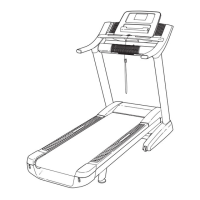
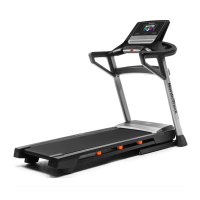
NordicTrack NTL61011.0 - User Manual

NordicTrack NTL61011.0
32 pages
Print Icon
To Next Page IconTo Next Page
Loading...
USER’S MANUAL
CAUTION
Read all precautions and instruc-
tions in this manual before using
this equipment. Keep this manual
for future reference.
Model No. NTL61011.0
Serial No.
Write the serial number in the space
above for reference.
QUESTIONS?
If you have questions, or if parts
are damaged or missing, DO NOT
CONTACT THE STORE; please
contact Customer Care.
IMPORTANT: Please register this
product (see the limited warranty
on the back cover of this manual)
before contacting Customer Care.
CALL TOLL-FREE:
1-800-TO-BE-FIT
(1-800-862-3348)
Mon.–Fri. 6 a.m.–6 p.m. MT
Sat. 8 a.m.–4 p.m. MT
ON THE WEB:
www.nordictrackservice.com
www.nordictrack.com
Serial Number
Decal

Questions and Answers

  • B
    blevinsscottJul 31, 2025
    How to fix NordicTrack NTL61011.0 Treadmill when the power does not turn on?
    • J
      Jenna JacobsJul 31, 2025
      First, ensure the power cord is properly plugged into a surge suppressor, which is then connected to a grounded outlet. Then, make sure the key is inserted into the console after plugging in the power cord. Also, check the power switch on the treadmill frame near the power cord. If it protrudes, wait five minutes before pressing it back in.
  • J
    John SmithAug 6, 2025
    What to do if NordicTrack NTL61011.0 power turns off during use?
    • M
      millerjonathanAug 6, 2025
      If your NordicTrack Treadmill turns off during use, it could be due to a tripped switch. Wait five minutes, then press the switch back in. Also, ensure the power cord is securely plugged in. If it is, unplug it, wait five minutes, and then plug it back in.
  • T
    timothyriceAug 12, 2025
    How to turn off demo mode on NordicTrack NTL61011.0?
    • S
      Scott ClaytonAug 12, 2025
      If the console displays stay lit after removing the key, the demo mode may be on. To turn it off, hold down the Stop button for a few seconds. If the displays are still lit, see THE INFORMATION MODE on page 21 to turn off the demo mode.
  • W
    watersdeborahAug 18, 2025
    Why does the walking belt slow down when I walk on my NordicTrack NTL61011.0 Treadmill?
    • N
      nramosAug 19, 2025
      The walking belt may slow down because it is overtightened. To resolve this, remove the key and unplug the power cord. Then, using the hex key, turn both idler roller screws counterclockwise, 1/4 of a turn. If the walking belt still slows when walked on, see the front cover of this manual.
  • J
    Jody WatsonAug 25, 2025
    What to do if the walking belt is off-center or slips when walked on NordicTrack NTL61011.0?
    • P
      paulcarrAug 25, 2025
      If the walking belt is off-center, remove the key and unplug the power cord. If the belt has shifted left, turn the left idler roller screw clockwise 1/2 turn using the hex key. If it shifted right, turn the left idler roller screw counterclockwise 1/2 turn. If the belt slips, remove the key and unplug the power cord. Use the hex key to turn both idler roller screws clockwise 1/4 turn.

Summary

Warning Decal Placement Guide

Important Safety Precautions

Treadmill Assembly Instructions

Operation and Adjustment Guide

Connecting the Power Cord Safely

Details on connecting the treadmill power cord using a surge suppressor.

Console Diagram and Features

How to Turn On Treadmill Power

Using the Manual Mode

Adjusting Treadmill Incline

Using the Heart Rate Monitor

Using Onboard Workouts

Using iFit Live Workouts

Folding and Moving the Treadmill

Folding the Treadmill for Storage

Instructions for folding the treadmill into a storage position.

Treadmill Troubleshooting Guide

Troubleshooting: Power Not Turning On

Troubleshooting steps when the treadmill does not power on.

Troubleshooting: Power Turns Off During Use

Troubleshooting steps when the treadmill unexpectedly powers off.

Troubleshooting: Console Display Malfunctions

Steps to fix console display malfunctions, including motor hood removal.

Troubleshooting: Incline Malfunctions

Troubleshooting: Walking Belt Speed Issues

Troubleshooting: Walking Belt Alignment and Slippage

Exercise Guidelines and Recommendations

NordicTrack NTL61011.0 Specifications

General IconGeneral
BrandNordicTrack
ModelNTL61011.0
CategoryTreadmill
LanguageEnglish

Related product manuals