EasyManua.ls Logo

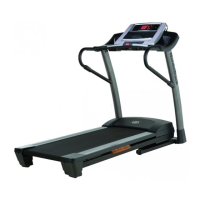
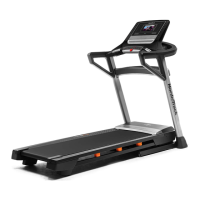
NordicTrack T11.5 - User Manual

NordicTrack T11.5
40 pages
Print Icon
To Next Page IconTo Next Page
Loading...
USER’S MANUAL
www.iconeurope.com
Model No. NETL10713.1
Serial No.
Write the serial number in the space
above for reference.
Serial
Number
Decal
CUSTOMER SERVICE
UNITED KINGDOM
Call: 0330 123 1045
From Ireland: 053 92 36102
Website: www.iconsupport.eu
E-mail: csuk@iconeurope.com
Write:
ICON Health & Fitness, Ltd.
Unit 1D, The Gateway
Fryers Way, Silkwood Park
OSSETT
WF5 9TJ
UNITED KINGDOM
AUSTRALIA
Call: 1800 993 770
E-mail: australiacc@iconfitness.com
Write:
ICON Health & Fitness
PO Box 635
WINSTON HILLS NSW 2153
AUSTRALIA
CAUTION
Read all precautions and instruc-
tions in this manual before using
this equipment. Keep this manual
for future reference.

Questions and Answers

  • J
    Jennifer WhiteAug 5, 2025
    What to do if the NordicTrack T11.5 power turns off during use?
    • J
      Jessica DawsonAug 5, 2025
      If the power turns off during use on your NordicTrack Treadmill, first check the power switch; if it has tripped, wait five minutes, then press it back in. Also, ensure the power cord is securely plugged in. If the issue persists, remove and reinsert the key from the console.
  • A
    Andres KingAug 10, 2025
    How to fix NordicTrack Treadmill console displays not working?
    • S
      Sherry RoblesAug 11, 2025
      If the console displays of your NordicTrack Treadmill aren't functioning correctly, remove the key and unplug the power cord, placing the treadmill in the storage position. After plugging the cord back in, ensure the key is inserted into the console. Also, check the power switch on the treadmill frame near the power cord. If it's protruding, wait five minutes, then press it back in to reset it.
  • K
    Kathy SmithAug 15, 2025
    Why is the walking belt slipping on my NordicTrack T11.5 Treadmill?
    • C
      Crystal NortonAug 15, 2025
      If the walking belt slips when you walk on your NordicTrack Treadmill, first remove the key and unplug the power cord. Then, using the hex key, turn both idler roller screws clockwise, 1/4 of a turn.
  • A
    Alicia DavisAug 20, 2025
    Why does my NordicTrack T11.5 Treadmill walking belt slow down when I walk on it?
    • D
      Darryl BullockAug 20, 2025
      If the walking belt slows down when you walk on your NordicTrack Treadmill: * Remove the key and unplug the power cord. * Using the hex key, turn both idler roller screws counterclockwise, 1/4 of a turn. Also, remember that your treadmill features a walking belt coated with high-performance lubricant. Never apply silicone spray or other substances to the walking belt or the walking platform unless instructed to do so by an authorized service representative.
  • K
    Kyle MyersAug 26, 2025
    What to do if NordicTrack T11.5 walking belt is not centered?
    • K
      Kathleen JacksonAug 26, 2025
      First, remove the key and unplug the power cord. If the walking belt has shifted to the left, use the hex key to turn the left idler roller screw clockwise 1/2 of a turn; if the walking belt has shifted to the right, turn the left idler roller screw counterclockwise 1/2 of a turn.
  • J
    Jacob NguyenAug 31, 2025
    How to fix NordicTrack T11.5 Treadmill console displays staying on?
    • J
      John JacobsAug 31, 2025
      To recalibrate the incline system on your NordicTrack Treadmill when the console displays remain lit after removing the key: 1. Hold down the Stop button and the Speed increase button. 2. Insert the key into the console, and then release the Stop button and the Speed increase button. 3. Press the Stop button and then press the Incline increase or decrease button. The treadmill will automatically rise to the maximum incline level and then return to the minimum level.

Summary

Warning Decal Placement

Important Precautions

Before You Begin

Part Identification Chart

Assembly

The Chest Heart Rate Monitor

How to Put on the Heart Rate Monitor

Instructions on wearing the monitor.

Care and Maintenance

Cleaning and storage guidelines.

Troubleshooting

Solutions for common issues with the monitor.

Operation and Adjustment

How to Plug in the Power Cord

Connecting the treadmill to power.

Features of the Console

How to Turn on the Power

How to Use the Manual Mode

How to Use a Set-a-Goal Workout

How to Use an Onboard Workout

How to Use an iFit Workout

The Information Mode

Units

Changing measurement units (miles/km).

Demo Mode

Enabling/disabling display demo mode.

Contrast Lvl

Adjusting display contrast.

Module

Information about connected iFit/USB/SYNC modules.

Audio Coach

Turning the audio coach on/off.

Start Mode

Setting default startup mode (Manual/iFit).

Check Wifi

Network status and software version.

Send;Obtain Data

Transferring workout data.

How to Use the Sound System

How to Use a Sync

How to Fold and Move the Treadmill

How to Fold the Treadmill

Instructions for folding the treadmill.

How to Move the Treadmill

Instructions for moving the folded treadmill.

How to Lower the Treadmill for Use

Unfolding the treadmill for use.

Troubleshooting

Symptom: The power does not turn on

Solutions for power issues.

Symptom: The power turns off during use

Solutions for unexpected power shutoff.

Exercise Guidelines

Exercise Intensity

Using heart rate to gauge workout intensity.

Burning Fat

Guidelines for fat-burning workouts.

Aerobic Exercise

Guidelines for cardiovascular strengthening.

Workout Guidelines

Warm-up, training, and cool-down phases.

Exercise Frequency

Recommended workout schedules.

Suggested Stretches

Part List

Exploded Drawing A

Exploded Drawing B

Exploded Drawing C

Exploded Drawing D

Ordering Replacement Parts

Recycling Information

NordicTrack T11.5 Specifications

General IconGeneral
Running Area20" x 60"
Speed0 - 12 MPH
FoldableYes
iFit CompatibleYes
Incline12%
Weight Capacity300 lbs

Related product manuals